Do you want to: Suggest a feature / Report a bug / Ask a how-to question
For feature suggestions, describe the result you would like to achieve in detail.
For bug reports, provide the steps to reproduce and if possible a minimal demo of the problem.
OS version: linux mint xfce
App version: 9.04
Downloaded from: ONLYOFFICE website
Additional information:
Any relevant details about the situation. You can also attach images and videofile to the post (or to place them to external storage).
i frequently use spilled arrays to reference named ranges. in onlyoffice, spilled arrays require that we declare a fized size for the target range.
but…
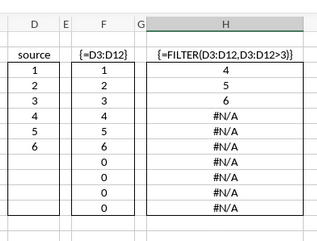
if the data set is smaller than the target range, it fills the remaining cells with zero’s. this can happen whenever the source data is a variable size.
when using the FILTER function the data set will also be smaller than the target range, and the empty cells are filled with “#N/A” errors.
is there a way to prevent those results? or better yet, can spilled arrays be configured to re-size dynamically instead of having to specify a fixed target range? inserting extra rows to allow for growth would be preferable to adding extra functions or error checking.
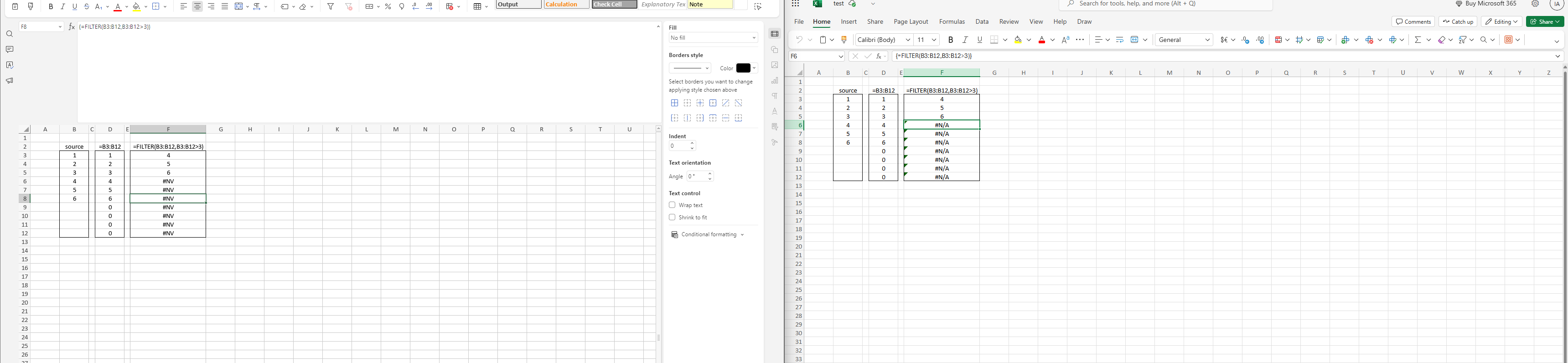
this is a simplified example of what i am attempting, but the results are consistent.
forcing an array with a variable size into range with a fixed size results in padded zero’s or the N/A# error.
downstream formulas that reference those ranges produce additional errors.
i attempted to embed the IFNA() function into the filter function but it did not work when combined with additional functions like SORT() and UNIQUE().
Based on this, I assume an issue in the file\formulas themselves. Could you please point to the editor which works correctly in this scenario and describe the final goal step-by-step?
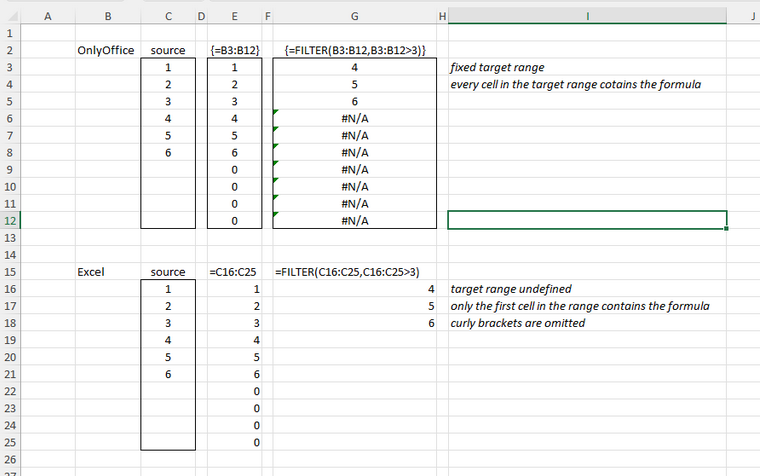
I was using Office 2021, but a slightly different formula than OO supports.
in Excel, Instead of defining a fixed range for the target just enter the formula in the first cell of the target range without the curly brackets {}. Excel will automatically fill the remaining cells without the #N/A errors.
i’ve just discovered something related to the problem.
The help file listed below states that when entering array formulas we are supposed to first select the target range, enter the desired formula, and then enter ‘ctrl+shift+enter’.
Purely by accident I discovered that if i ignore those instructions, enter the formula without selecting the target range and without ctrl+shift+enter i get the desired results. It behaves like spilled arrays in excel. but only under some circumstances, it’s not consistent.
Is this an undocumented change from previous releases, or a bug?
Thanks for the files and detailed explanation!
To make 100% sure we’re on the same page (especially about the “sometimes it spills correctly, sometimes not” part), could you record a short video
It would really help us nail down exactly what’s going on. I’d be super grateful!
This relates to dynamic arrays functionality. It’s not fully implemented yet, but we’re planning to add it! No timeline to share right now, but I totally get your point and appreciate the suggestion.