Thanks again for this useful software.
I would like to report the following problem with onlyoffice.
Issue Description
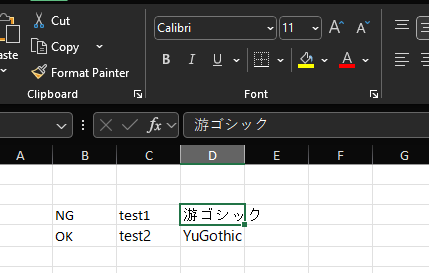
- When a file saved in Excel in Office 2019 (Japanese) is opened in onlyoffice spreadsheet, the font name is changed to “calibri”.
The saved file is an Excel file (*.xlsx) with the font name “Yu Gothic”.
Steps to reproduce
- Create a new sheet in excel 2019.
- Input text in the default font (Yu Gothic).
- Save the book.
- Close excel2019.
- Open this file in onlyoffice.
Execution environment
- version 9.0.3.29 (x64 exe)
- excel, office 2019(japanese)
Hello @goodlikeoffice
Please note that there is newer version of Desktop Editors available. Update your app and check the situation again.
If the issue reproduces after the update, please share a sample file with Yu Gothic font for analysis. I was unable to reproduce the issue according to the provided description with latest version of Excel.
Thanks @Constantine for your reply.
I verified the issue with ver 9.0.4 as well, but the issue was not resolved.
I will share a sample file with you. When I open this file in onlyoffice spreadsheet, it changes to “calibri” font name.
The default font name saved in excel is “游ゴシック” in Japanese.
“游ゴシック” is the font name without translation.
I hope you will read it.
sample_YuGothic.xlsx (9.1 KB)
Thank you for the file.
I assume initially this font was used for a content in the cell D3, right? Please check folder C:\Windows\Fonts – is that font available globally in the system?
Thank you. I will respond below.
Yes, I used the “游ゴシック” font in cell D3.
Yes, it has been applied at the initial setup of windows 11.
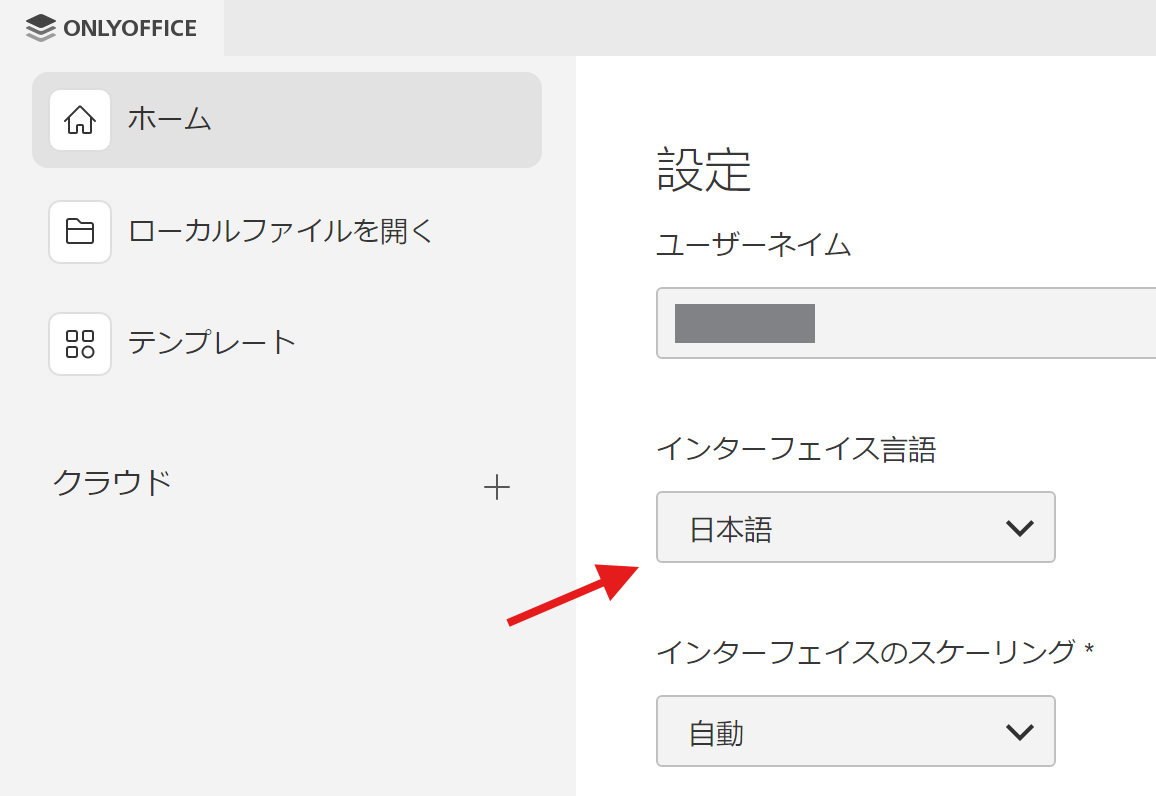
Can you share the font itself for tests? Also, what language of Desktop Editors do you use?
Please refer to the attached screenshot for DesktopEditor settings.
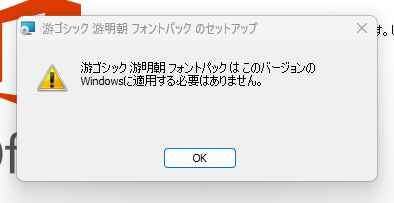
Thank you. Unfortunately, the package says that it is not needed to be installed, because fonts already exist in the system:
I have checked the file in actual version of MS Office 365 (not online, global) and it also displays the font in the cell D3 as Calibri.
I may only assume that the font “游ゴシック” is used by the instance of MS Excel 2019 (Japanese) locally inside the app, thus it is not available globally for other apps. Can you check any other processor?
Thank you for your support.
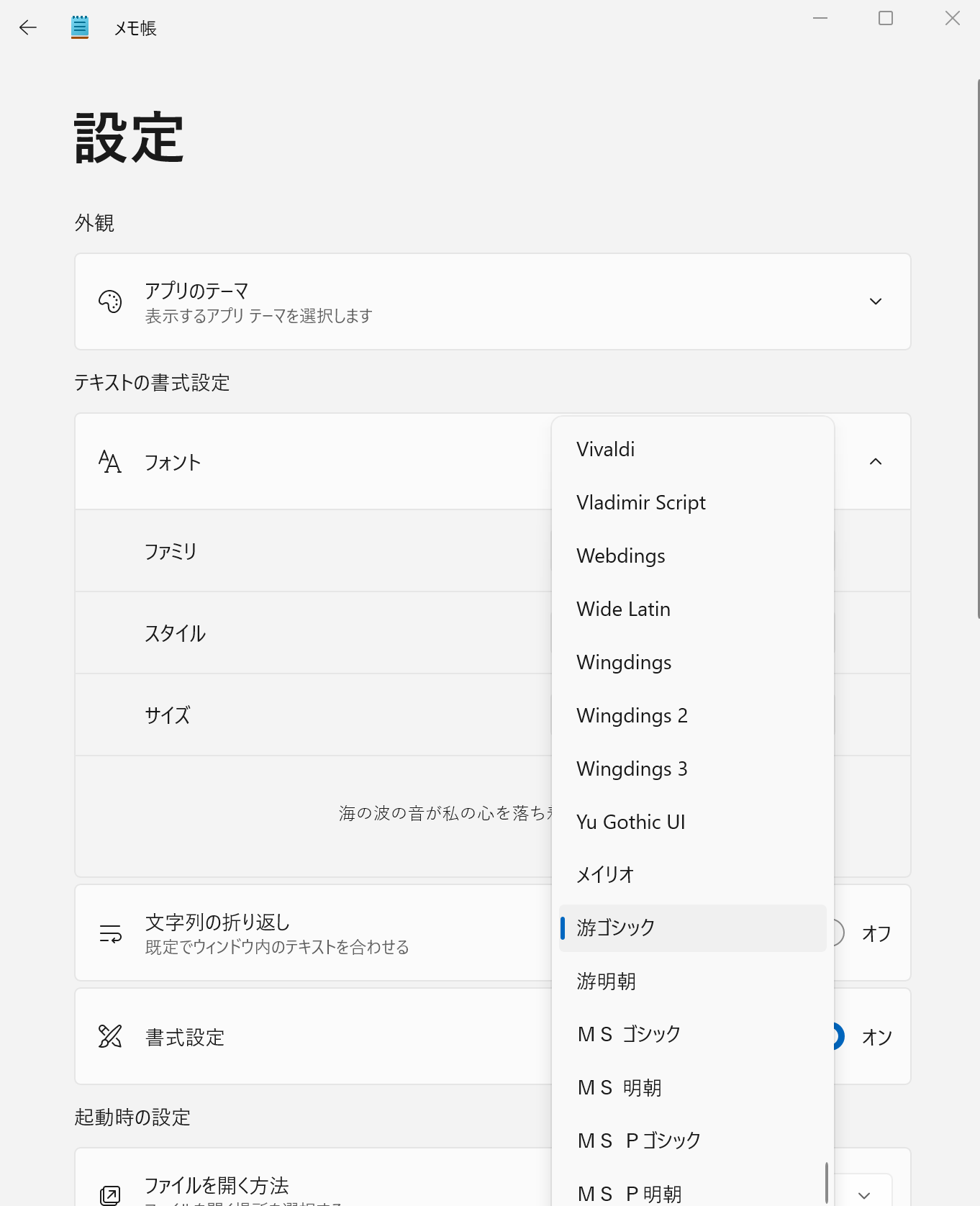
The “游ゴシック” font is displayed in other programs as well.
I have attached a screenshot taken with notepad.exe.
Thanks for the reply. We will do some test from our end. In the meantime, can you please provide “游ゴシック” as a file?
I believe it must be there in .ttf format.
UPD: Do you see “游ゴシック” font in list of fonts in Desktop Editors at all? What version of Window do you use?
Please refer to the sample screen.
sample fonts desktop editors.pptx (473.3 KB)
Thank you. We are doing additional tests. I’ll you know if we get any results.
Hello again @goodlikeoffice
It seems that the issue is related to the default font. You see, in different locales different fonts are used as default ones, which in certain cases causes in font change. I was informed that this issue is being processed by the devs.
I’ll inform you once this issue is resolved.
Thank you, @Constantine.
I can’t wait for the fix.