I have been trying to set up an AI-agent so it can be available system wide. By system wide I mean automatically available for each new document. It seems, however, that one must set up the AI agent separately for each document? I followed the instructions in this help file, “AI assistants: setup and configuration” and that appears to be what it is instructing. Indeed, when I have set up an AI agent, I have only been able to set it up for each document. Is there a way to establish an AI agent, or set of AI agents, that can be permanently available for all documents?
Hello @arobulack
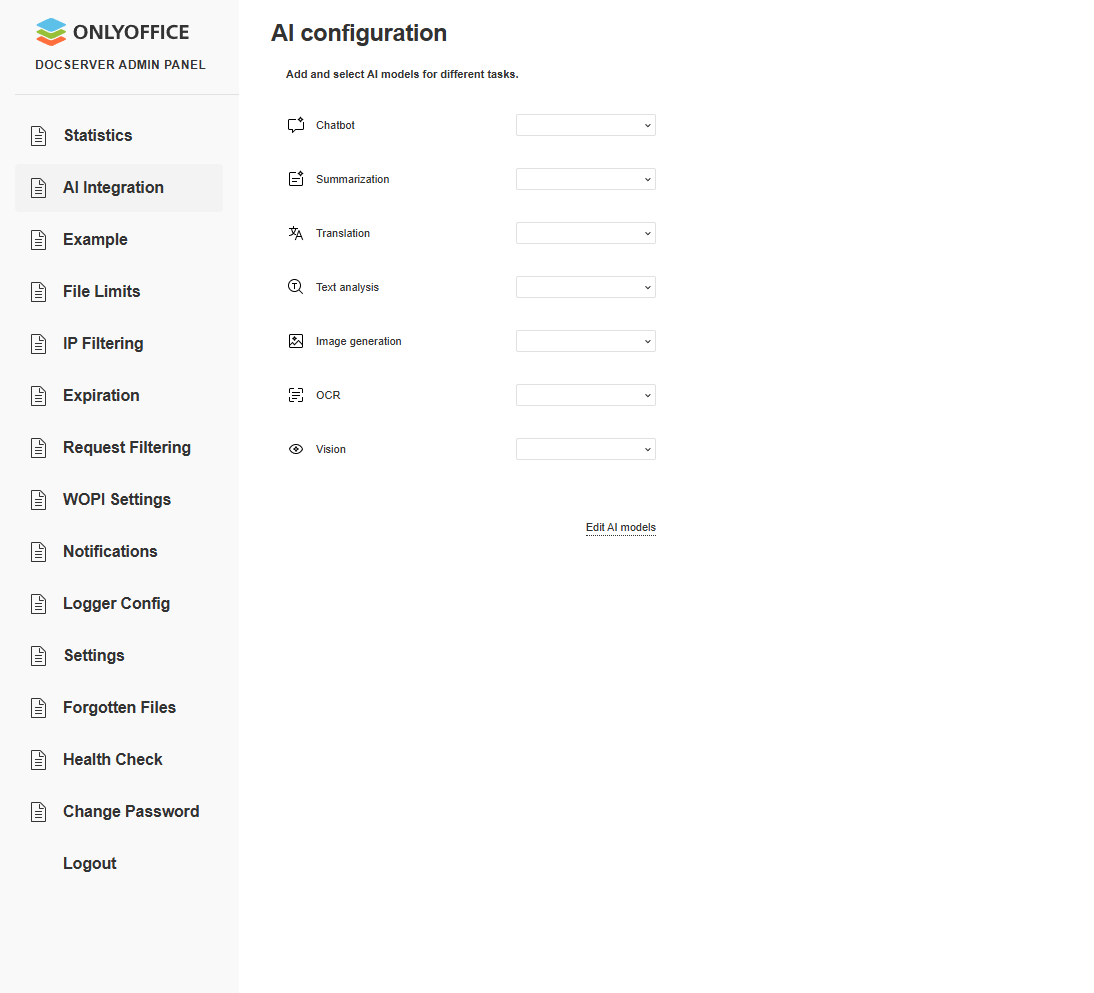
What is your Document server version? In the recent v.9.1 we have implement admin panel with AI integration for all users.
1 Like
Thanks for your response, Alexandre. I’m using the ONLYOFFICE Docs Cloud service. Based on your response, I found this article:
Unfortunately, when I follow the instructions in that article to access the Admin panel, I don’t receive the link mentioned in the article. (Yes, I’ve checked my Spam folder.)
Any idea why the system might not be sending me the email to access the admin panel?
Ah, the Docs cloud. It has its own Admin Panel. Please let me know the email you used for Docs Cloud registration or tenant direct link, I’ll try to check it out.
However, the Docs Cloud doesn’t have ‘AI integration Admin panel’. Do I understand it right that you need this feature for the Docs Cloud?
Yeah, I’m using Docs Cloud. I still can’t access to the admin panel, but it sounds like that doesn’t matter. So the only way to use the AI integration is on a document-by-document basis in Docs Cloud?
So the only way to use the AI integration is on a document-by-document basis in Docs Cloud?
No, it should work in both scenarios. User can set it up via the editor itself (AI tab) and it will apply to all files or in case of self-hosted Document server, the server owner can use Admin panel to set it up.
Please describe the situation step-by-step and record videofile demonstrating the issue.
As for the Docs Cloud access, please contact me via PM and let me know the email you used for Docs Cloud registration or its link, I’ll check out the situation.
Again, thanks for the reply and your help. Based on what you said above, I’m going to take another shot at trying to set it up in a document as see if I can establish at AI across all documents.
In terms of DM, I couldn’t figure out how to do that in this environment (noob here). Do you mind pointing me in the right direction, please?
I have manually increased your forum level. Now you should be available to use DM (click on my avatar > messages icon)
There is a bug when I try to connect my ollama server http://:11434 the endpoint is /v1/model but ollama endpoint is http://:11434/api/chat, so when I added ollama AI get error 404
Hello @Jimmyzh849621
Did you try to set it up in the editor (AI plugin) or in the Admin Panel? Yesterday we released Document server v.9.2. Please update your installation and re-check the situation. If the issue still persists, please show us the entire scenario step-by-step (please record a video file).
I am not sure if this is a similar issue and opened a new report at https://community.onlyoffice.com/t/cannot-add-ollama-local-provider-invalid-url-error/17443
I am also seeing Invalid URL errors when trying to us ehte new AI setup with Ollama.
1 Like
Thank you,
as far as I can see Constantine is already working on it. Please continue the communication in the separate thread.