Good afternoon, after updating the document server to version 7, I got glitches 
there is a macro:
value_number = value_number.replace(/\s/g, “”); from cell should remove all spaces previously worked
had to change to this value_number = value_number.replace(/[^0-9,.]/g, “”);
Further, the data validation is buggy set up like this:
when copying from a cell above/below, the drop-down list is disabled for some reason and cannot yet be distributed to the cell below, it is possible only through copying
We use the version of Community Edition, Google Chrome browser
windows server 2012r2
Hello @Kristofer
Could you please provide us with entire macro script which has worked on DSv.6.0, but now you face an issue.
If it’s possible, please record a video file with step-by-step scenario.
the script is not complicated, we copy the data from the program and it was necessary to convert the string into numbers, everything worked like this:
(function()
{
var oWorksheet = Api.GetActiveSheet();
var rowcount;
for(var i = 0; i < 16500; i++) {
    var cell = oWorksheet.GetRange("C" + (i + 2));
    var value = cell.GetValue();
    if(value === null || value === "") {
        rowcount = i;
        console.log(rowcount);
        break;
    }

}
//console.error(rowcount);
var range_date = oWorksheet.GetRange("C2:C" + (rowcount + 1));
range_date.ForEach(x => {
    var value_date = x.GetValue();
    x.SetValue(value_date);
    //console.log("ДО " + value_date);
    x.SetNumberFormat("dd/mm/yyyy");
});
range_date = null;

var range_number = oWorksheet.GetRange("D2:E" + (rowcount + 1));
range_number.ForEach(x => {
    var value_number = x.GetValue();
    if(value_number === null || value_number === ""){
        return;
    }
    else{
        value_number = value_number.replace(/\s/g, "");
        value_number = value_number.replace(/,/g, ".");
        value_number = Number(value_number);
        x.SetValue(value_number);
        x.SetNumberFormat("### ### ##0.00");
    }
});
})();
link to video: https://cloud.mail.ru/public/yVom/YXQSKtKKw
Hello @Kristofer
Sorry for the late reply. We checked your scenario and we found a bug. We added it to internal tracklist (56052). We have started working on it.
Thank you for pointing us to this situation.
One more thing. Please let us know how exactly you are copying drop-down list?
usually through cell broach, but sometimes through ctrl + c and insert ctrl + v
Thank you for your reply Alexander 
We rechecked the scenario with drop-down list copying and added separate bug to internal tracklist (bug number - 56222). When we get any news about these issues, I will update this post.
Thank you for valuable data.
Good day, we are still struggling with an error with saving when several users work with the table at the same time, can you help?
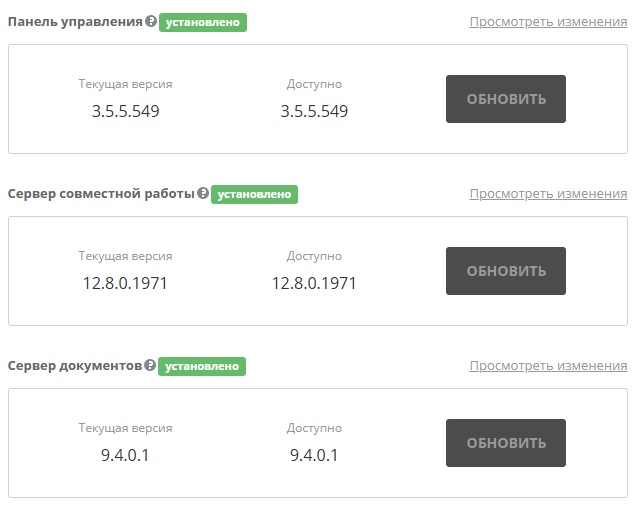
All software has been updated to the latest version!
I also wanted to clarify if there are any limitations in file sizes and saving options in the Community version, I noticed that after about 3 gigabytes of RAM an error appears and the file and server crash!
LOG:
[2025-06-09T16:53:33.157] [WARN] [localhost] [8GZsmpbleFCvIbKGVbboJX6ZHHLtK1z_HUI2kinE1Pw_] [7477b635-592f-49c2-b692-3c14750b5d131] nodeJS - sendServerRequest returned an error: data = {“error”:1,“message”:“Not saved”}
[2025-06-09T17:04:00.815] [WARN] [localhost] [8GZsmpbleFCvIbKGVbboJX6ZHHLtK1z_HUI2kinE1Pw_] [cf04e457-4b19-487f-9b3c-83a2d479315610] nodeJS - sendServerRequest returned an error: data = {“error”:1,“message”:“Not saved”}
[2025-06-09T17:12:53.042] [WARN] [localhost] [8GZsmpbleFCvIbKGVbboJX6ZHHLtK1z_HUI2kinE1Pw_] [d5a9504e-44fc-11f0-bf50-00155d585a2711] nodeJS - sendServerRequest returned an error: data = {“error”:1,“message”:“Not saved”}
Hello @Kristofer
This is really old thread. Previously we discussed the macro glitch and drop-down list issues, both cases were fixed.
Let’s focus on the new one.
Please reproduce the issue step-by-step and record a video file. Once the issue is reproduced, collect entire Document server logs folder.
As for the Community version limitation, there’s no restriction on file size or saving options, except for those specified in default.json config file such as FileConverter.converter.maxDownloadBytes or inputLimits: Configuring ONLYOFFICE Docs Developer Edition
However, these parameters affect file size that can be opened by the Document Server, not the saving options, and these parameters aren’t related to Document server version (Community\Enterprise\Developer).
Please provide us with details about ‘about 3 gigabytes of RAM an error appears’.
To sum it up, please provide us with information about:
- exact issue scenario (record a video file)
- entire Document server logs folder
- additional information about 3 Gb RAM issue
Additionally, please confirm that you’re using Document server v.8.3.3 and let us know whether you’re using ready-to-go integration such as Nextcloud, Seafile, Alfresco, etc., or you built your own one.
Good day, it is very problematic to catch it, as soon as it appears I will try to send it, we switched to the Linux version of the server now we will see what happens
Good day, in general the same error and on Linux everything is fresh, through your script installed with docker, logs from the server https://dropmefiles.com/TY8Em
according to HTOP at rest the server uses 10.7 GB of RAM when saving it reaches 13.1 and higher and then does not use memory!
The problem with saving arose when I pasted the copied data into the table in time it took 30-40 minutes, in the table and on the server only I worked, i.e. the error is not related to the simultaneous work of several users
The video could not be recorded
Hello @Kristofer
Do I understand that original issue has been resolved for you and now you are facing another issue?
If so, please start a new topic for the encountered recently issue.
Good morning, unfortunately it’s the same problem, we just moved from Windows to Linux and the save mode sometimes fails, I just noticed that the browser as soon as it reaches 3 GB of RAM immediately drops the connection and the server becomes unavailable at that moment
in the server part the same thing happens when saving 10 GB of RAM reaches 13 and drops, only in new releases it tries to save data twice and gives two errors as in the screenshot above: “The file was damaged while trying to save; Failed to get the file to save”
Let’s start from scratch.
In the provided screenshot I see the DMS interface of Workspace\DocSpace(?).
Please point me to the guide that you used for the product installation. If it is all-in-one product such as Workspace\DocSpace, we need the entire logs folder once the issue is reproduced.
Additionally we need versions of of all installed components and docker ps output result from the terminal.
Do I understand the issue right that it is related to file saving process? Does it occur only with the specific file?
In the provided screenshot I see the DMS interface of Workspace\DocSpace(?). - installed ONLYOFFICE Workspace Community
Please point me to the guide that you used for the product installation. - installation guide taken from here https://helpcenter.onlyoffice.com/workspace/installation/workspace-install-docker.aspx
If it is all-in-one product such as Workspace\DocSpace, we need the entire logs folder once the issue is reproduced. - Can I ask you to describe in more detail what you need to provide?
Additionally we need versions of of all installed components and docker ps output result from the terminal. -
Do I understand the issue right that it is related to file saving process? - yes problem with one file
Does it occur only with the specific file? - if it gets buggy and can’t save, then problems can start in other places too
Thank you for the provided data!
First of all, the Document server is outdated, please update it to the latest version: Installing ONLYOFFICE Workspace Community with additional script parameters
NB! Please prepare whole server backup\snapshot before any actions just in case.
Once the installation is up-to-date, please try to reproduce the issue. If it still occurs, we need entire Document server and Community server logs folders. They’re located here:
/app/onlyoffice/DocumentServer/logs/documentserver/
/app/onlyoffice/CommunityServer/logs/
One more thing. If the issue is related to the specific file only, please provide us with the file and describe the exact actions that provoke the issue.
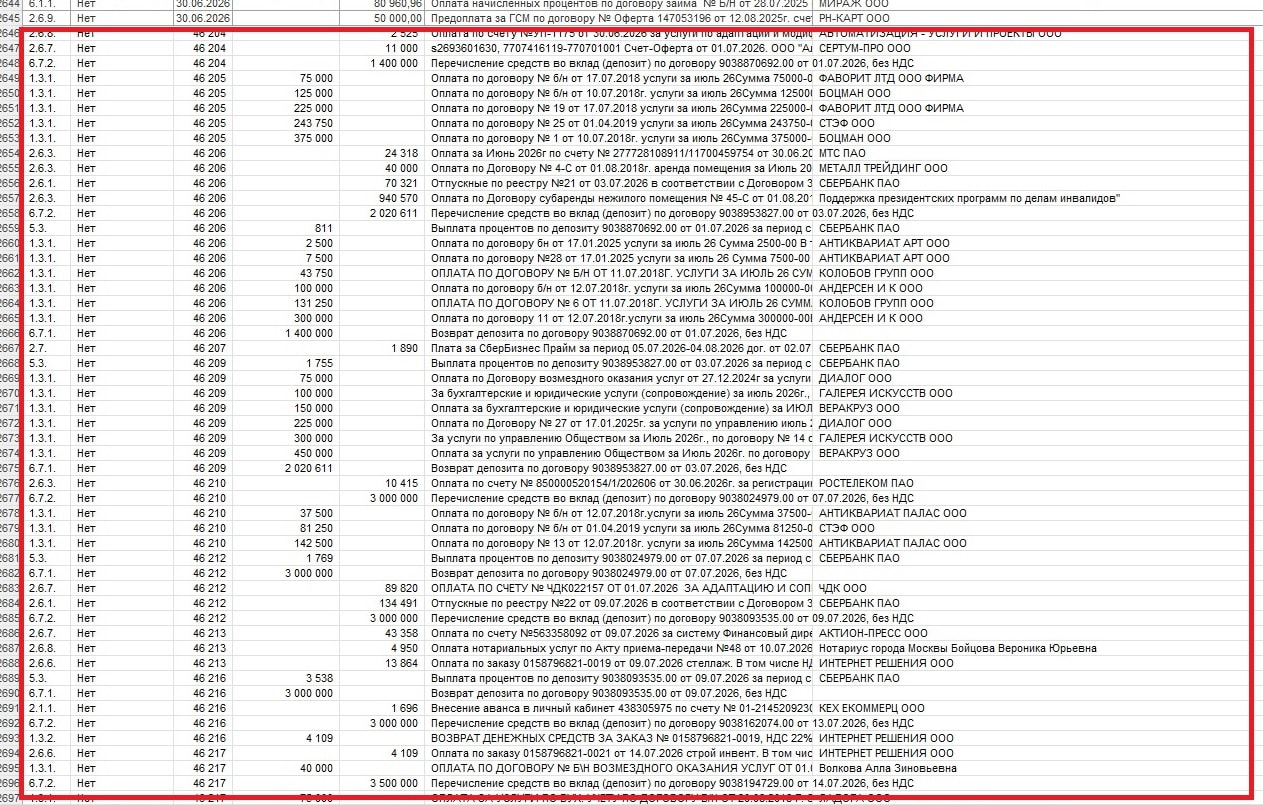
Hello, the saving issue has mostly gone away. It rarely crashes, but it still occurs. Another problem has arisen: the data isn’t clearing properly, turning it into some kind of garbage, as you can see in the screenshot. To clear it, I have to delete the file from the server, open regular Excel, clear it, and then reload it. Also, sometimes it doesn’t calculate the formula, so you can’t click it or press Enter.
The server has been updated to the latest version, this started somewhere 2-3 versions ago with an update.
Hello @Kristofer
Please clarify the exact scenario and what you mean by “garbage.” If you can reproduce the issue step-by-step and record a video, we would appreciate it.
The term ‘garbage’ refers to cleared data (data which is missing from the current session but reappears upon hitting F5). The only workaround to clear this data is to download the file to the desktop, open it via Excel, delete the data, and then re-upload the file back to the server.