[N] Is there a current Bug with Arial Font? Problems in Spreadsheet since some days

Hello there,
im a more or less new user in OnlyOffice for Desktop since some years. For now, all worked fine, but i run into a bug this days what makes me perplex.

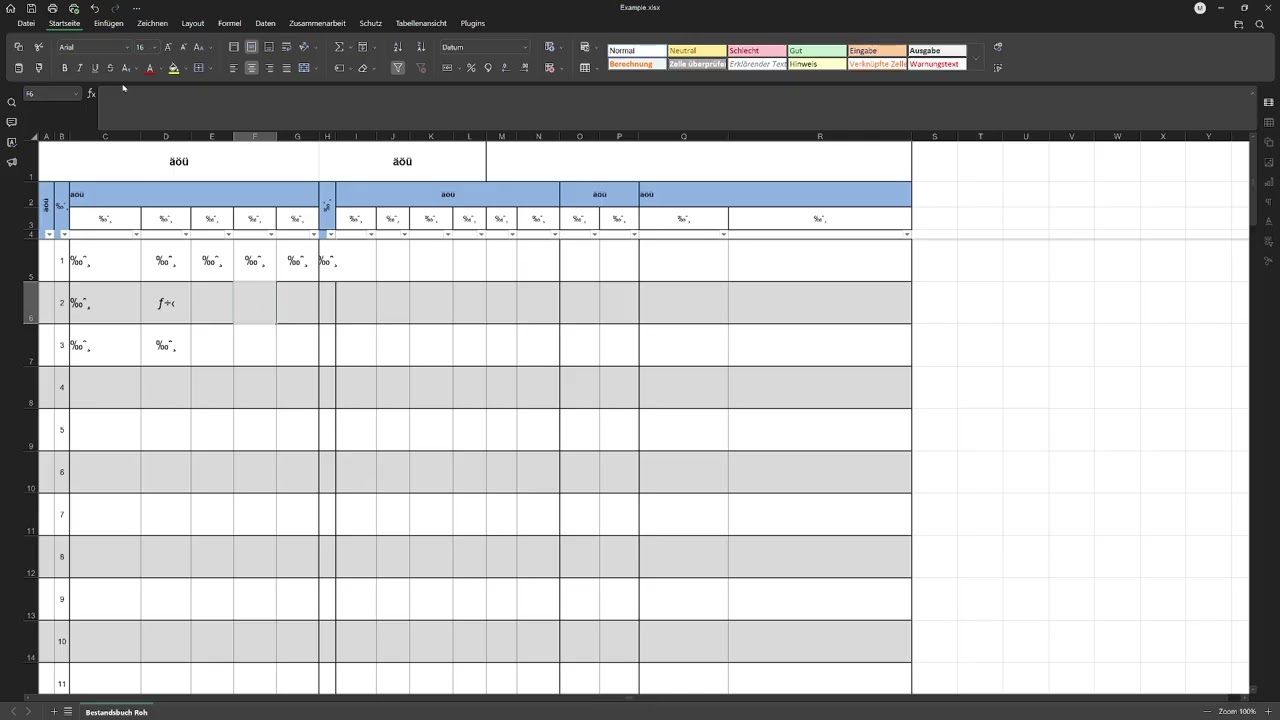
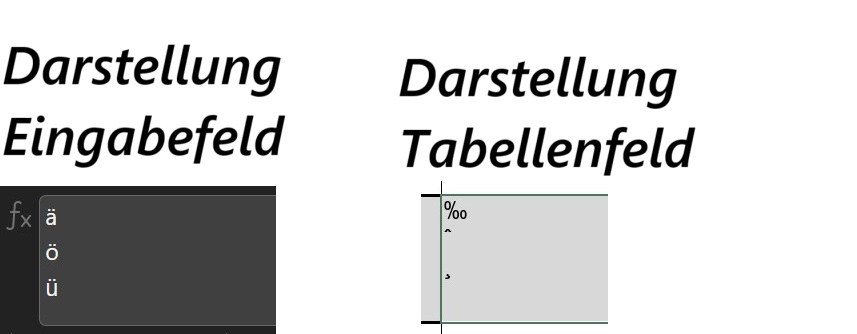
In random Spreadsheet xlsx Documents i got the Problem, that some letters in the Arial Font, e.g. Ä/Ö/Ü, are no longer displayed correctly in the cells. But in the formula field all is fine.

I’m not really sure since when this happen. Converting the Arial Font to another Font, the letters will be displayed correctly (atm my quickfix). In some other Documents all is fine. If i start a new Spreadsheet, with Arial seems to be all fine too. This happen also in Documents i didnt open for weeks or months.

OS version is W11 24H2 (26100.4652)
OnlyOffice is the actual 9.0.3.29 x64

Is this a Bug? Or did something change in one of the last updates? I checked the settings, but cant find an solution.

Regards and thanks in advance for your help.

Hello,
Could you please provide a file where the issue is reproduced? We will analyze it

Good morning,
sure i attached the file. Intresting is: if i format the text as bold or italic the letters will displayed again.
Example.xlsx (17.5 KB)

Good evening Dmitrii,
is there some news? I tried on a barley used PC to open the file as well now. Installed Version 9.0.3.29. There, all letters are shown correctly. Back on two other PCs with the current Version of OnlyOffice, the letters are shown as mentioned.

Hello,
Could you please provide a screen recording that retraces all the steps to reproduce the issue (with the full Desktop Editors window visible) from start to finish? We opened your file on Windows 11 using Desktop Editors version 9.0.3, and so far, we haven’t been able to reproduce the issue - all the letters with umlauts are displayed correctly.

Good morning Dmitrii,
i uploaded a short Video here:

hope this help. On older Versions of OPnlyoffice, i dont have this Issue.

Short correction: the version it works fine is 8.3.3.21!

Received, we are currently checking, I will notify as soon as I have news

Hello there,
i updated today on the newest Version. Issue is still there.
Also i updated the other Device from 8.3.3.21 to the current Version of 9.0.4.50. Now i have there the same issue.

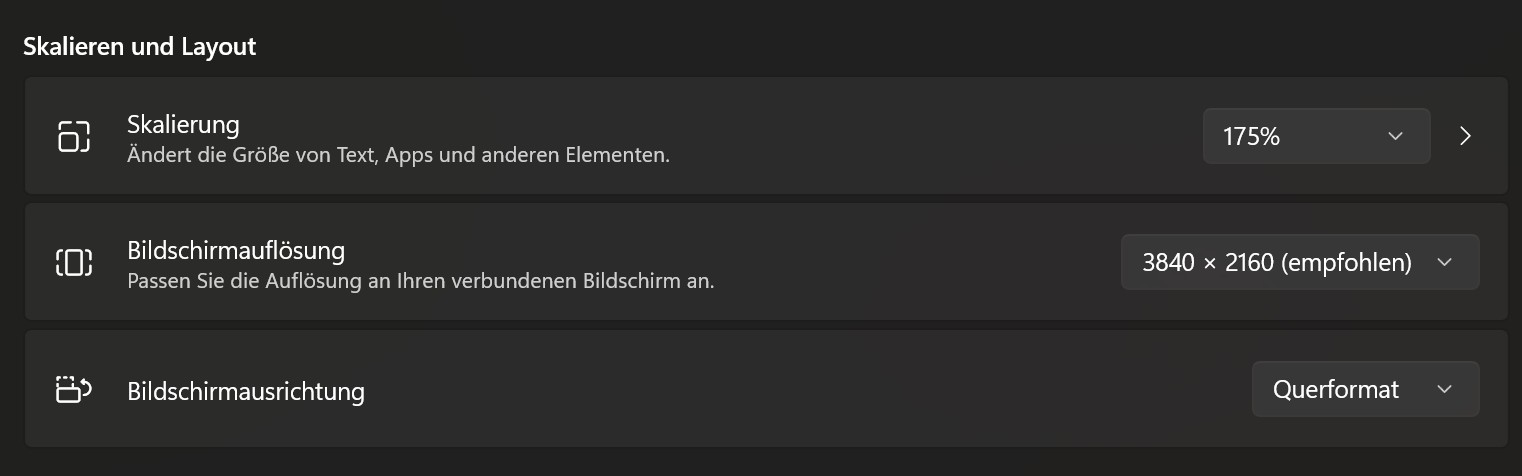
Please provide your Desktop Editors Interface scaling setting from Settings, device’s scaling settings (screenshot from System → Display)

Hi Dmitrii,
you mean the Display Scaling of Windows?


This is from the main System.

The other Systems work with 1920x1080 @ 100% Scaling.

Yes, I mean this one, but I also need the Desktop Editors interface scaling settings from Settings. Please provide those as well.

Hello Dmitrii,
got it - fist i didnt know where to look at. Its set on “automatic” on all devices.

Also, please provide original Arial font file from Windows/Fonts folder

Hello Dmitrii,
Unfortunately, I can’t attach files with the .tff extension, not even as .7zip or .rar files.

Could you please upload this file to a file hosting provider such as Dropbox and share the link with us?

https://www.dropbox.com/scl/fo/qljdfuq453o5r9hbh1gv5/AIp6fiDu3fHVlrl8LnHORtg?rlkey=q29h8gc7hr13bkeuvrfzxexhg&st=a9ka8xc7&dl=0

this should work. Please call if you downloaded the files, so i can remove the share.

The files were downloaded.
Is this issue also reproduced on the web version of the Editor?
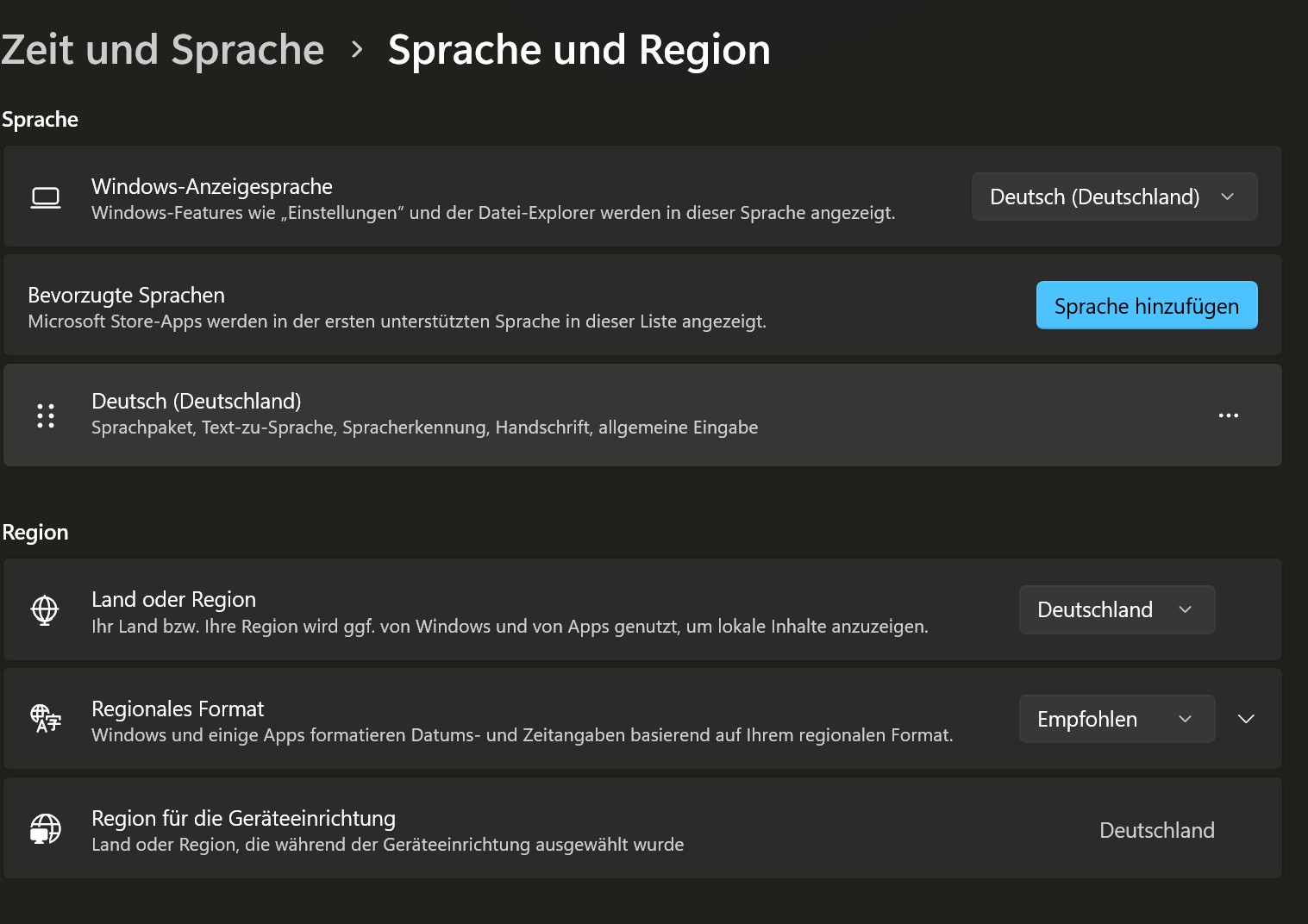
And please provide the following - screenshot of your System’s regional settings; the original file as pdf (saved in our Editor)

Hello Dmitrii,
here you have the screenshot and the file as .pdf. I do not use web version of the Editor.


Example.pdf (136.4 KB)

As told i have this issue on several systems. Win 10 and 11 with UHD and FHD resolution. It appeared after updating from 8.3.3.21 to the newer version(s).

Thank you for your cooperation. We need the following as well -

  1. Send an archive of all fonts from the folder
    C:\Users\USERNAME\AppData\Local\ONLYOFFICE\DesktopEditors\data\fonts
  2. Create a file with text reproducing the problem, but only in a single cell (other parts of file are empty)
  3. Save it as PDF from the application
  4. Send us both files – the simple XLSX file that shows the problem upon opening, and the PDF
  5. What are your keyboard input settings?

Hello Dmitrii,
attached you will find:

  • A link to .rar of the fonts you requested.
  • The ordered example2.pdf extrakted from Example2.xlsx
  • A Example3.xlsx

Example 3 is the original example of the start of this thread, just added the “sheet1” for the Example2.pdf. After i deleted the formated Sheet with my spreadsheet, i saved this as Example2.xlsx. To my surprise, after restarting the program (!), the formatting is displayed correctly again! So i gues something in the formations produce this bug?

To try this out, i reseted some formatations, but nothing helped so far.
Example2.pdf (20.4 KB)
Example2.xlsx (8.3 KB)
Example3.xlsx (18.4 KB)

Link to the fonts:
https://www.dropbox.com/scl/fi/13xj2amhnr0nxptqbejg4/fonts.rar?rlkey=qimqz7cnocuqtvdaft6qzithj&st=cvonmu0b&dl=0

Please tell me, if you downloaded the files, so i can remove the share.

Regards and have a nice weekend.

1 Like