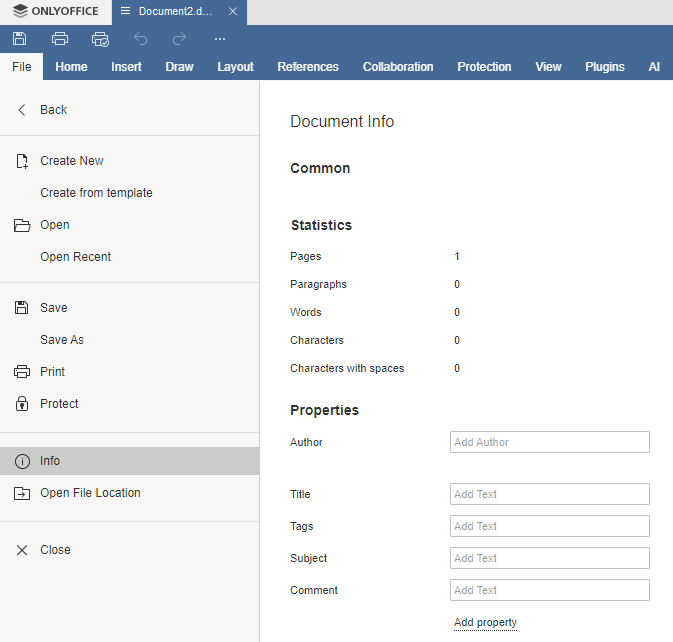
Insert document reference fields

Hello,

I wonder how to insert the updateable fields like document title, file name without extension…

This feature is available in LibreOffice in the menu Insert > Fields > Other fields

I searched everywhere in Desktop Editors and on the forums, but I found nothing.

Best,

Cedric

1 Like

hi @Cedric

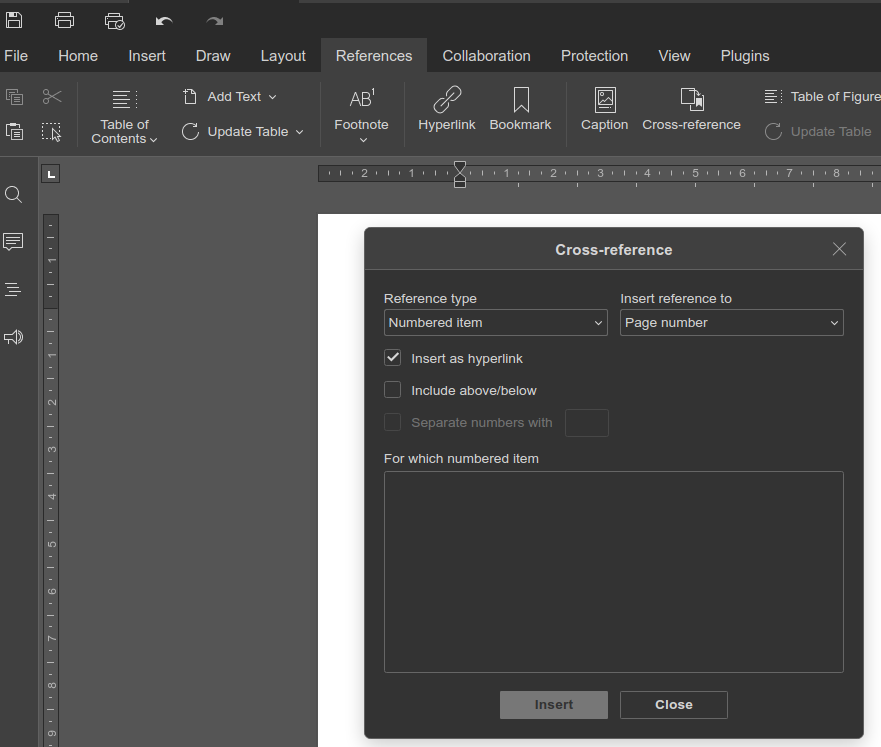
Doesn’t this pertain to References Tab → cross-reference?

Unfortunately not… Via the reference tab/cross reference, there is no opportunity to insert the filename (for example), or the date, or the page number… (May be it is possible, but I cannot find how…)

Hello @Tjwan

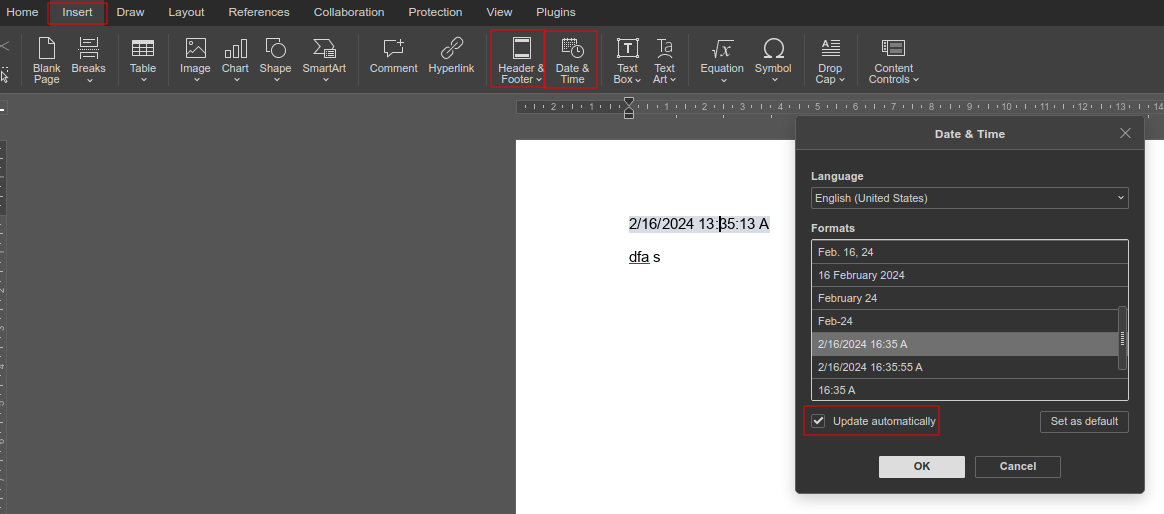
Insert > Data & Time

It seems I’ve got it. I need to check with my colleagues whether the format (OOXML) allows for this implementation.

@Tjwan @Cedric

We have logged an enhancement suggestion to add the ability to include additional fields (Insert > Fields > Other fields). :handshake:

2 Likes

Hi
We have the same need here
Fernand

1 Like

Hey @sosfc
Added you to the implementation request!

I need this feature too, particularly the TITLE field.

I have a lot of existing documents that use this field to automatically display the title of the document in places like beginning of the first page, header and footer, etc.

If I change the Title in the Document Info screen, and try to update the field, I get the error “Error! Reference source not found.”

1 Like

Hey @linuxkangaroo :wave:

Thank you for your feedback and for highlighting the issue.

To better understand and reproduce the error you’re experiencing (“Error! Reference source not found.” when updating the Title field), could you please share an example document where this happens? It would help us investigate the issue more precisely.

You can upload it directly here (if possible), or share a download link via any file-sharing service. :pray:

Hi @Nikolas, I just tried to do that but “new users can not upload attachments.”

Maybe when I’m no longer a “new” user I can interact here. :frowning:

1 Like

@linuxkangaroo

I’ve just adjusted your permissions — you should now be able to upload attachments here directly. :handshake:

Alternatively, if it’s more convenient, feel free to upload the file to any third-party cloud storage (like Google Drive, Dropbox, WeTransfer, etc.) and share the download link with us. :saluting_face:

Title field example.docx (31.6 KB)
Ok thank you. Here’s a sample document.

It’s a simple setup. There is a field at the top of the document that reads the document property of “Title.” The footer also reads the same. This works in the Microsoft implementation but not in OO. If you try to update the field it throws the “Not found” error.

@linuxkangaroo

Thank you for providing the file and additional details.
We appreciate your input — I will take some time to analyze the issue thoroughly and get back to you as soon as possible.
Thank you for your patience! :hugs:

Hi @linuxkangaroo :hugs:

We’ve added your request for additional fields such as:

  • TITLE
  • IF
  • MERGEFORMAT
  • INCLUDEPICTURE
  • ASK
  • SET
  • INCLUDETEXT
  • DATABASE

We fully understand the importance of these fields - especially TITLE - for workflows that involve dynamic document metadata like headers and footers.

Just as a note, in version 8.2 of the editors, we introduced support for several commonly used fields, including:

  • MERGEFIELD
  • PAGENUM, PAGECOUNT, NUMPAGES, PAGE, PAGEREF
  • FORMTEXT, FORMULA
  • TOC, HYPERLINK
  • ASK, REF, STYLEREF, NOTEREF
  • DATE, TIME
  • SEQ, ADDIN

We’ll keep you posted once there’s progress on this. Thanks again for helping improve ONLYOFFICE! :fire:

HI @Nikolas, it’s nice to know about those other fields. I see that one that is missing is for the filename. That is often useful as well.

Hello @linuxkangaroo :hugs:
Added your suggestion!

Hi,
Only to complete request, since the list misses some fields.
Basically, there should be at least all fields shown at document info, TITLE is one of them but there is also AUTHOR, SUBJECT, TAGS and COMMENTS.
They are all rendered at document’s info window.
(note: there is also posible to add custom FIELDS there !!!)
Thank you!

Thank you @agomez
We have added your suggestion, we’re working on it.