OS version: Windows 10
App version: 8.3
Downloaded from: ONLYOFFICE website
A Microsoft Powerpoint document (pptx) has hyperlinks in it. When opened in OnlyOffice desktop editor, the hyperlinks are removed.
This behaviour does not happen with a Microsoft Word document containing hyperlinks - the hyperlinks are faithfully transferred when opened in OnlyOffice desktop editor.
So, to reproduce this, just create and save a powerpoint document using Microsoft Powerpoint and add a hyperlink. Then open the same Powerpoint file in OnlyOffice. The hyperlink has disappeared.
You can also test by opening the same pptx document in LibreOffice. The hyperlinks do not disappear.
Hello @lop25,
The issue didn’t reproduce when I added a hyperlink to a pptx file using PowerPoint then opened the file in Onlyoffice Desktop Editors 8.3.2 on Windows. What exact version of the Editor are you using? There are several 8.3 versions - 8.3.0, 8.3.1,. 8.3.2
Hello @DmitriiV,
Thanks for your response. The version I was using was 8.3.1.25 (x64 msi). I have tried it again and the same thing happened.
I note there is a new version 8.3.2 so I uninstalled and install 8.3.2.19 (x64 exe) and the same thing happened.
As a new user I am not allowed to upload an attachment but I am happy to send you my test pptx file so you can try opening it with OnlyOffice to see if you can reproduce the behaviour.
The Powerpoint file was created and saved in Microsoft Office 2019.
Following up from my previous reply, I tried opening the same Powerpoint file in the latest Android version (8.3.2) of OnlyOffice and exactly the same behaviour happened - all hyperlinks disappeared.
I also switched to a different operating system - Linux Mint and installed OnlyOffice 8.3.2.19 (flatpak). When I opened that same Powerpoint file, again all the hyperlinks disappeared.
I tried opening the same file with LibreOffice Impress as well as Softmaker FreeOffice and all the hyperlinks were preserved.
Since I cannot upload the file here, I’ve linked it to my google drive folder for you to try opening it in OnlyOffice.
Hello @lop25,
Sorry for the delayed response, we’ve reproduced the above-mentioned issue and registered a bug, we will share here as soon as a version with its fix is released
Hello @DmitriiV, I have now updated to version 9.0.0.172 (x64 exe).
Using the same PowerPoint test file as before, I am glad to see the hyperlinks indicated now but clicking on any of the hyperlinks does nothing at all.
Sorry but more work needs to be done to get this fully functional.
Thanks @Alexandre. I have updated to this version. Sorry to inform you that the hyperlinks are still not properly imported from PowerPoint.
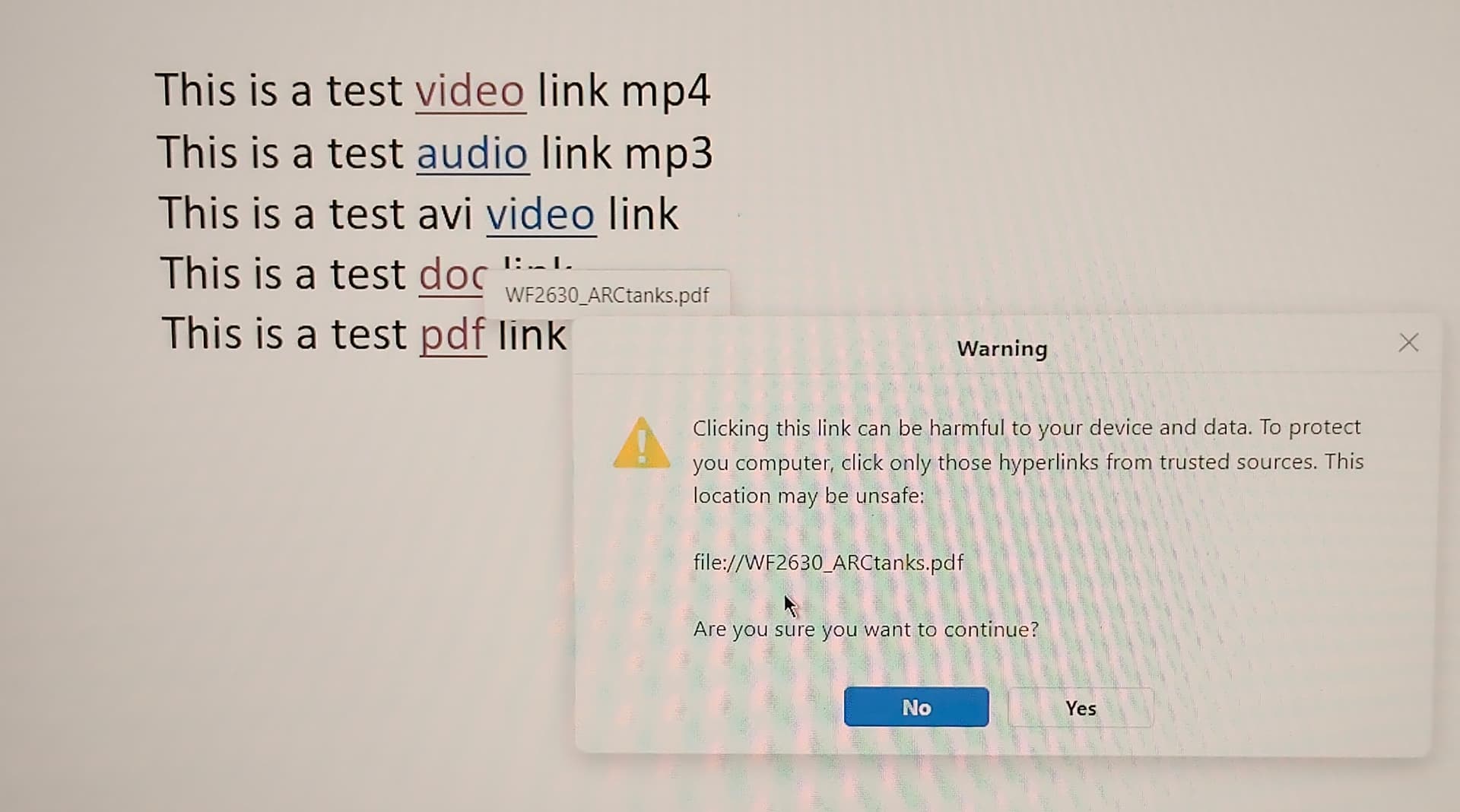
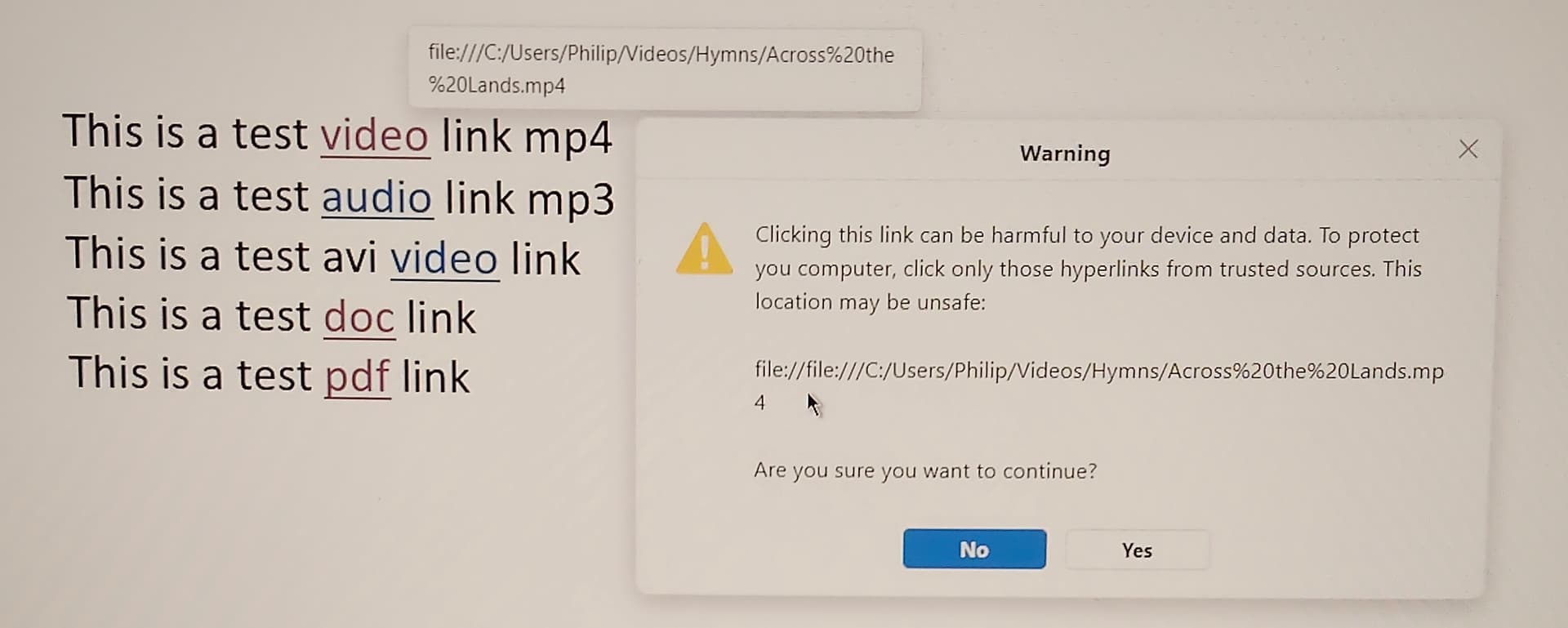
The hyperlinks are incorrectly coded. The attached screenshots show the differences between one of the hyperlinks.
Hello @Alexandre. It is exactly the same file originally used and shared for your investigation. It was created with PowerPoint 2019. It is attached to this reply. HyperlinkTest.pptx (32.9 KB)
The problem is that OnlyOffice has added the prefix ‘file://file:///’ to the hyperlink url. When I click on the Yes button, nothing happens because the syntax of the hyperlink url is incorrect.
In Powerpoint, there is no prefix. You can see this difference in the image of third earlier post before this one.
You can test this by creating a fresh hyperlink in OnlyOffice, there is no prefix.
Therefore during the import of a PowerPoint file, OnlyOffice has incorrectly inserted a prefix to all the original hyperlinks.
@Alexandre
Just checking if you’re still working on the bug.
I have updated to version 9.2.1.43 and the hyperlinks in the test file are still incorrectly processed during import.
The prefix “file://file:///” is still being added to the hyperlinks in the first three and “file://” to the last two.