- Do you want to: Ask a how-to question
Dear OnlyOffice users and developers,
Would you please help me to auto-update the OnlyOffice Desktop Editors (hereafter OnlyOffice)?
My OnlyOffice does not automatically install updates. Besides, I cannot manually update the app either.
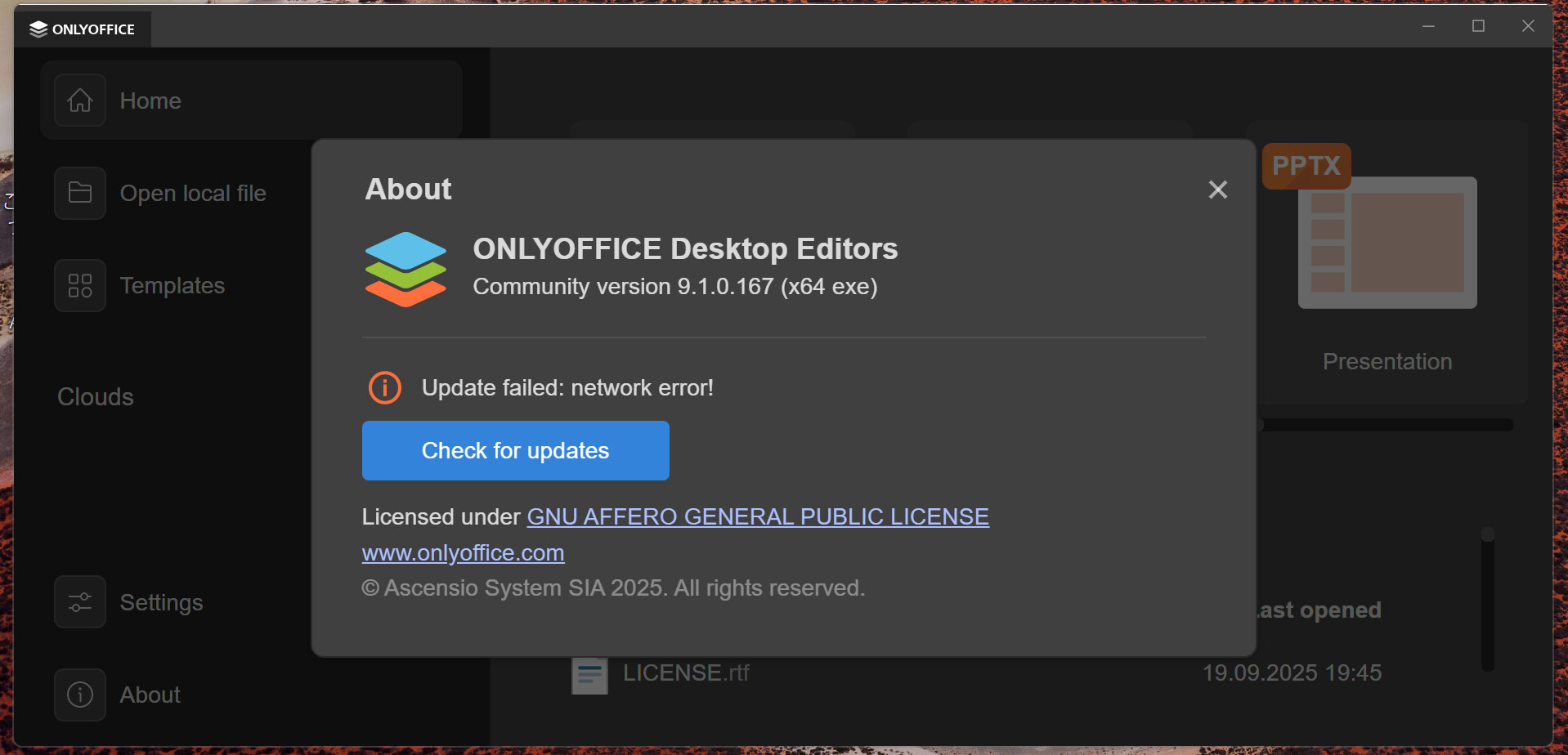
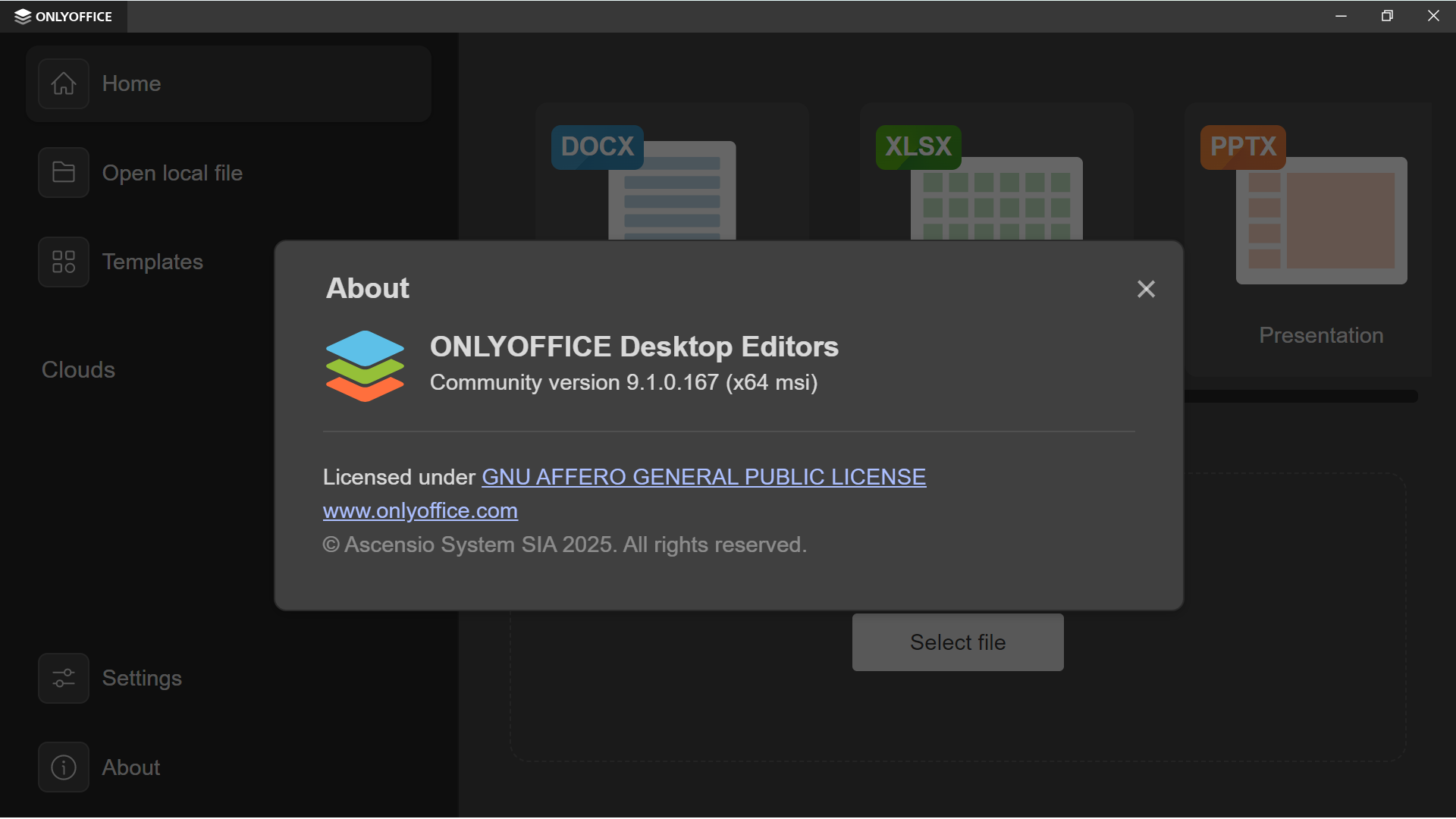
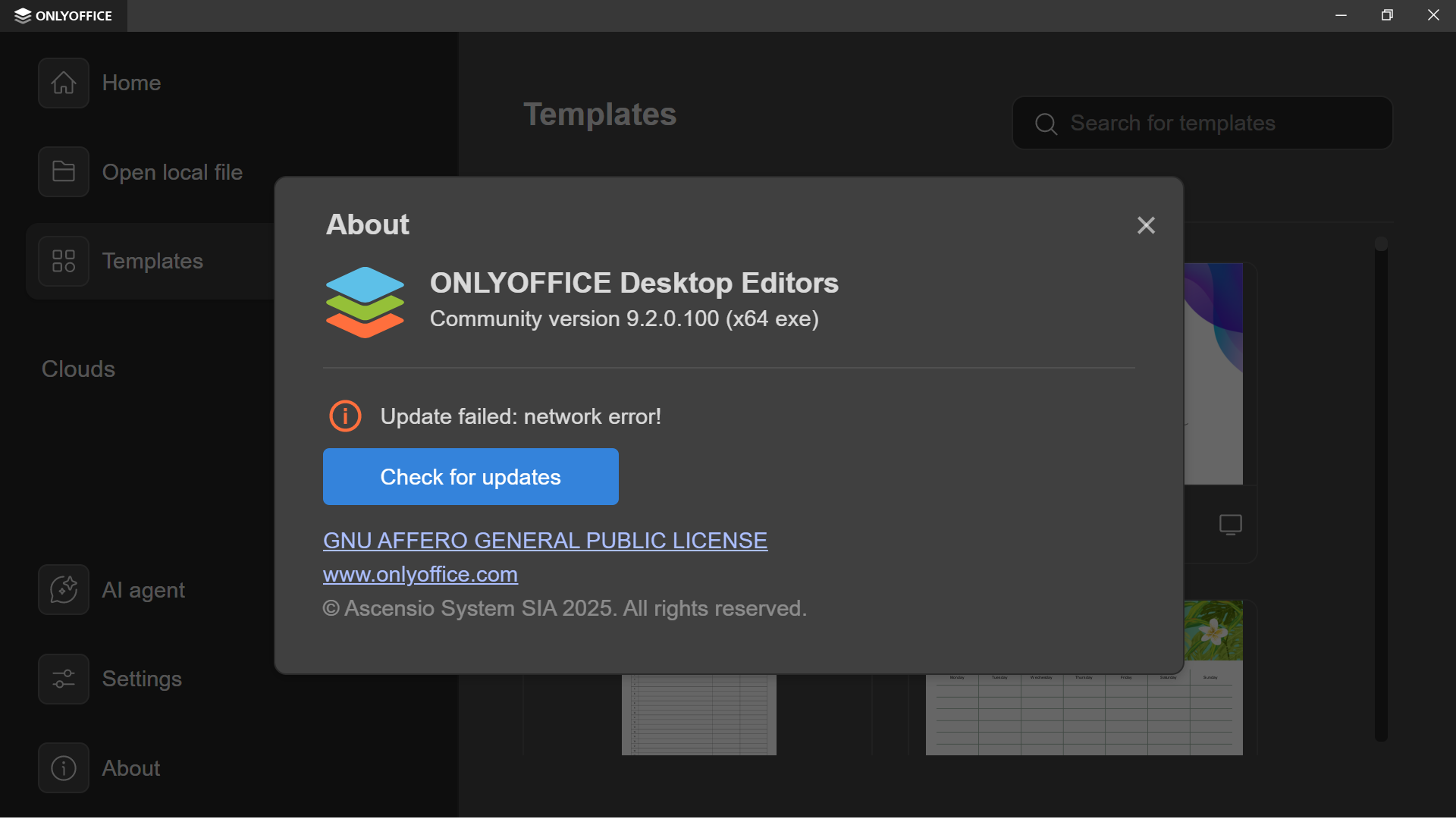
- When I click on “About”, the update checker comes up and says “ Update failed: network error! ”.
- While I click on “Check for updates”, I get the exact same error message.
This way, I am unable to use the auto-update feature or verify whether my version is the latest. As a result, I need to download a new installer to update OnlyOffice.
I would really appreciate your support.
P.S.
If I could solve the error, I would advise my friends opting out from Big Tech to download this app.
-
My device and app details
OS version: Windows 11 Education Version 24H2
App version: OnlyOffice Desktop Editors Community version 9.1.0.167 (x64 exe)
Downloaded from: ONLYOFFICE website (ONLYOFFICE desktop and mobile apps | ONLYOFFICE)
I clicked on the “EXE” button in the “For Windows 11 / 10 / 8.1 / 8 / 7 x64” box to download the installer.
Browser: Firefox
-
On my laptop, Microsoft Store does not work. I am unable to download any apps there.
When I click on “Get”, the app starts downloading. However, the downloading process later stops. At the same time, the Microsoft Store page shows the “Get” button again.
-
I do not use VPN services like Hide me.
-
While I rely on Control D DNS, it is not effective to turn it off. Even when no DNS services are active, OnlyOffice fails to check updates and shows the error message.
Additional information:
Any relevant details about the situation. You can also attach images and videofile to the post (or to place them to external storage).
Hello @n050wcr9u
In certain cases the process of updating the repo takes additional time. Can you confirm that the issue still occurs, when trying to update the app?
Thank you for reacting to my post.
Unfortunately, it is not effective to wait for 30 minutes and click “Check For Updates” again.
I repeated the process five times with an active externet connection six days ago. Nevertheless, I only saw the “Update fsilrd” error and was unable to see the update downloaded.
*I mean “Update failed” by “Update fsilrd”.
Would you mind sharing a screenshot of the “Update failed” error? Is it different from initial post?
I was talking about the same error. In other words, the photo attached to the initial post shows the error which I mentioned four days ago.
Sorry, I see. Actually version 9.1 that you have right now is the most recent one.
Usually things like traffic blocks are displayed in Event Viewer of Windows. Can you open it up, reproduce the issue and check Windows Logs > Application and Security tabs for anything related to ONLYOFFICE? It is possible that some service blocks the task.
Thank you for your advice.
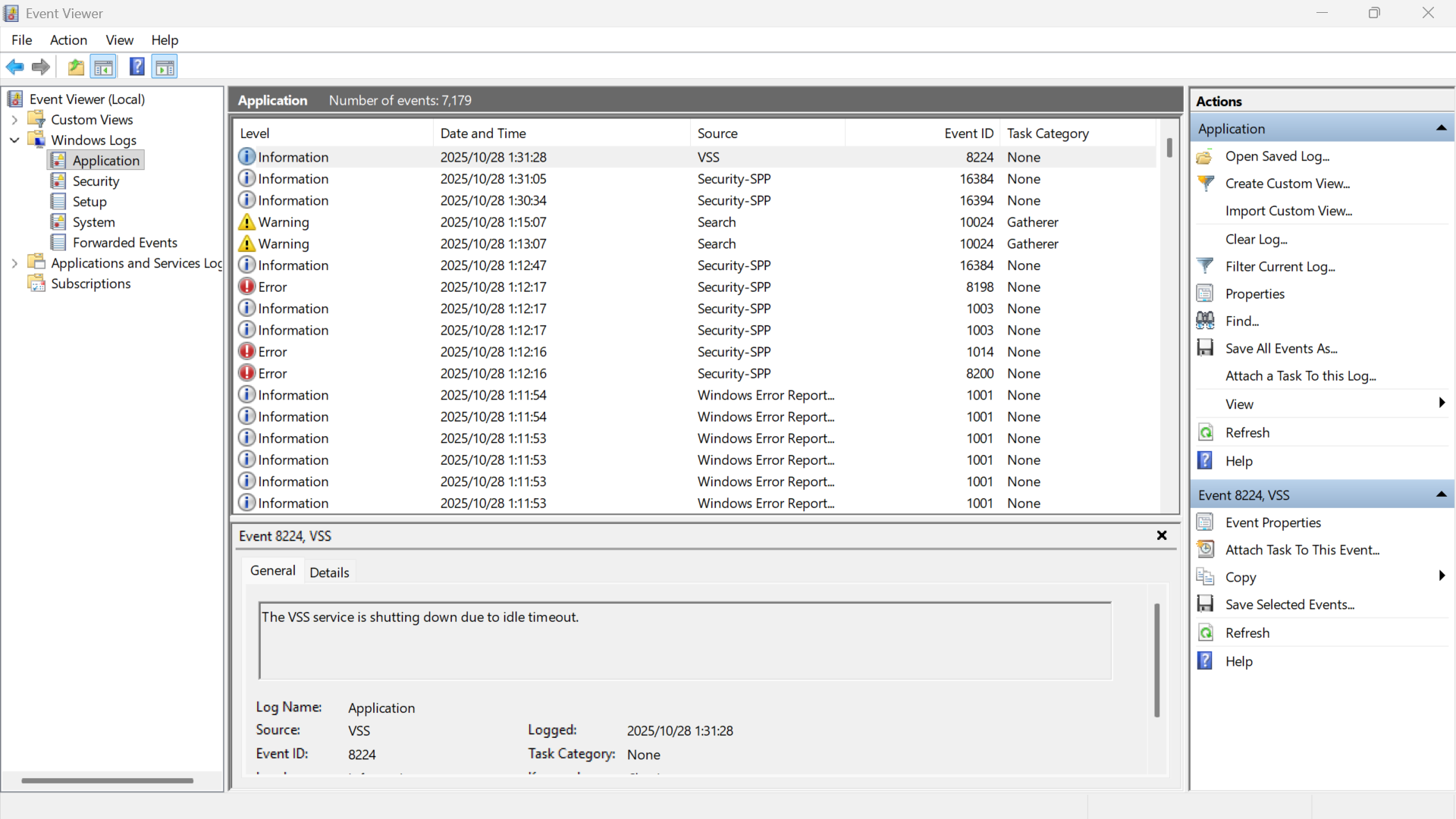
Unfortunately, I have been unable to detect relevant errors in Event Viewer.
Firstly, I clicked on “Check for updates” on OnlyOffice app at 1:35 a.m. on Tuesday, 28 October.
After I saw “Update failed: network error!”, I went to Event Viewer app > Windows Logs > Application.
At 1:40 a.m., I clicked on “Refresh” button on the “Actions” pane. I did not see any new messages. I have attached the screenshot.
I would appreciate it if you would instruct further actions.
Thank you for the reply. Considering that you have version 9.1 installed, which is the most recent version at the moment, I can only suggest waiting for new release to get back to this query and troubleshoot it further.
In the meantime, you can try removing Desktop Editors and downloading MSI installer instead to see if the same error appears for checking for new version.
Thank you very much for your patience. I would like to share the results of two actions.
Problem: My OnlyOffice does not automatically download new updates.
Device: Windows 11 Education
Firstly, my OnlyOffice (Version 9.1.0 exe x64) continued failing to check updates even after Version 9.2.0 was released.
Besides, I re-installed OnlyOffice via the msi installer to see if the problem is solved.
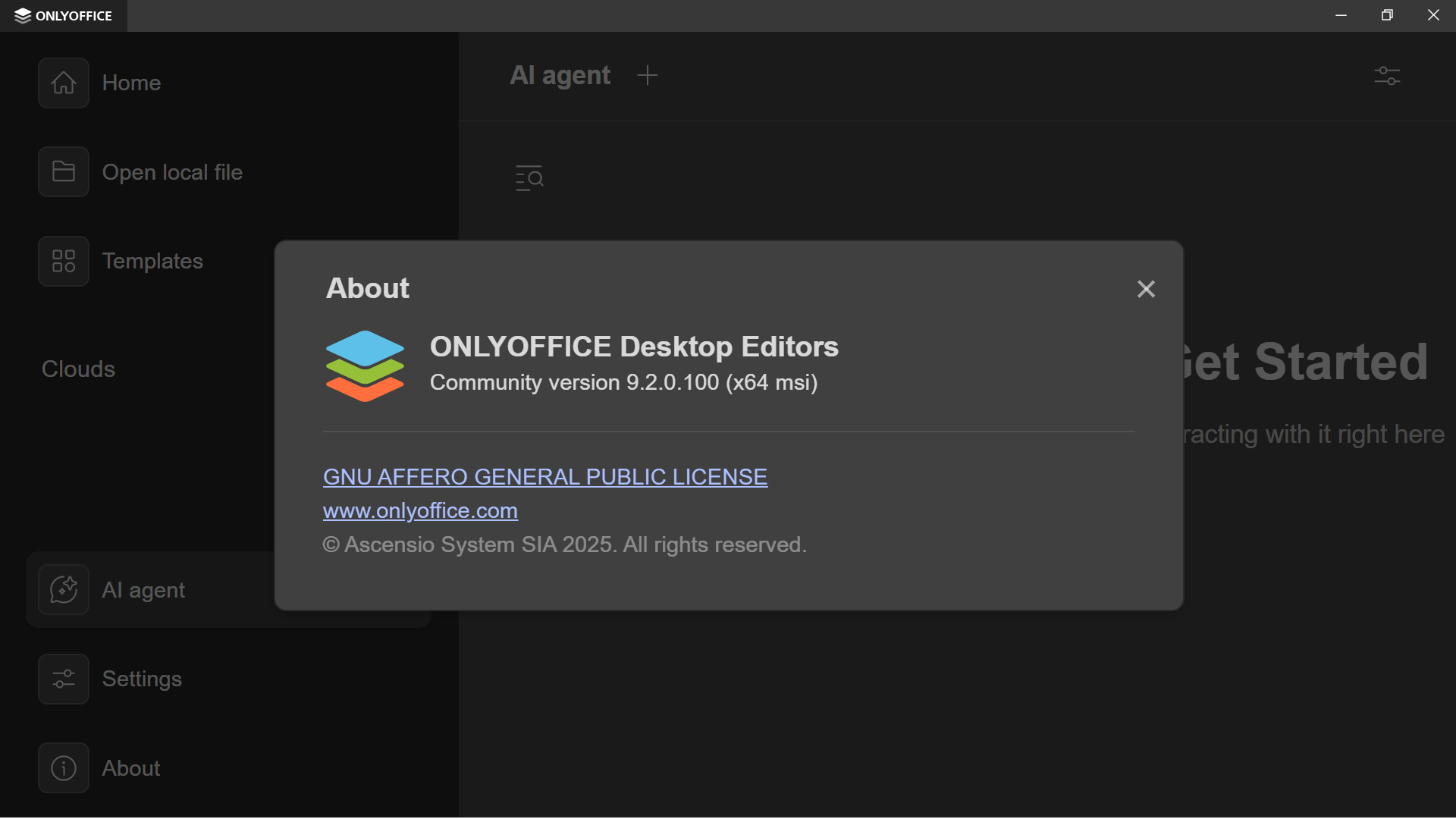
Unfortunately, the problem persisted. Moreover, I no longer find “Check for updates” button in my OnlyOffice.
Currently, my laptop has OnlyOffice Version 9.2.0 (x64 msi).
Would you please recommend some actions to activate the auto-update?
As only a photo can be attached to a post, please allow me to reply four times.
Today, I clicked on “Check for updates” to download Version 9.2.0. However, it failed and showed the error message “Update failed: network error!”.
Photo
After I saw the error, I uninstalled the .exe Version of OnlyOffice with my user data and local cache deleted.
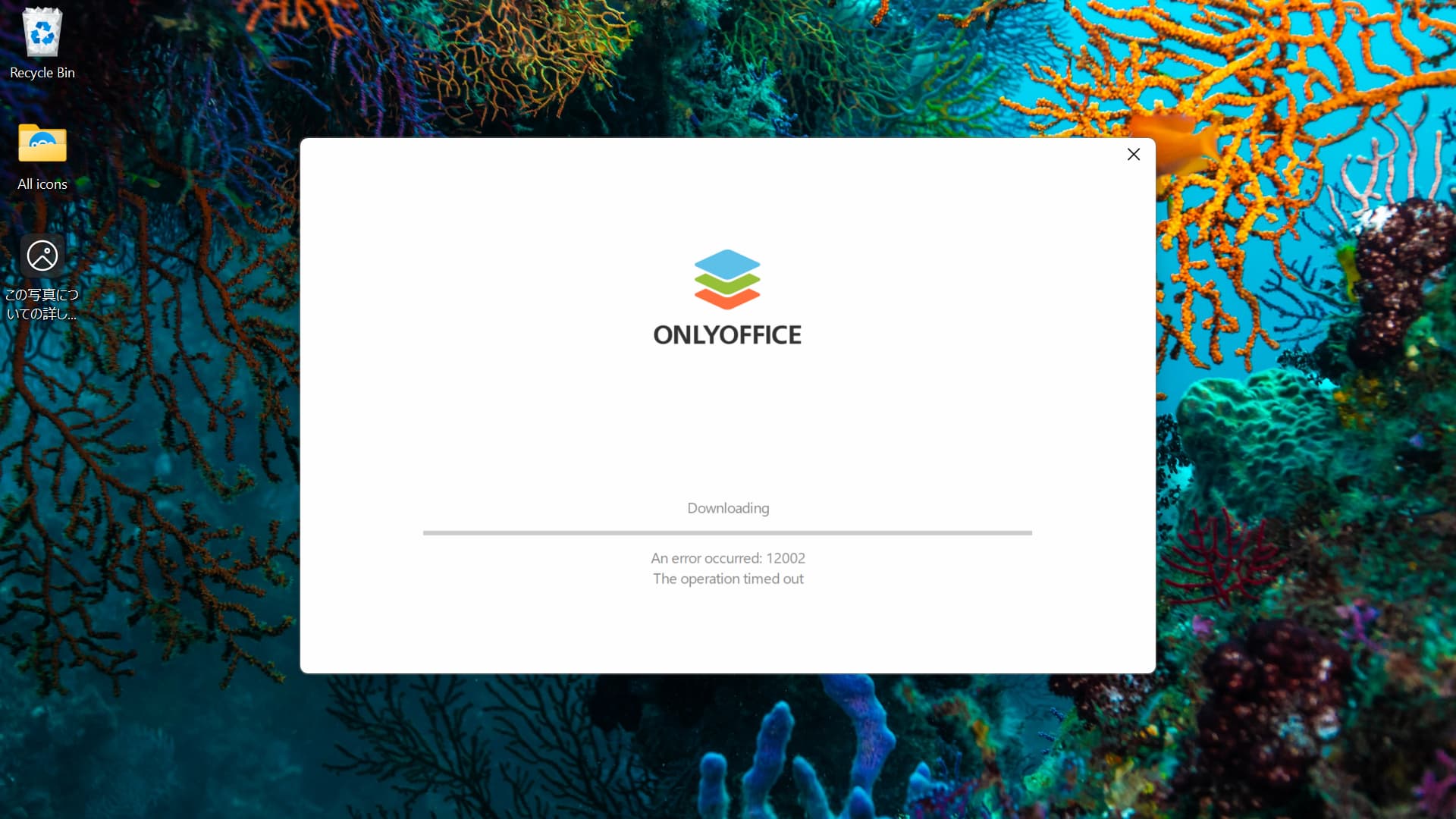
Afterwards, I tried to re-install OnlyOffice by its Online Installer. However, it failed and showed “Error 12002: Timeout” despite shutting down all the other apps, including my security software (Sophos Endpoint Agent).
Then, I ran the .msi installer (x64). While I successfully installed OnlyOffice, it did not have “Check for updates” button.
To verify if the button’s absence is a feature, I completely uninstalled it and ran the .msi installer (x64) for Version 9.1.0. Nevertheless, I did not see “Check for updates” button here either.
Finally, I uninstalled Version 9.1.0 and reinstalled Version 9.2.0 via the msi installer (x64).
P.S.
- I took all the actions above today: Sunday, 7 December 2025.
- I rebooted my laptop every time I uninstalled and newly installed OnlyOffice.
Does the same behavior occurs with actual EXE installation?
I am delighted with your continued support!
No, such behaviour disappears does not occur with x64 exe. When I install OnlyOffice via the exe (x64) installer, I see the “Check for updates” button.
Summary:
Online installer - Unable to install OnlyOffice.
msi x64 installer - Installs OnlyOffice. However, it lacks the “Check for update” button
exe x64 installer - Installs OnlyOffice. However, it says “Update failed: network error!”.
Thanks. I was informed that the situation with MSI has been confirmed. However, the situation with EXE is quite weird. What country do you live in? Currently certain regions experience issues with connectivity, thus update service cannot connect to it.
If you have any other network nearby, you can also try using it to confirm that the issue is global. Or alternatively, you can try with any other device with Desktop Editors in your network in case any system settings do not allow connection.
Thank you for your further instructions.
-
Where are you?
I am in Japan.
-
What if your device is connected to a different network?
I have connected my laptop to my phone’s SIM network.
Nevertheless, OnlyOffice (x64 exe) showed the same updating error.
-
What about other devices around you?
I installed OnlyOffice (x64 exe) on two other laptops at home. They showed the exact same updating error.
Thank you very much. Can you please open the following link in the browser from the device that produces the issue with “network error”?
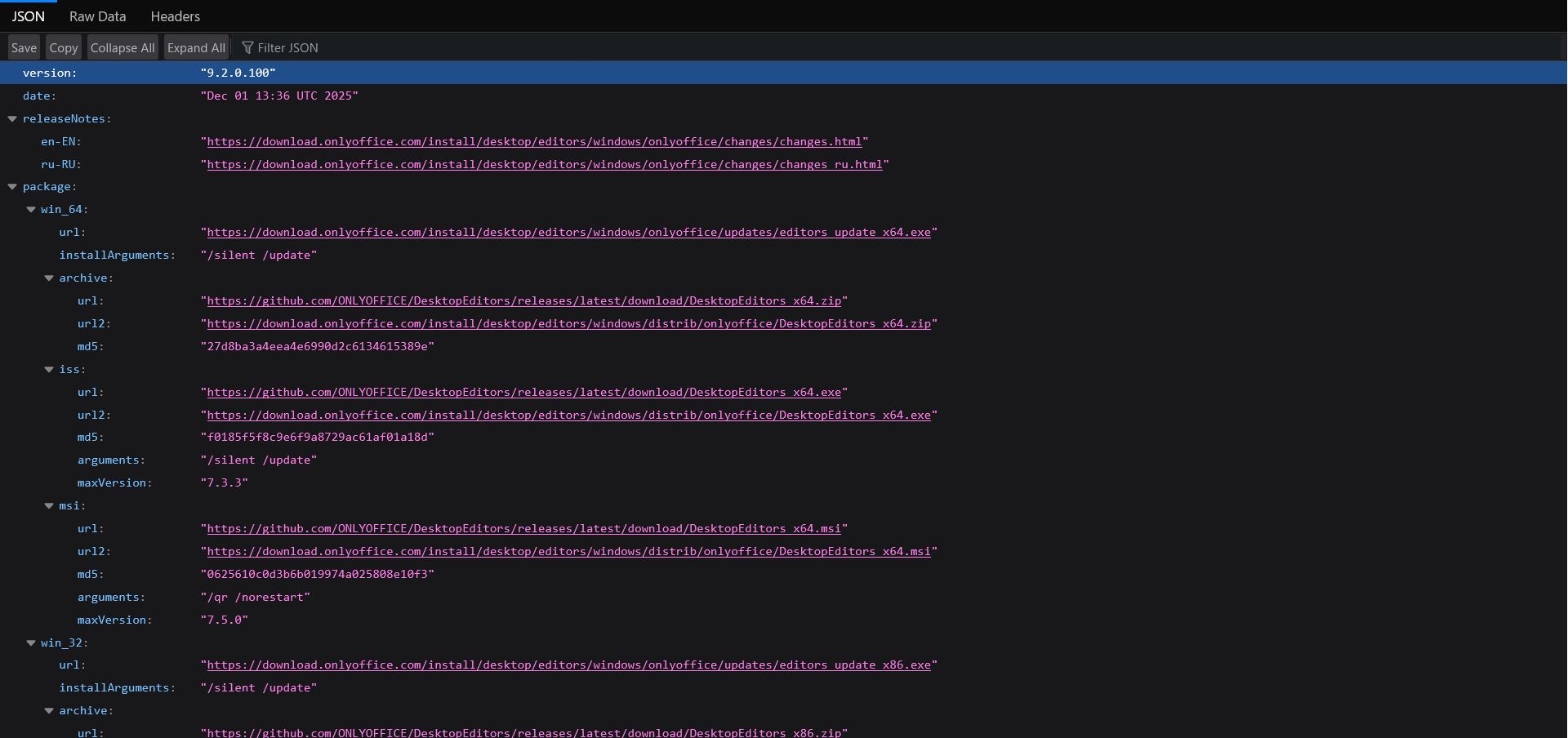
https://download.onlyoffice.com/install/desktop/editors/windows/onlyoffice/appcast.json
Does it open? Do you see the contents? Share a screenshot with of the page.
Here are the screenshots.
I have just opened the json file on my primary laptop where OnlyOffice shows the updating error.