Hello:
My Office Version:8.1.0.1
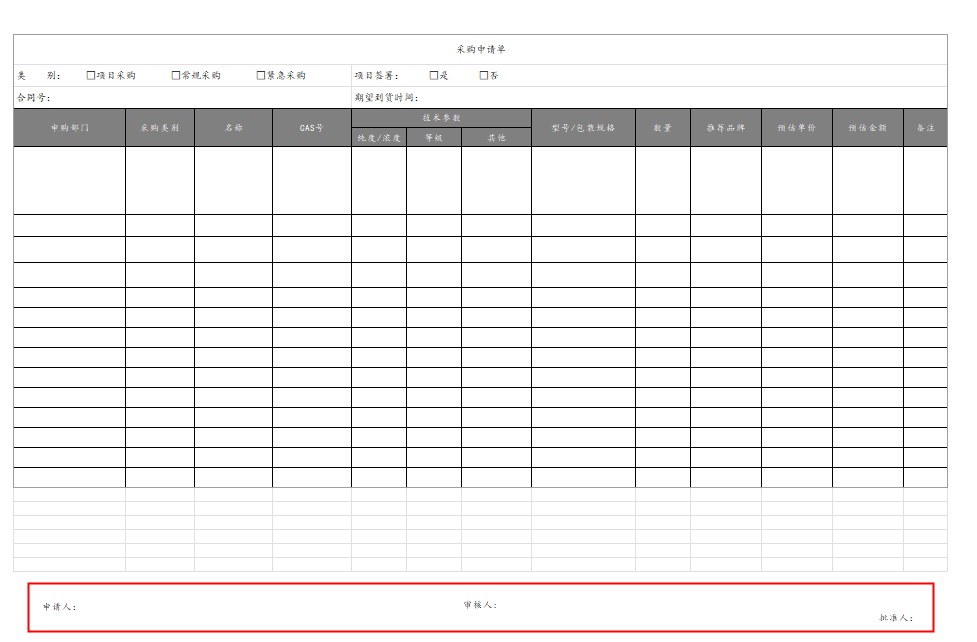
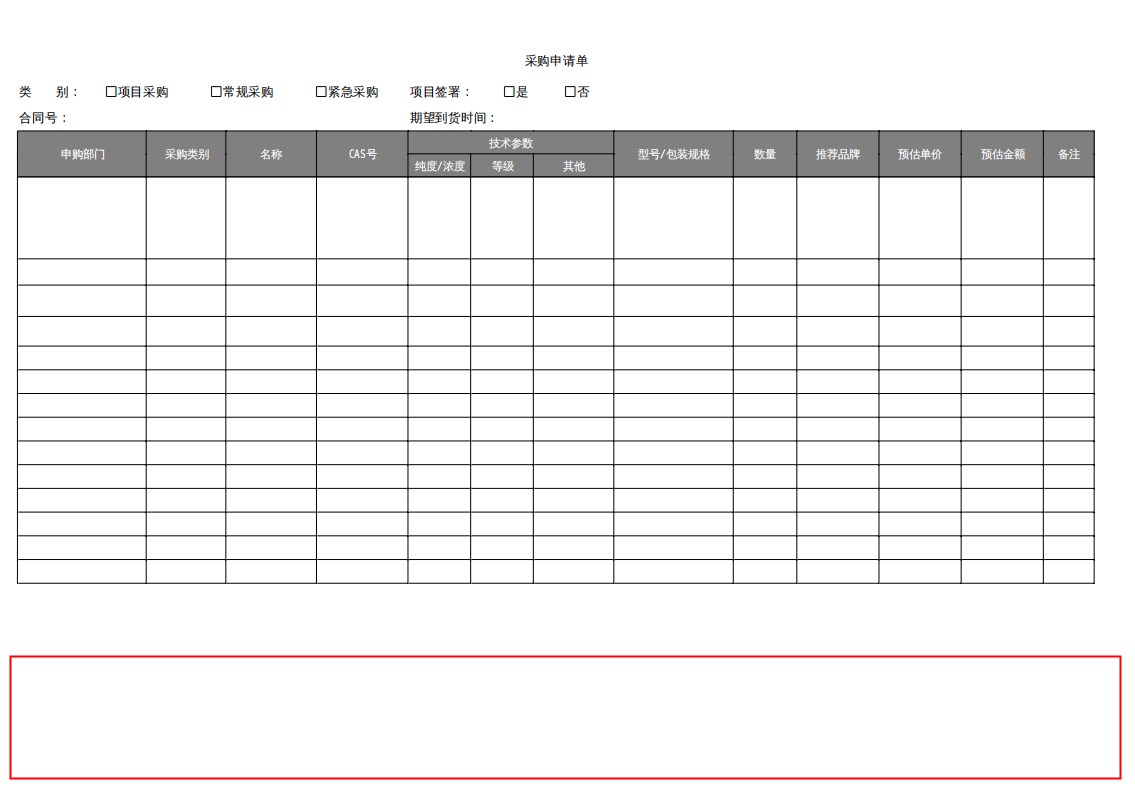
I have an excel document and set up footer information. When I converted it to pdf through office, I found that footer information was missing in the generated pdf.
1.My source file, opened through Microsoft Office2021
2.Use onlyoffice to convert to a pdf file,found that the footer does not show any information
Hello @xiaotuyun
Is it possible to provide test spreadsheet where this issue is reproducible? Do I understand correctly that footer was added via Excel? Please share some more information:
- how footer was added;
- how exactly you are converting document via ONLYOFFICE Docs.
Thanks, we will check out this file. Once we get any news, I will inform you.
Hello again @xiaotuyun
We have registered a bug on this behavior with missing footer when exporting your to PDF or printing it. Work is already in progress so we will surely inform you once this issue is fixed.
Sorry for any inconvenience caused.
Hello…
Having same trouble with excel… I do actually use WPS when I need to export to pdf… it less quality… blurry… and boring but as a workaround until the bug is fixe…
I see this post is dated… but yeah… sorry if I’m kind of playing the devil here…
I’m using onlyoffice desktop version 8.2.0-1 on archlinux.
Thanks to the team for the great work.
I should add that the footer (pages number or any kind of info) does show on the print preview… but still missing on the pdf file…
Printing on a pdf instead of exporting doesn’t solve the problem.
My excel files are created and edited using onlyoffice only.
Hello @Yassine
Unfortunately, this issue hasn’t been fixed just yet. We will notify everyone in this thread once resolutions comes out.
1 Like
Thank you for your response…
1 Like
Hello,
the bug mentioned in this thread has been fixed in Document Server v.8.3.1. Please update your installation and double-check the result.
1 Like
I confirm, the bug has been fixed… Thank you for you work <3
2 Likes
Update / Regression Notice:
Hey team, remember the page number bug we reported before? Looks like it’s back for a sequel  .
.
What’s happening now:
- Page numbers appear correctly in the preview.
- But when printing or exporting to PDF, they vanish completely.
This seems to be a regression of the previous fix. It might be related to RTL sheets, as that’s where I noticed it. Just wanted to flag it so it doesn’t slip under the radar again… please catch it before it haunts more users!
Hello again @Yassine
I did not manage to reproduce the issue. Can you share a demo file that produces the issue with headers/footers for additional tests? Also, please specify version of Docs/Desktop Editors that is being used.
Hello @Constantine
Os: EndeavourOS - Kernel: 6.12.46-1-lts
OnlyOffice: Version Community 9.0.4.50 (deb) Installed via AUR.
System: A heroic low-end potato laptop (thanks for your patience while watching the laggy video)
I think the bug might be connected to RTL layout behavior, something in the page direction or footer positioning logic.
Here’s what happens in my case (as seen in the attached video):
- The page layout is from the Right to Left.
- I’ve activated all six footer positions (Top, Top Right, Top Left, Bottom, Bottom Right, Bottom Left).
- In Print Preview, only the Top Right and Bottom Right footers are visible.
- Exporting to PDF, printing to an actual printer, or even printing to PDF gives the same result: missing footers everywhere else.
Also attaching the test file… Hope it helps!
test.xlsx (16.5 KB)
Thanks a ton for your awesome work and patience, OnlyOffice keeps getting better, even if my poor potato struggles to keep up 
Can you provide more details on this installation? Was it installed from a specific package or repo?
Hello @Constantine
I do use this exact package via yay: https://aur.archlinux.org/packages/onlyoffice
I use the same one also on my main computer that turn under Arch Linux… and both of them has same flaw…
I never tried other installation methods “Flatpak or appimage if this exist” just because of the fastest execution of the AUR package.
Hope this helps…
Best regards.
Thank you for the reply. Can you also share a screenshot from printing preview options > Header/footer settings?
Hey…
The settings are shown onto the video… i did it explicitly so you can see all what I’m doing… you can pause the video on the 00:11 sec
All the settings from printing preview are from 00:22 sec on the same video
I was referring to another settings in printing preview dialog, but it seems to be reproducing the either way. We are analyzing the file, please await my feedback.
1 Like