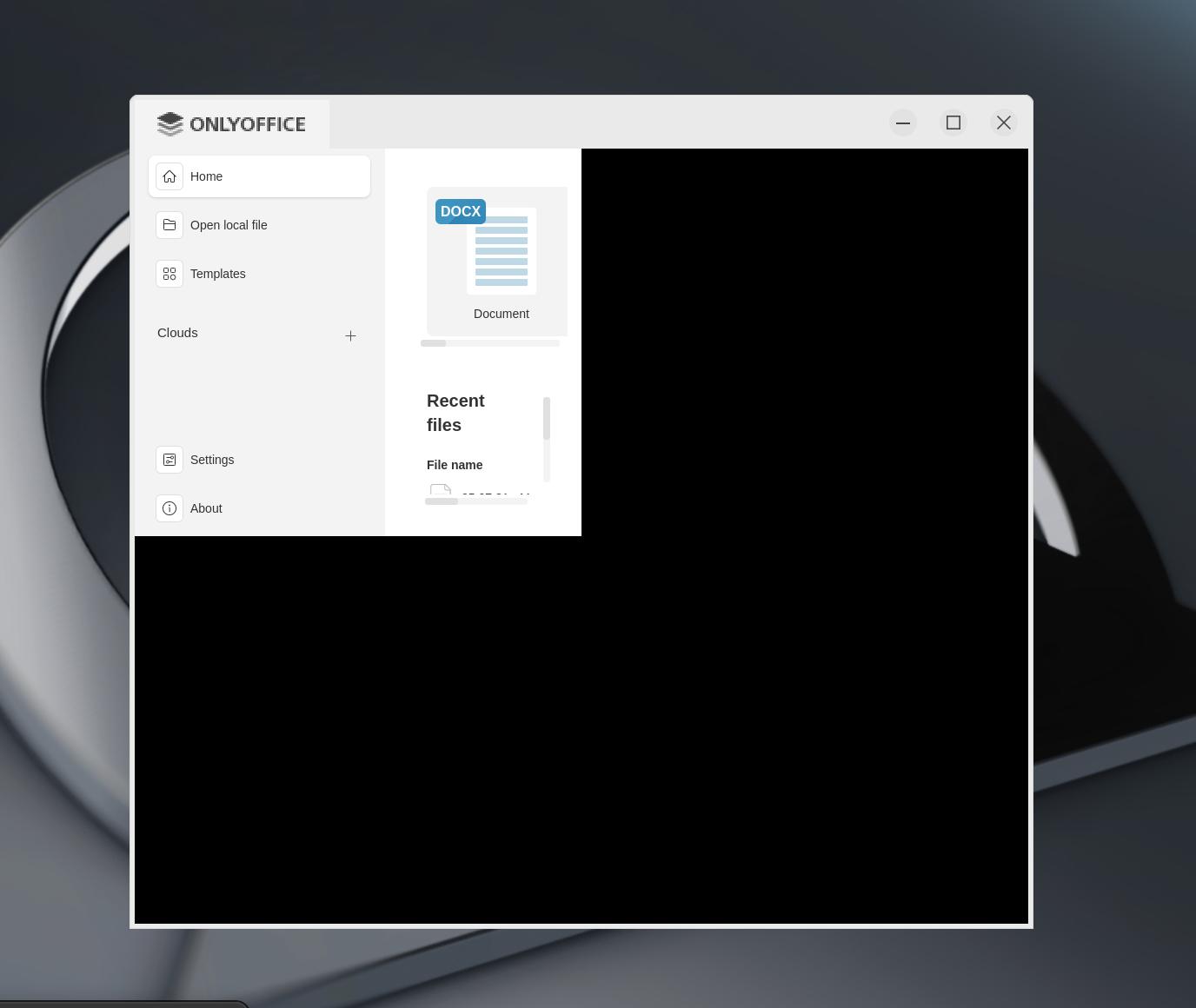
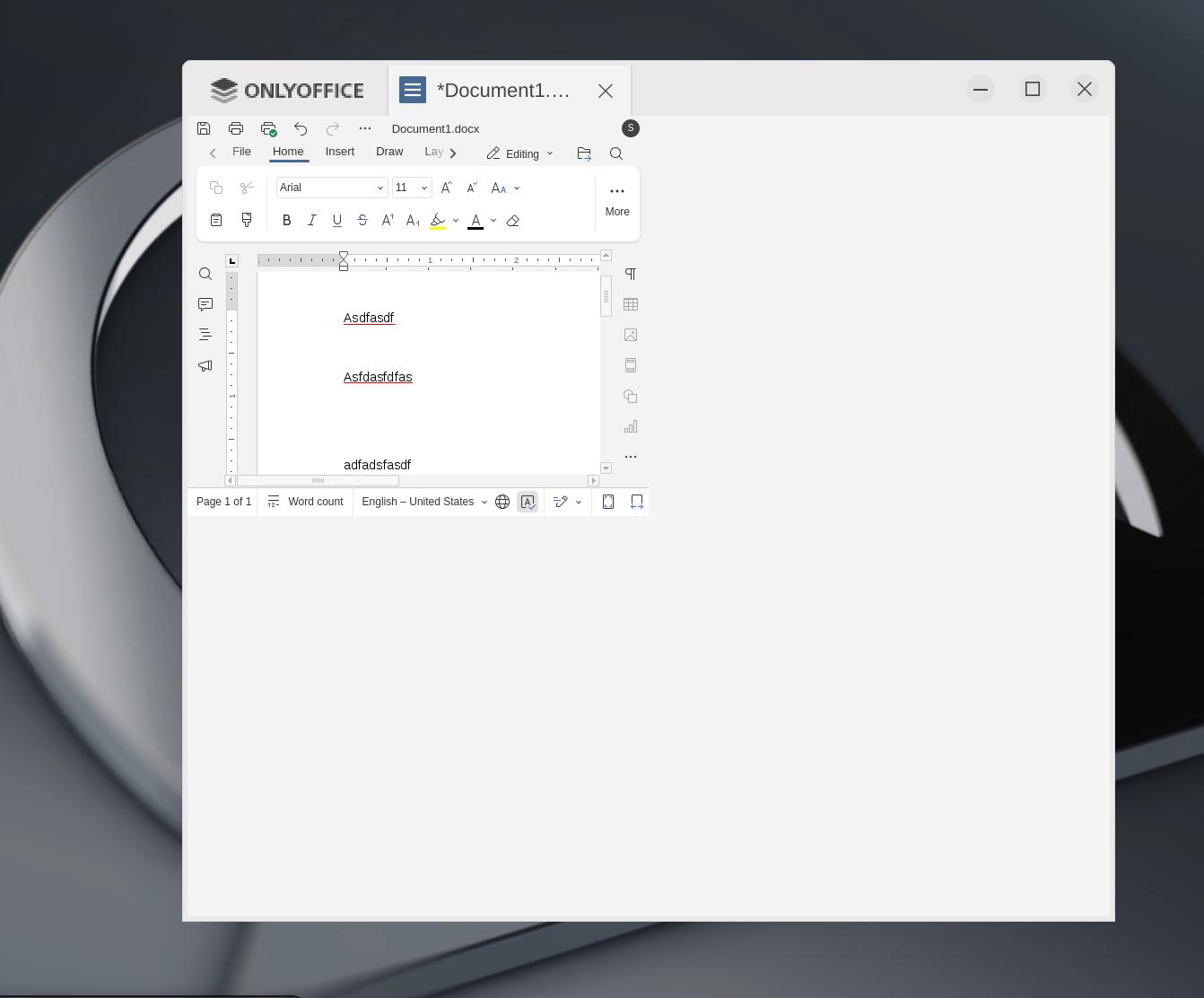
Advice would be appreciated.
OnlyOffice desktop vers. 9.0.4.50 (flatpak) for MX Linux XFCE. I cannot expand the document window to occupy more than the upper left quadrant of the program window. (Is this called “tiling”?)
Also, the scaling is too small.
I am using Lenovo Thinkpad Carbon X1 gen 4 with 1440 hi res screen.
I tried using terminal to force 100% scaling when opening the program as suggested in forums. This did not help.
Thank you.
Hey @LongLinux, 
This is a new one for me, so let’s dig in! 
Could you share a short video showing the issue in action? That’d really help us see what’s going on.
In the meantime, have you tried switching to another installation type (e.g., AppImage or Deb) to see if the behavior changes? You can grab them from our official downloads page.
Yes, I started trying to install using the current .deb installation file. Then I switched to the MX Linux flatpak preloaded in its repository/installer. The exact same problem persists.
The attached images should fully demonstrate the issue. Every document only displays in the upper left quadrant of the OnlyOffice window.
I think this is called “tiling” and has been reported with other Linux variants in the past.
Also, I have used OnlyOffice on other PCs running MX Linux XFCE without this problem. This only is currently an issue with my Thinkpad Carbon X1 Gen 4 at the present time.
Hey @LongLinux,
Thanks for the details on the document window issue!
This is a new one for me.  Could you:
- Check if you’re using Wayland or X11 (
echo $XDG_SESSION_TYPE) and try X11 if on Wayland?
- Test with KDE or Fluxbox if possible?
- Try the AppImage from here?
- Confirm your MX Linux version?
I’ll check with my team and keep you posted. Thanks!
I am using X11.
I tried using the current .deb file from the OO website again. Sadly, it is the same result.
I have used OnlyOffice on an MX Linx XFCE PC build before with no issues so I do not see the point in testing on a KDE or Fluxbox Linux system.
The current version on this laptop is MX Linux 23.6.
Please let me know if there is anything else you suggest. I think there must be a scaling or display disconnection between the OnlyOffice program and the Linux OS but I don’t really know.
I should add the following:
When I open OnlyOffice the text is too small in the menus, etc. If I adjust the scaling in OnlyOffice to make it readable, the text does become readable but the program still only uses the upper-left quadrant of the window.
My laptop monitor is 1440 and not 1080. I wonder if this unusual resolution is messing things up.
Hey @LongLinux,
Here’s a workaround that sometimes helps with display/quadrant issues: check out this thread where disabling GPU acceleration helped someone with a similar display glitch.