Hi all.
I have a strange error when trying to connect.
Can anyone advise what to do or check?
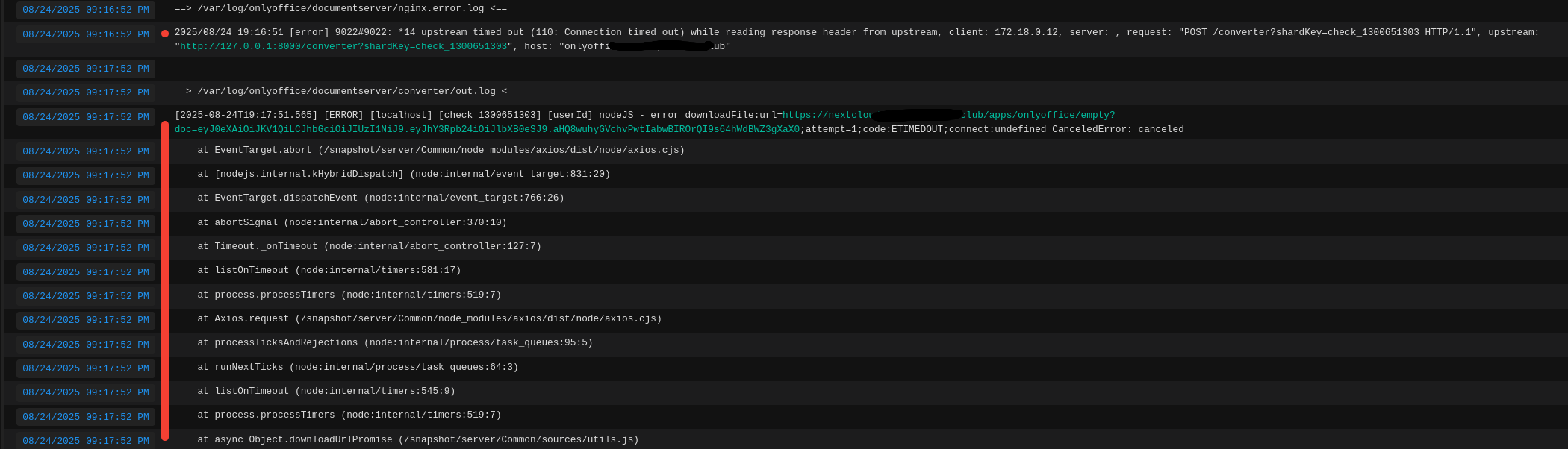
If it matters, both services are located on different IP addresses.

This is what the error itself looks like in the nextcloud_aio interface
Hello @sektorct
Please specify versions of used apps:
- Nextcloud;
- connector app;
- Document Server.
Check mutual availability of both servers with, for instance, wget. Simply do wget <documentserver> from server with Nextcloud and vice-verse, what is the result?
Nextcloud - Nextcloud Hub 10 (31.0.8)
connector - 9.10.0
onlyoffice - 9.0.4
Following your advice, I checked both ways wget, everything is available
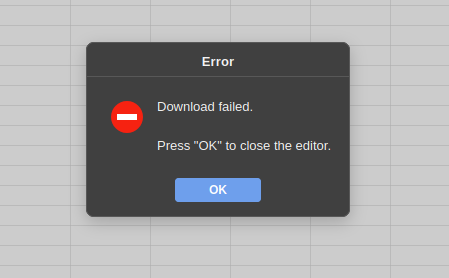
I don’t know if this information can help to understand something, but when I went to the office website itself, tried to open a test document, I waited a very long time for the document to load. Then an error “Download failed” appeared
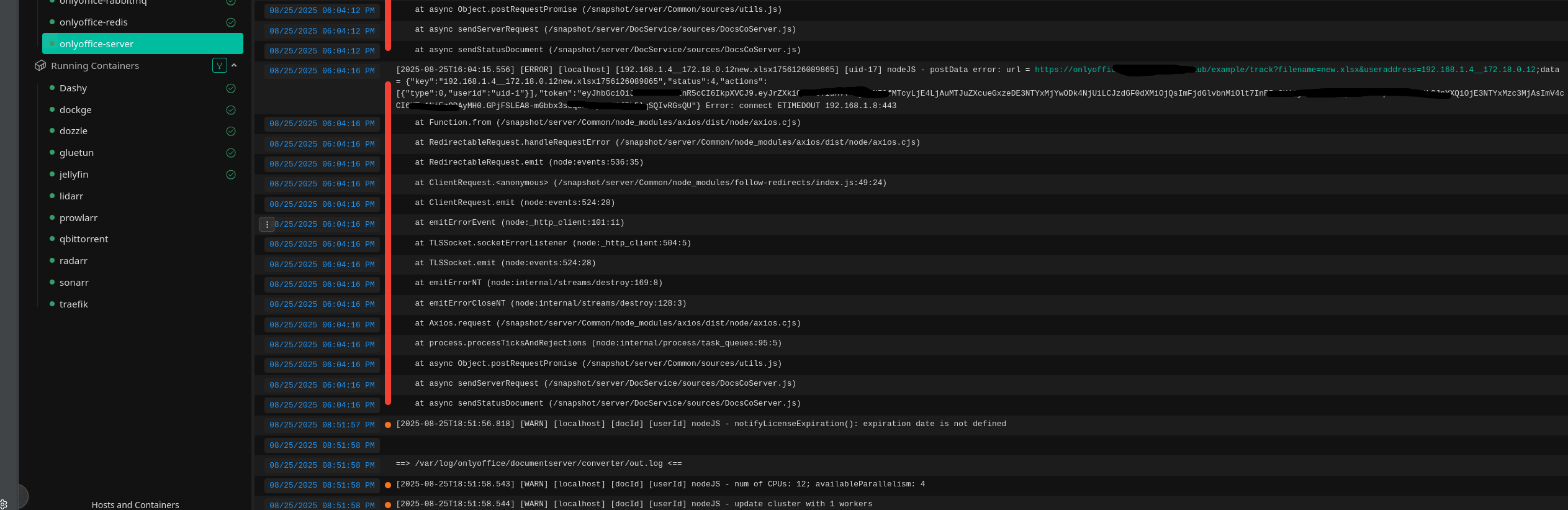
Maybe this log can help to understand why there is a problem with the connection between nextcloud and onlyoffice?
192.168.1.8 is IP where is it located traefik, onlyoffice.
The cloud itself is located on 192.168.1.7
Do you use traefik as a proxy service in front of Document Server? Have you tried specifying addresses for internal requests for both services in advanced settings in the connector app?
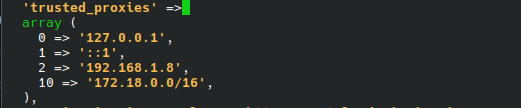
Yes, I have Traefik(192.168.1.8) as a reverse proxy, it is on the same virtual machine as Onlyoffice(192.168.1.8). Nextcloud(192.168.1.7) is on another virtual machine. In the config of Nextcloud, the IP address is specified as a trusted proxy where Onlyoffice and Traefik are.
In the traefik config.yaml, I also have the IP address of the virtual machine with Nextcloud.

Do I understand correctly that it your environment is in local network and not accessible publicly?
By the way, I noticed on one of the screenshots that you have several containers with onlyoffice tag, e.g. onlyoffice-redis and onlyoffice-server, do you use Docker compose to run Document Server?

Yes, I use compose for the office container. But I have access to services from the Internet. I had thoughts that maybe the firewall that is running on the Opnsense is blocking something, I found only some block for the port of redis

red line blocking the second IP is my external IP. But the first IP with the port of the Redis I do not know.

On the second screen there is already an external IP address with a Redis port.
Please open advanced settings and fill fields for internal requests for both Nextcloud and Document Server with proper values.
By the way, have you configured trusted_domains in config.php of your Nextcloud?
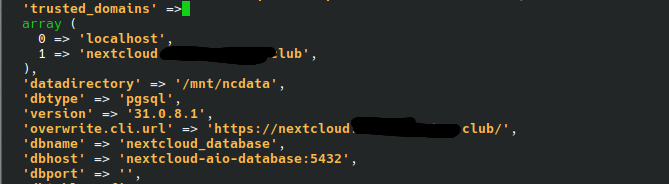
Thanks. Please go to Document Server address, then to integrated test example, then create new document and see if the editors connect. Firstly, need to make sure that Document Server itself works.
Also, please be aware, that Docker Compose is not an official installation method. I’d recommend reinstalling it with Docker.


Let’s focus on this situation first, then we will move on to the Nextcloud integration.
Please reproduce the issue once again and check logs of Document Server right away. What errors do you see? To get even more information, please check browser console, in particular:
- Console tab for any errors;
- Network tab for information which request is not completed.
Additionally, go to http://documentserver/healthcheck and let me know what it returns.
I am attaching files with logs that I was able to obtain both in traefik and when restarting the onlyoffice service itself.
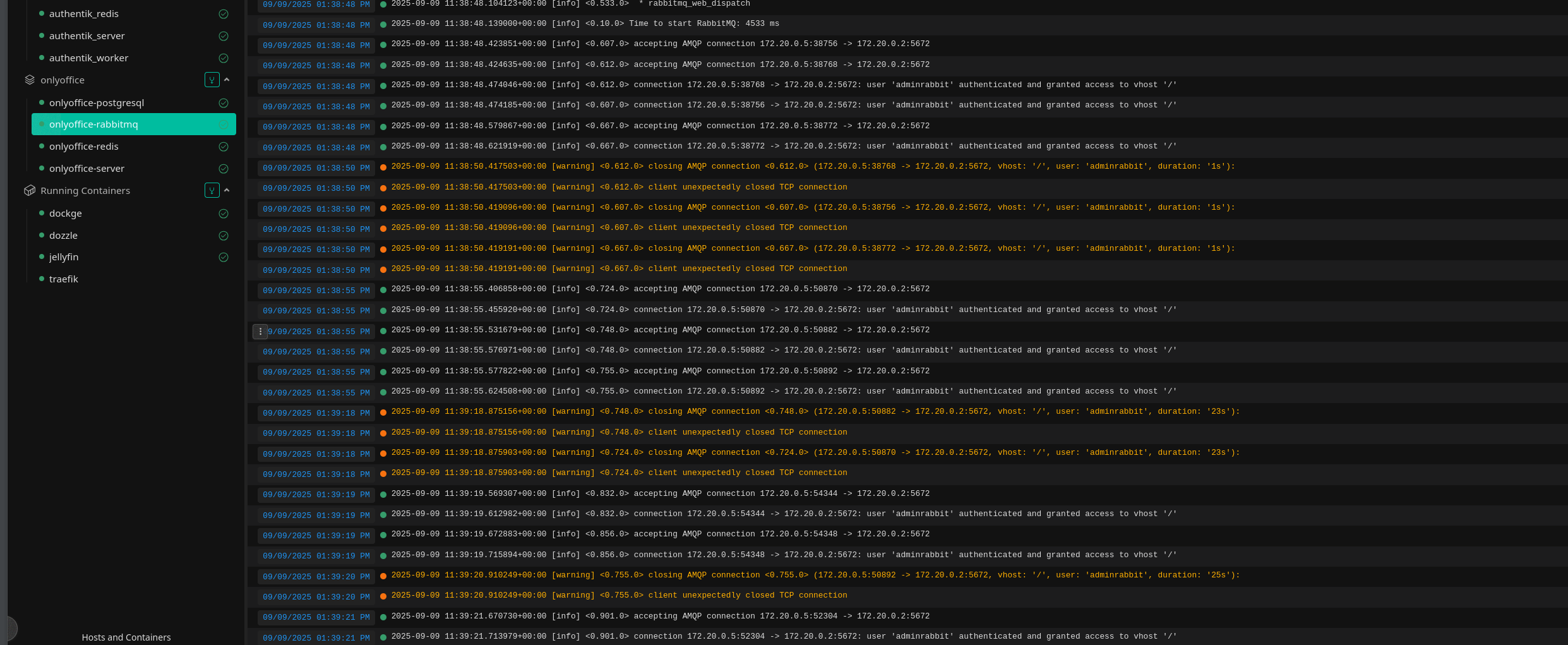
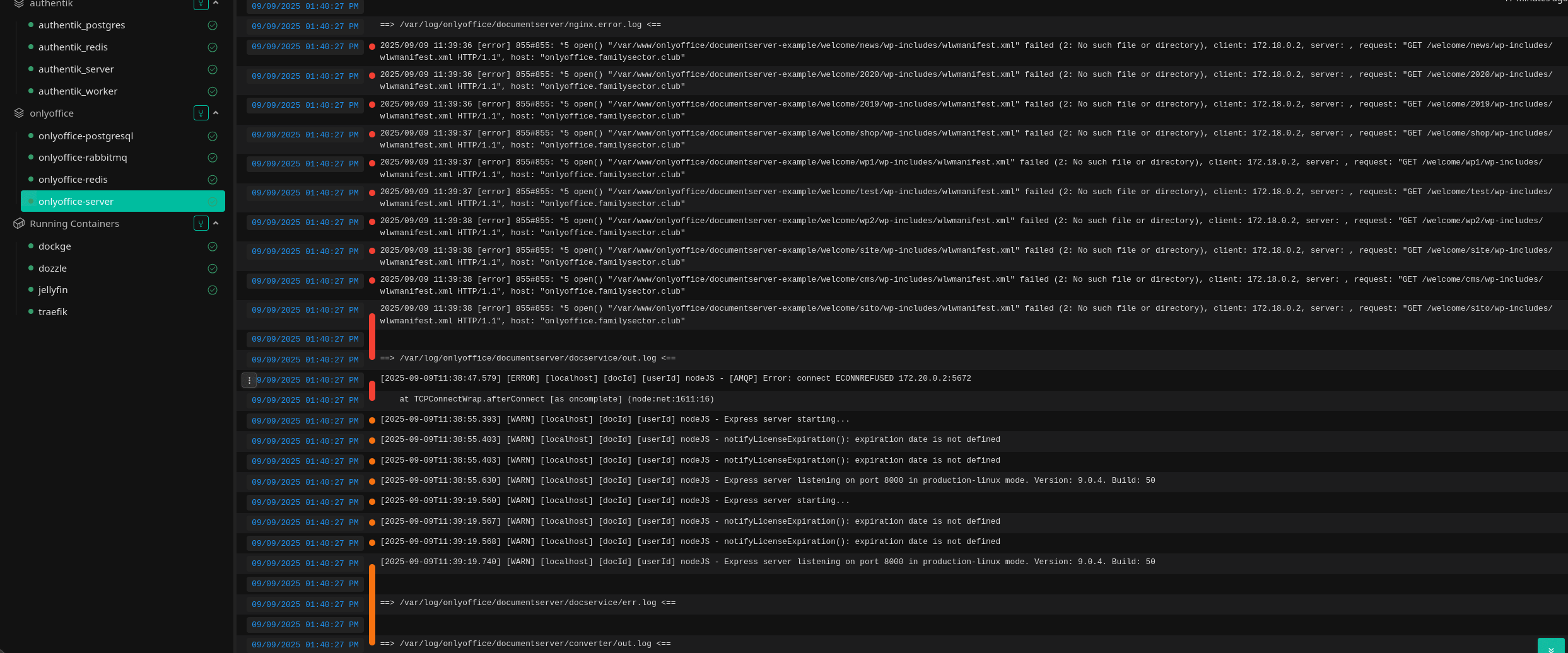
And about return of http://documentserver/healthcheck, I see “true”.
When I try to open test document I see message
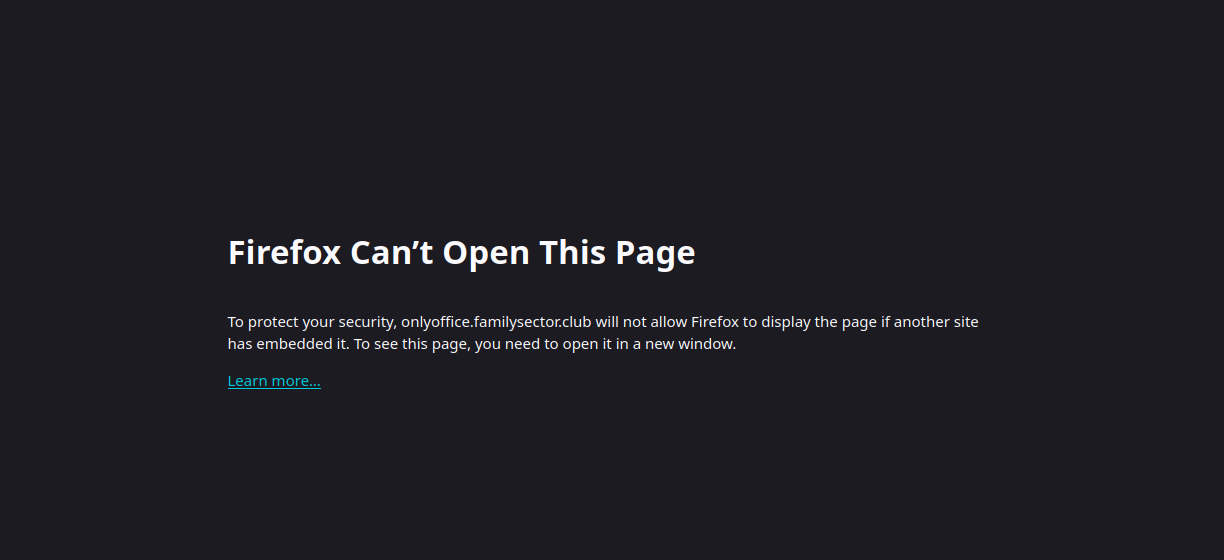
I can see that Document Server cannot connect to RabbitMQ. Also, in the example I can see that there is a restriction for X-Frame-Options set to deny.
RebbitMQ issue needs to be address by your config. As for the X-Frame-Options, check what value you have for that header:
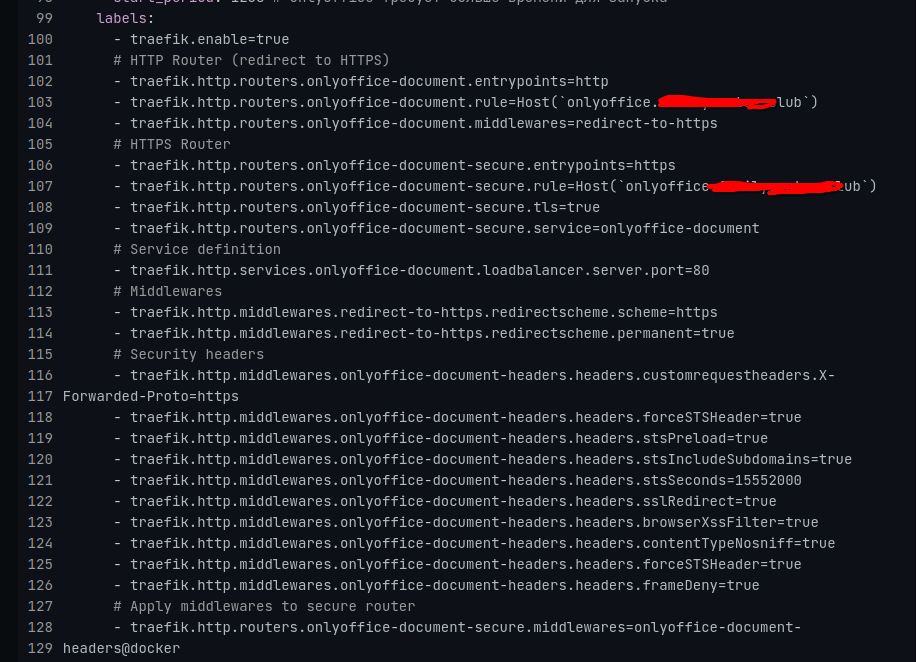
If you see I have this parameter, but not work.
I see and that is exactly the problem. It set to true, which causes the issue with X-Frame-Options. The description of the parameter explicitly states:
Set
frameDenytotrueto add theX-Frame-Optionsheader with the value ofDENY.
That’s what I saw in browser console.