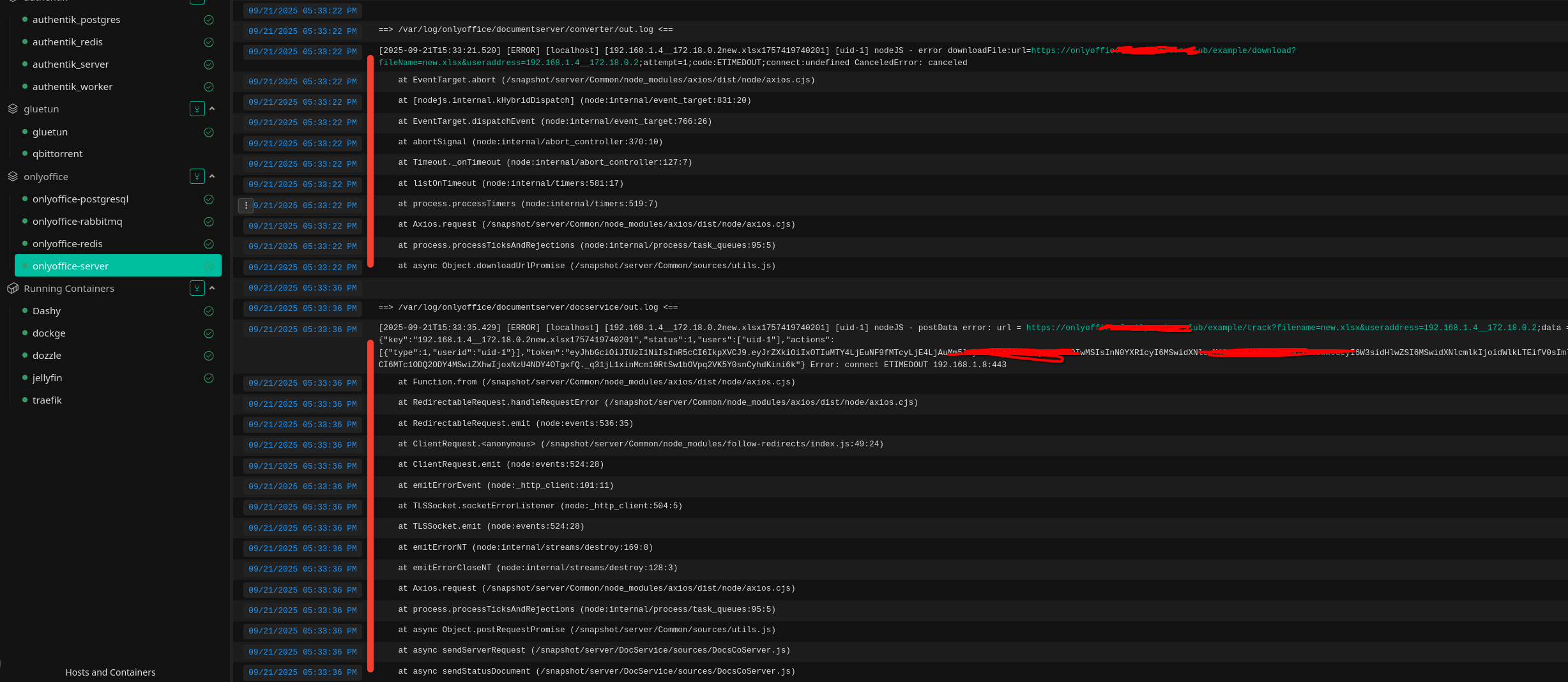
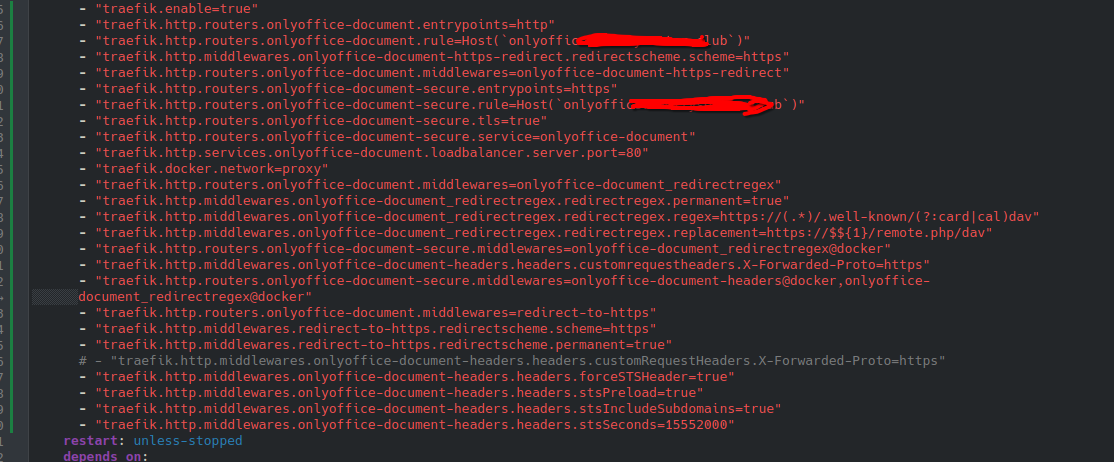
I have deleted line that u are writing about, and this last log and what I have in compose file
Hey @sektorct, 
Constantine let me know he’s tied up with some other stuff right now, but he’ll dive into your issue as soon as he’s free. Thanks for the updated logs and compose file — we’ll get back to you with an update soon!
Thanks for hanging in there!
1 Like
Is there any news regarding my question?
From what I can see, the request goes to port 443 – do you serve SSL certs via traefik too or they are applied to Document Server directly? At the first glance, it seems to be an issue with connection to the dedicated host. Is it possible to disable the proxy for test and check if it works that way?
All certificates are distributed through Traefik. Regarding disabling Traefik, how do you suggest test this? Could you describe what I need to do?
For information, I have about 7 services on the same IP address as Traefik, and they all receive certificates through it.
It should be redirecting requests to Document Server to the port 80. Error connect ETIMEDOUT 192.168.1.8:443 directly shows that right now requests are forwarded to port 443, which is not listened by Document Server by default, i.e. without activating HTTPS for Document Server separately (not serving SSL certs with a proxy).
In your case, I’d recommend checking out proxy samples from here:
You can check the scenarios and compile a config for Document Server according to your needs.
The suggestion was to simply test how Document Server behaves, when it is not located behind a proxy. As an administrator, it is your goal to check. You can try checking Document Server directly from the server by accessing its IP directly, that way it won’t be HTTPS, but plain HTTP.