In the Zotero plugin, I can’t find the citation style I want to use, even though I previously added it in Zotero. I noticed that if I change the language, the available styles also change, but it’s still quite difficult to find the one I want to use.
Hey @dinnj, 
Thanks for your suggestion about the Zotero plugin and for sharing the issue with citation styles! Could you please record a short video showing the problem? This would really help us understand what’s going on when you try to find the desired citation style and how the styles change with the language.
Appreciate your help 
Thanks for the reply and sorry for the late response.
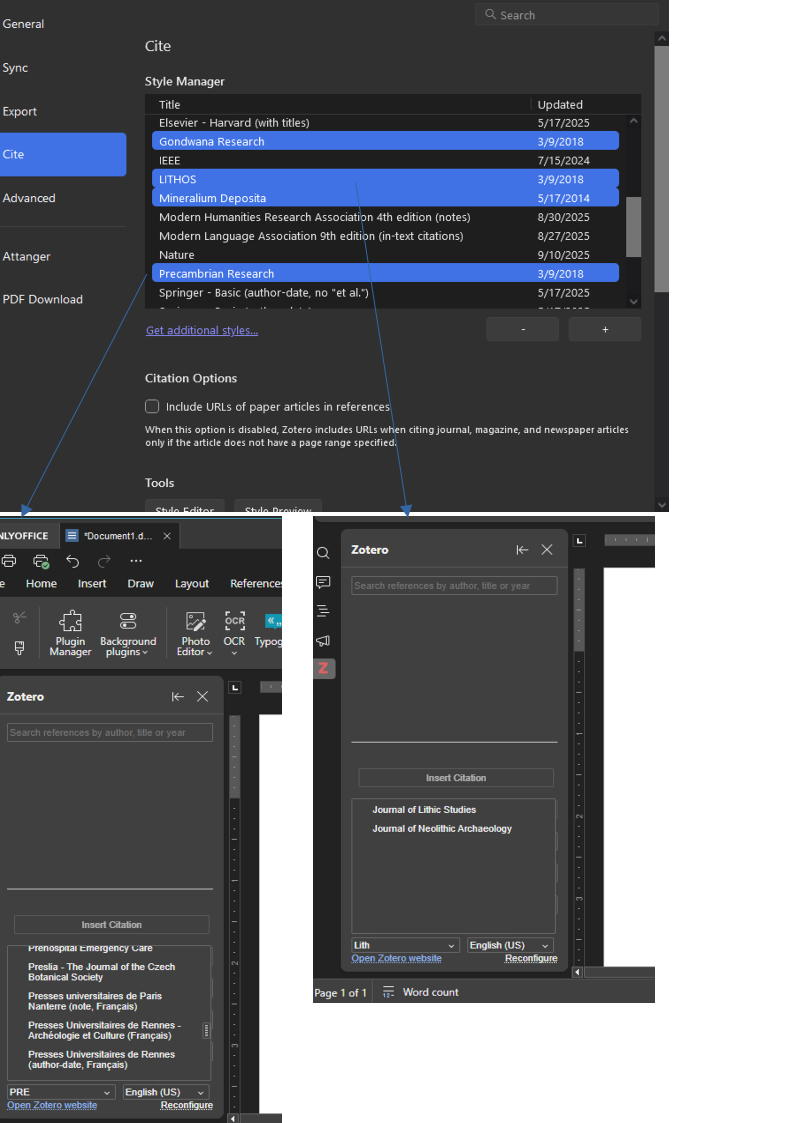
Unfortunately, I cannot record my screen right now, but I’m uploading some screenshots. The first one shows some citation styles I have in Zotero, and the others show that I cannot find them in the OnlyOffice plugin. Note that I’m searching for the specific styles shown in the first picture. The same occurs if I try to look for them by scrolling through the list.
Hello @dinnj
Please specify version of Zotero plugin that is being used currently. You can find version in Plugins tab > Plugin Manager > Zotero > Info & Support.
I’m using plugin version 1.04.
Hey @dinnj,
Thanks for the details and screenshots — we’ve logged the issue with missing custom Zotero citation styles in the plugin (v1.04). We’ll work on it and update you in this thread as soon as there’s a fix.
Appreciate your help!
Hey @dinnj,
Great news — we’ve released Zotero plugin v1.0.5!
Key changes:
- Support for custom styles (your missing ones should now appear).
- Offline mode for Desktop Editors.
- Fixed bibliography sorting and citation numbering.
- Removed extra blank lines in the bibliography.
- Improved compatibility with MS Word.
Update via Plugins > Plugin Manager > Zotero > Update and let me know if your styles show up!
https://www.onlyoffice.com/app-directory/zotero
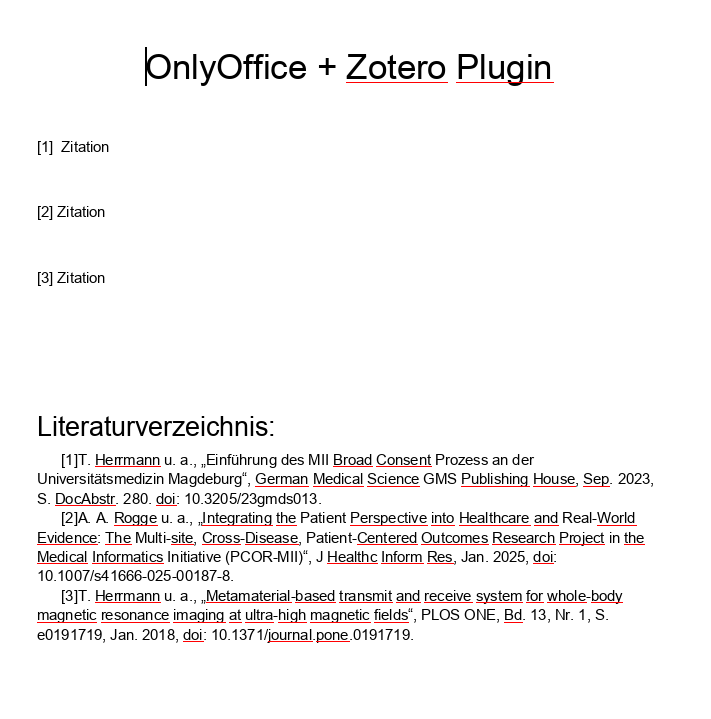
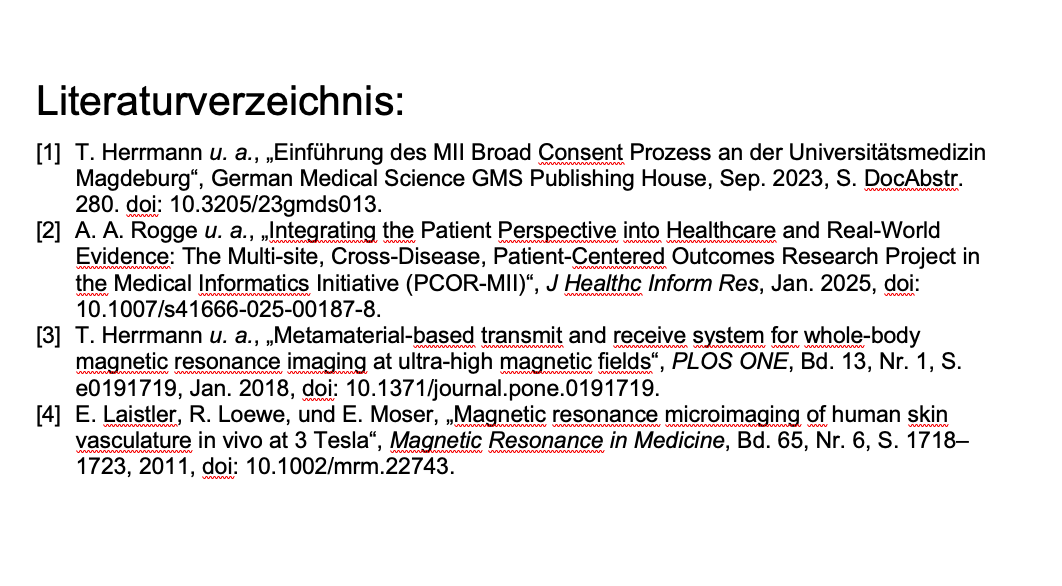
Dear [Nikolas], Zotero plugin v1.0.5 made some improvement with the MS Word compatibility but is still useless because of the not working bibliography formatting. It still has the problem that the numbering has no space between the rest and is in wrong position.
Zotero_Beispiel_2025.docx (29.5 KB)
OnlyOffice Zotero
Word Zotero:
Hey @tim.herrmann,
Thanks for the feedback and the example file — we’re working on fixing the bibliography formatting (spacing and numbering position) in the Zotero plugin.
I’ll keep you updated on progress right here. Appreciate your help!
Dear @Nikolas Thank you
1 Like