Is it possible to move the window controls to the left side on Linux? I believe it use to be. If it is could someone please explain how to achieve this.
Hey @artist78, 
Thanks for reaching out! Just to clarify, are you referring to moving the window controls (like the close, minimize, and maximize buttons) to the left side of the ONLYOFFICE Desktop Editors window on Linux?
Yes that is exactly what I was referring to. I am running the flatpak version of OnlyOffice.
Hey @artist78,
Thanks for clarifying! As far as I recall, we haven’t had a suggestion like this before.
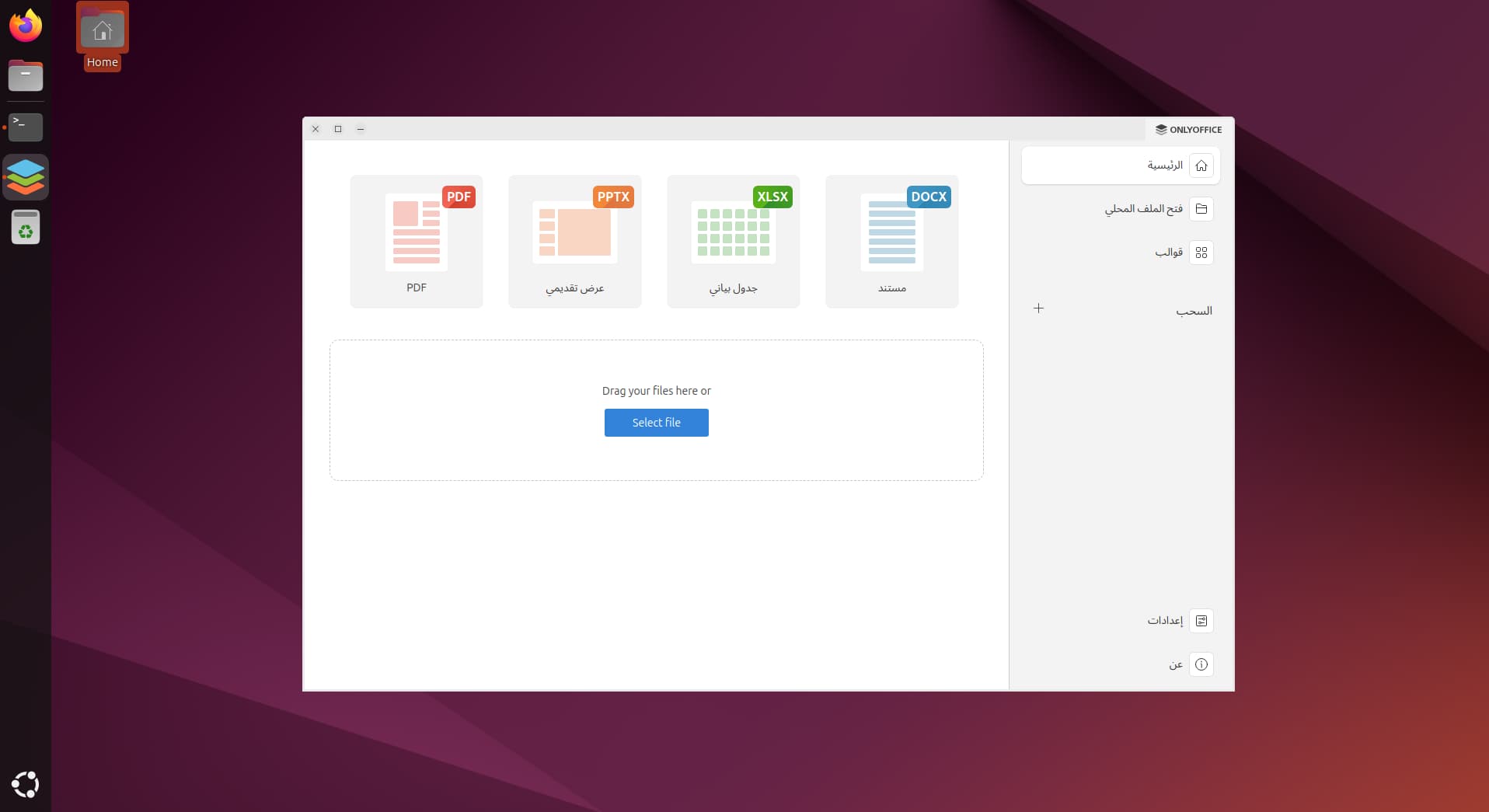
Interestingly, when using RTL languages (like Arabic) for the editor’s language, the interface — including window controls — flips to the right side. I’ve attached a screenshot of the interface in Arabic to show what I mean.
That said, I can log a suggestion to add an option to move window controls to the left side in ONLYOFFICE Desktop Editors for Linux, even for non-RTL setups. Would you like me to do that?
Yeah that would be awesome. But if it affects the UI badly I can live with the window controls.
1 Like
Hey @artist78,
Awesome, thanks for the feedback! We’ll definitely consider your suggestion to add an option for moving window controls to the left side in ONLYOFFICE Desktop.
As usual, I can’t promise a quick implementation, but I’ll keep you posted on any updates. 
1 Like
I personally would like if it was able to adapt to the elementary layout GNOME close button only layout and GNOME plus layout (minimize and close buttons )
Hey @seadx6,
Sorry for the late reply — your message got buried in the flood of threads, totally missed it earlier!
Thanks for the extra input — I’ve added your request to suggestion.
Still no timeline — the feature is under review, but the more voices we get, the higher it climbs on the priority list.
If you know anyone else who’d love left-side (or GNOME-style) window controls, feel free to invite them here!
Thanks again for the feedback!
1 Like
Hi Nikolas,
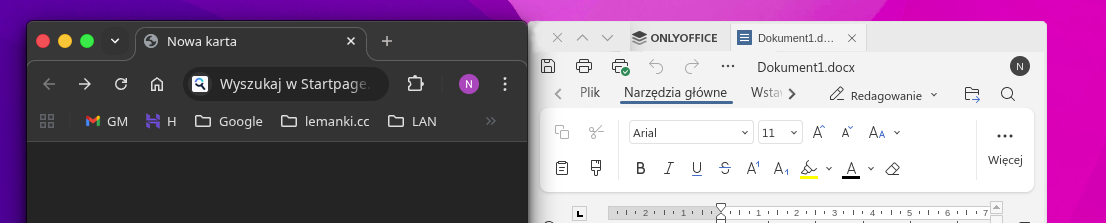
I’m in the Left Team as well ;). I’d love to see that feature in OO. Having buttons on the left does the work, but having them themed as in the rest of windows would be gorgeus.
Here’s an example of Chrome (GTK theme in KDE) and OnlyOffice with proposed change in UI.
1 Like
Hey @norbert_le,
Thanks for the nice screenshot!
I’ve passed your request (left-side window controls + proper theming to match the rest of the system, like in Chrome on KDE/GTK) to the team — it’s added to the existing suggestion.
Appreciate the clear example!
Unfortunately I still can’t give any timeline on when/if this will be implemented, but the more feedback we collect, the better the chances.
Thanks again! 
Hello @norbert_le
How about this parameter (–-system-title-bar): Running Desktop Editors with parameters
Would it be suitable for your case?
1 Like