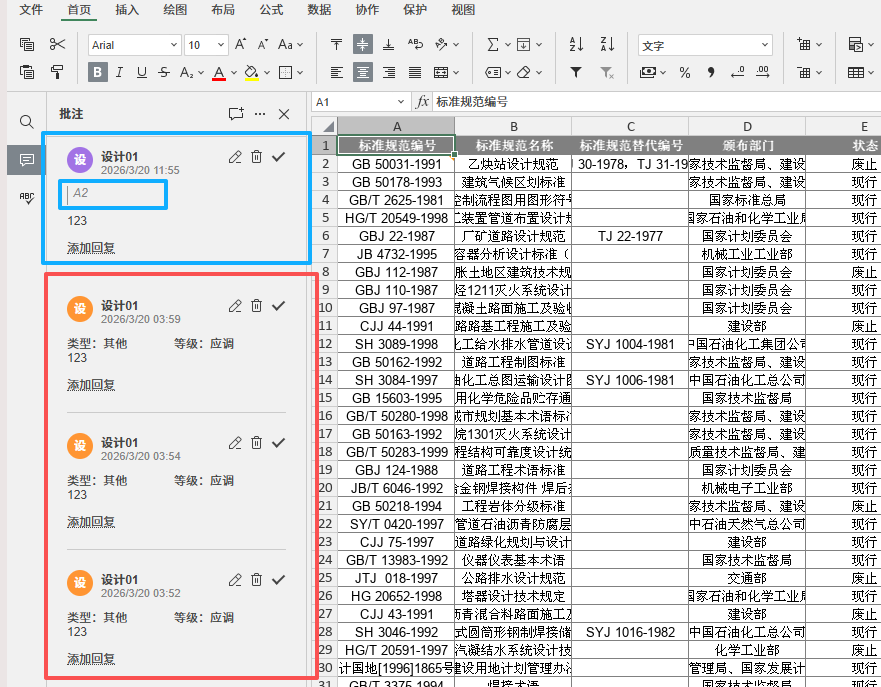
The content within the blue box was added through OnlyOffice, while the content within the red box was added through Automation API
Hello, @dingnan !
Please try using the range-based Spreadsheet API example from the documentation for cell-bound comments: AddComment | ONLYOFFICE
This method is intended for adding a comment to a specific cell/range in a spreadsheet. Please test it on your side and let us know whether it works correctly in your case.
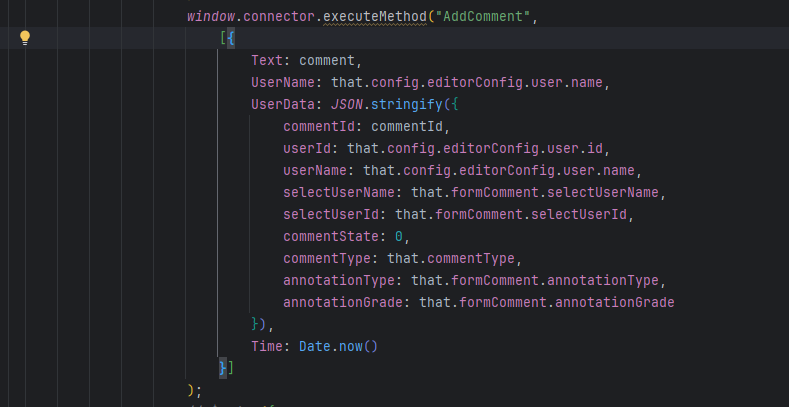
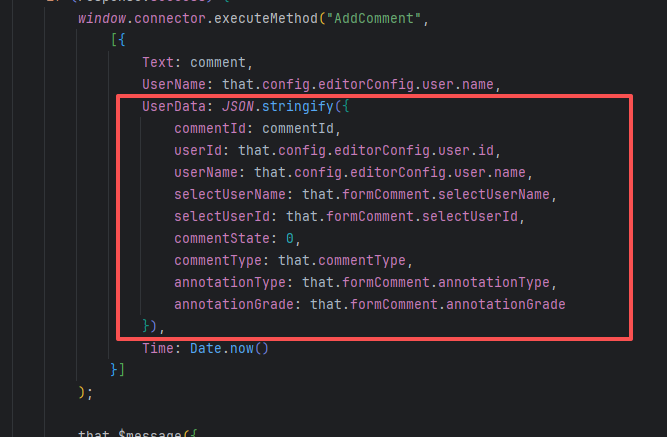
This method is useful, but previously when I was working with doc documents, I could pass a custom parameter, UserData, through AddComment to save the business data I needed to use. When needed, I could retrieve this parameter through annotations. However, after switching to this method in Excel, I can no longer pass custom parameters. Is there a more suitable approach?
Hello, @dingnan !
Please note that there are effectively two different APIs here:
-
The AddComment from Plugins & Macros Spreadsheet API lets you pass an extended comment object (similar to what you used with UserData in the document editor), but it doesn’t operate on an ApiRange, so it’s not designed to attach a comment directly to a specific cell.
-
The ApiRange.AddComment from the Office Spreadsheet API is range‑based: Api.GetActiveSheet().GetRange(“A1”).AddComment(sText, sAuthor) reliably binds the comment to a particular cell, but it only accepts the comment text and the author name, without arbitrary custom fields.
In the spreadsheet case, the recommended flow is:
-
Сreate the cell‑bound comment via ApiRange.AddComment.
-
Then, in the same callCommand block, retrieve the resulting ApiComment object and set all available built‑in properties you need (author, text, time, userId, solved, etc.) using the ApiComment methods.
-
If you need to pass additional data into the callCommand function, please store it on Asc.scope first and then read it inside the command.
Example:
connector.callCommand(function () {
  let sheet = Api.GetActiveSheet();
  let range = sheet.GetRange("A2");

  // 1. Add comment to a specific cell
  let comment = range.AddComment("My comment text", "QA User");

  if (comment) {
    // 2. Set available properties on the ApiComment
    comment.SetAuthorName("QA User");
    comment.SetText("My updated comment text");
    comment.SetUserId("internal-user-id-123");
    comment.SetTime(new Date());        // local time
    comment.SetSolved(false);           // or true if needed
  }
}, function (result) {
  console.log("Comment added and updated:", result);
});
This way you can both bind the comment to the required cell and populate all supported comment fields afterward.