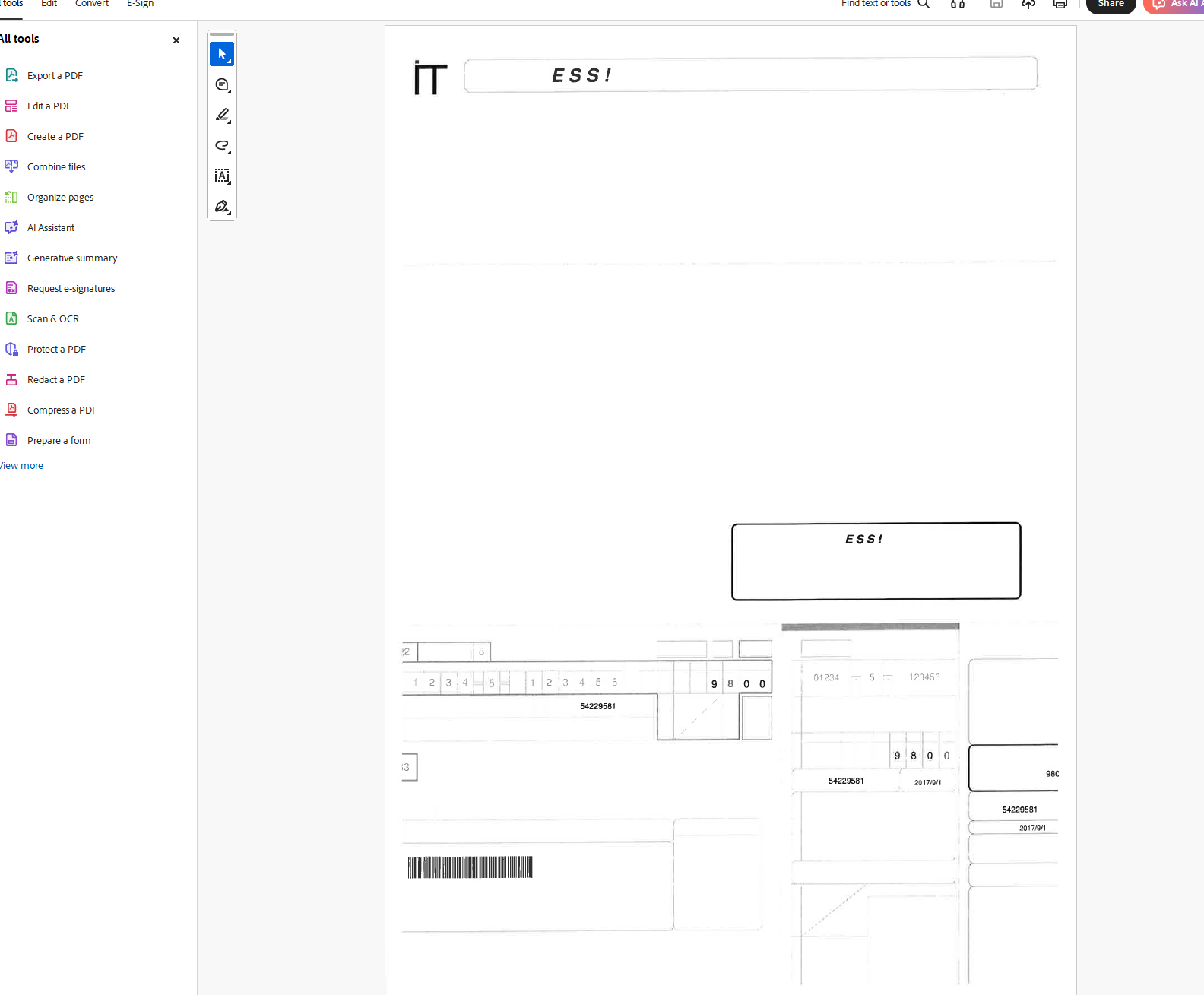
When I open a PDF generated by Create!Form in Desktop Editors and print it to a Canon printer, it does not print correctly.
printed out image.pdf (27.0 KB)
Desktop Editors : 9.2.0.100 (x64 msi)
OS : windows11 Pro 25H2
Printer : Canon C5840F
When I open a PDF generated by Create!Form in Desktop Editors and print it to a Canon printer, it does not print correctly.
printed out image.pdf (27.0 KB)
Desktop Editors : 9.2.0.100 (x64 msi)
OS : windows11 Pro 25H2
Printer : Canon C5840F
Hello @nishigaki
I have opened the provided file in the desktop app and Google Chrome, then printed it to PDF. Everything looks fine:
Hello @Alexandre
Sorry for the lack of explanation.
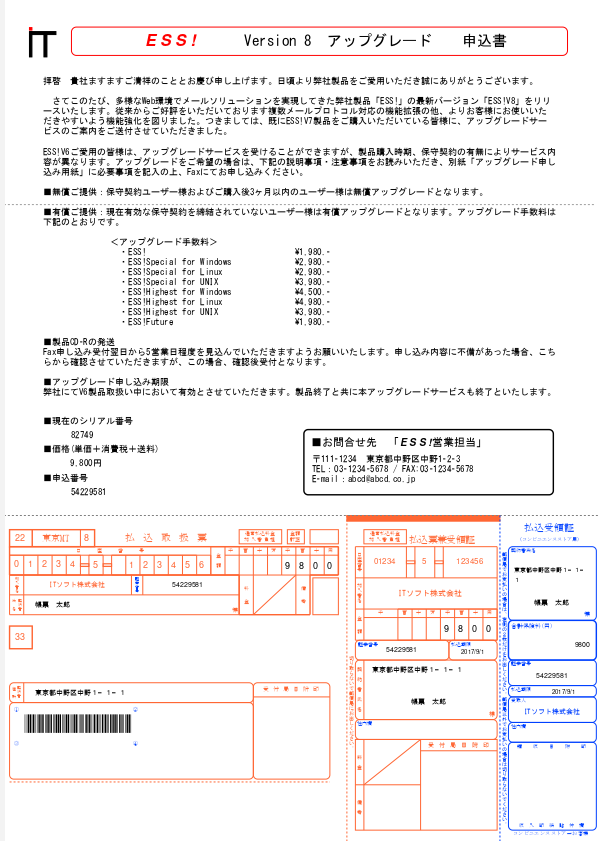
Here is a sample provided by Create!Form:
Create!Form帳票サンプル-振込用紙
When opened in a Desktop Editors, it looks like this:
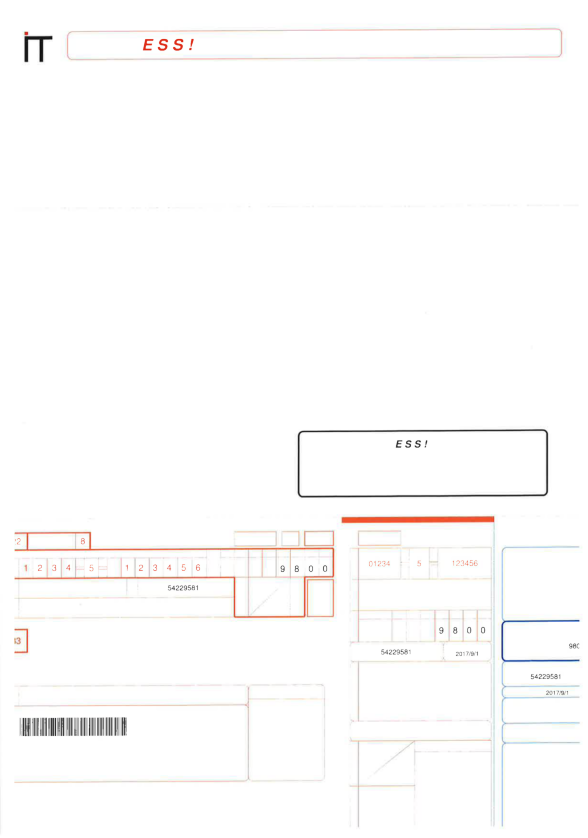
But when I print 1st page of it from Desktop Editors, I get this:
Thank you @nishigaki
Does the issue reproduce when using Print to PDF or only when printing to physical printer?
Also please update the app to v.9.2.1 and re-check the situation. Please let us know the result.
Hello @Alexandre
I tried using Desktop Editors v.9.2.1, but it didn’t improve the situation.
This also occurs when printing using “Microsoft Print to PDF”.
Hello @nishigaki
Can you share resulting PDF from Print to PDF?
Hello @Constantine
The resulting pdf from microsoft print to pdf: print to pdf.pdf (83.0 KB)
Thanks for the file. We will do some tests from our end to confirm the issue. Please await the results.
Hello @Constantine
I look forward to the resolution.
I was informed that this issue has been registered as a bug number 79286 in our internal bug-tracker. Thank you for the report.
Thanks @Constantine
I look forward to the fix.
Hello again @nishigaki
We have just released new version 9.4 of Desktop Editor that brings the fix to the issue discussed in this topic. Please update the app and check the situation again.
Thanks @Constantine
I tried it with version 9.4, but unfortunately the results were the same as before.
Thanks for the reply. Can you provide a screenshot? For me it displays fine.
Hello @Constantine
The screen display is fine. The problem is that it’s not printing correctly. I’ve scanned the printed document and attached it.
0214_001.pdf (23.9 KB)
Thanks for the scan, we’ll take a look at the current situation. Keeping you posted.
Thanks @Constantine
I’ll be waiting.
The bug has been reopened. I will keep you posted on the updates.