@Alexandre
So simply i convert my docx to pdf with below docbuilder file
builder.OpenFile("D:/MedQTech/backend/tmp/output.0_7056223521300335.docx");
   builder.SaveFile("pdf", "D:/MedQTech/backend/tmp/output.test.0_7056223521300335.pdf");
 builder.CloseFile();
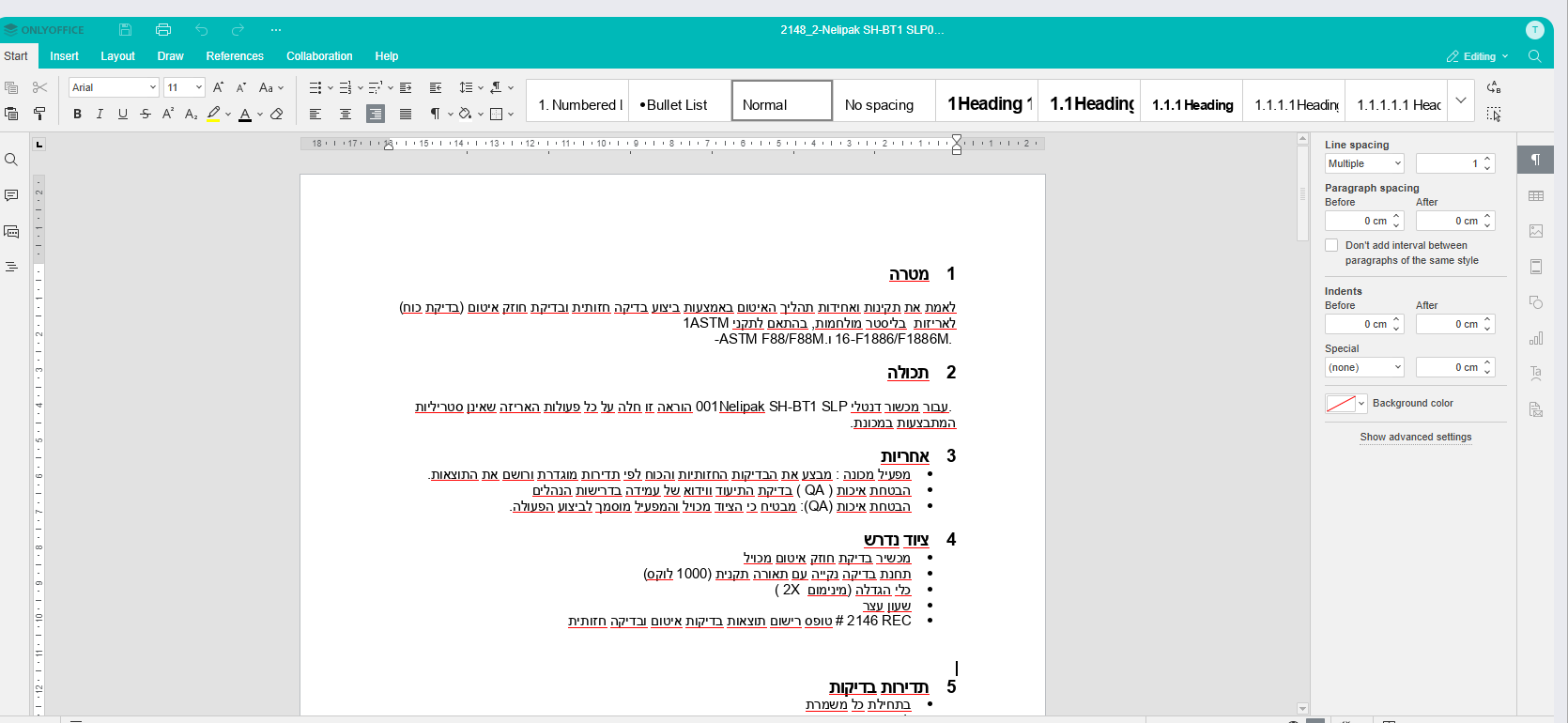
My docx content is RTL as you can see in the image
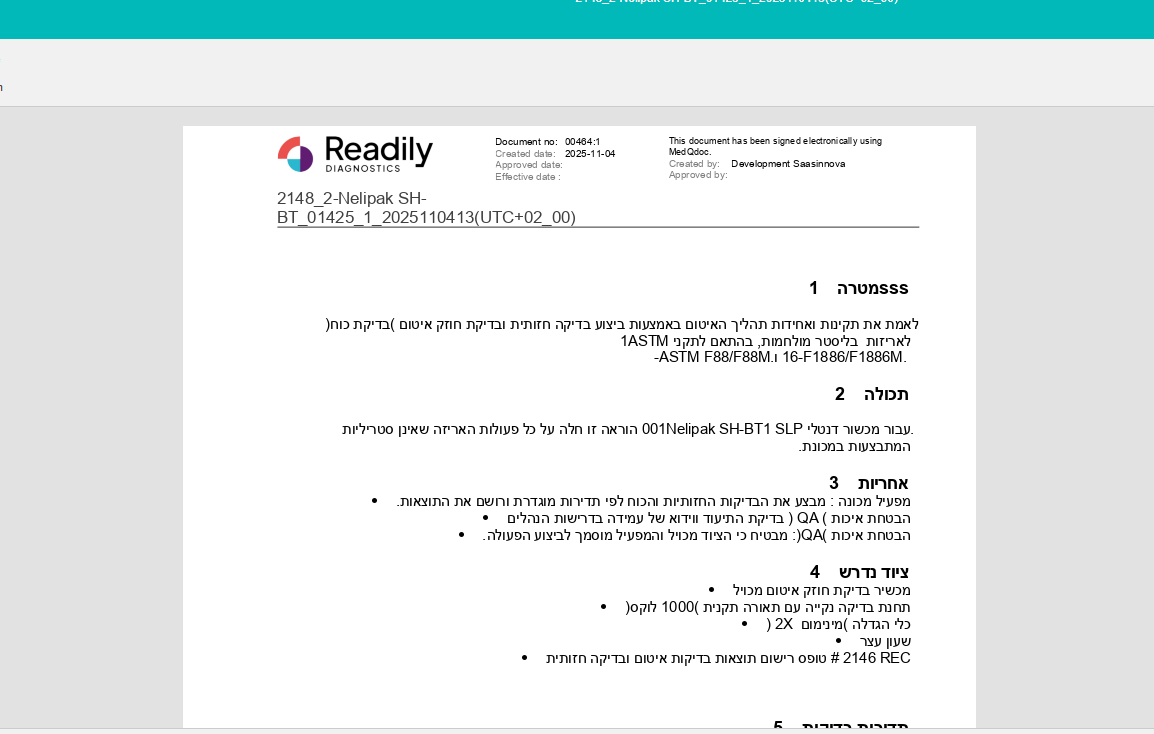
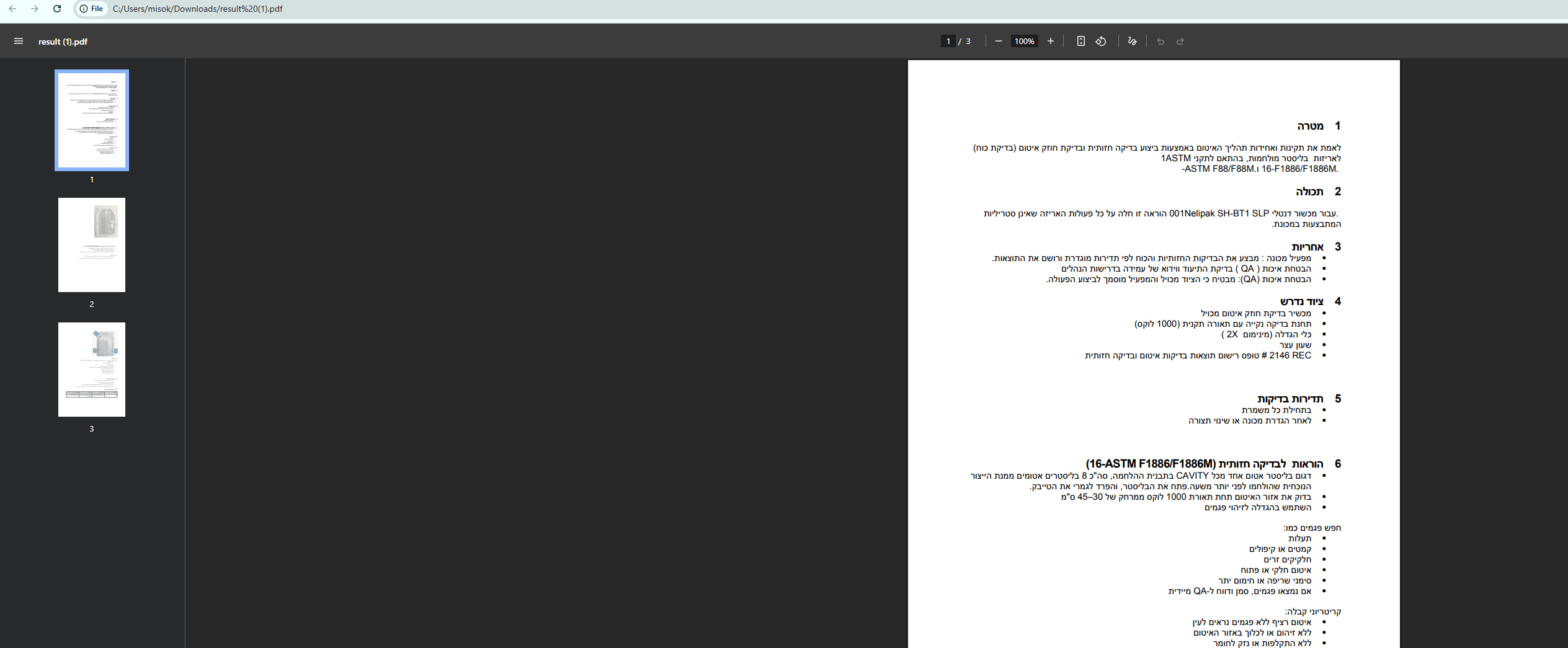
But after convert this docx to pdf my pdf bullets. number content show LTR
can you suggest how i can fix this problem ??
In this case the language is Hebrew , and my document server version is 9.0.3
normally i face same below issue
Document Server version:
Type of installation of the Document Server : docker
OS: ubuntu
Browser version: brave [Version 1.74.48 Chromium: 132.0.6834.83 (Official Build) (arm64)]
When using bullet list, number lists its showing in left side instead of right side in arabic language.
Here’s the google docs and onlyoffice screenshot for it:
[Screenshot 2025-02-05 at 7.49.20 PM]
[Screenshot 2025-02-05 at 7.49.53 PM]
but after convert docx to pdf [ so may be issue with pdf editor]
Hello @chandani
I used Document server v.9.1, all things look good. Please update your installation to the latest version.
Thanks
1 Like
Thank you, please let us know if you face any issues.