Hello,
After updating Nextcloud and testing ONLYOFFICE with public shared links, I opened one specific XLSX file and ONLYOFFICE showed this warning:
“This file is opened from a server backup copy and is not saved to storage. Use the ‘Save as…’ option to save it to a drive.”
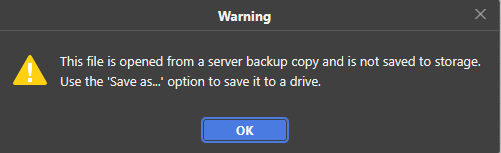
This happened only with one specific file. Other XLSX files opened through public links did not show this warning.
Context:
- Nextcloud: 32.0.11
- ONLYOFFICE Document Server: 9.4.0.1
- Deployment: Docker / Portainer
- Nextcloud integration with ONLYOFFICE connector
- Public shared link editing
- Autosave enabled
- Fast co-editing mode
- ForceSave is now enabled
Questions:
- What exactly does this warning mean in the Nextcloud integration?
- Why would ONLYOFFICE open a file from a “server backup copy” instead of the normal Nextcloud storage file?
- Can this happen if the file was open during Nextcloud maintenance mode or redeploy?
- Where is this backup copy stored on the Document Server?
- Is there a safe way to force ONLYOFFICE to save that backup copy back to Nextcloud?
- Could opening/saving this backup copy affect formulas or formatting in an XLSX file?
- How should admins safely recover from this situation?
In my case, renaming the file seemed to stop the warning from appearing, but I would like to understand the correct procedure and whether there is any risk of data/formula/formatting loss.
Thank you.