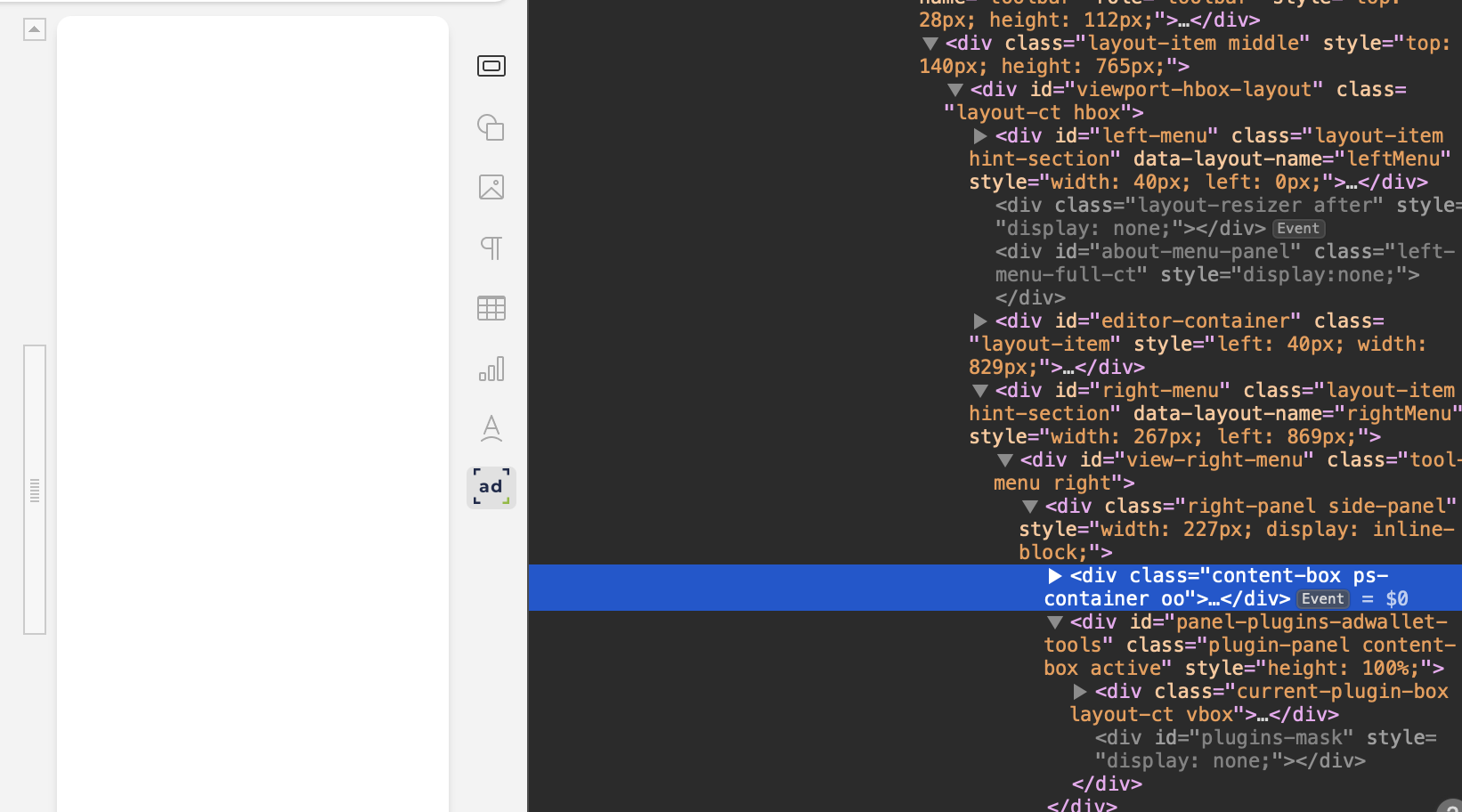
Using onlyoffice/documentserver:latest with no customisations locally.
Version: 9.0.4.50
When creating and loading a custom plugin with type:rightPanel the content does not show.
If I simply change the type to panel (making it left panel) it works perfectly.
What I think is happening:
For some reason, the container that normally hold native only office controls remains there and empty, pushing the iframe with he plugin out of view. This can be easily noticed if you inspect the DOM.
Thank you for clarifying the typo in your plugin config. Just to confirm, is the issue with the panelRight type still occurring, even with the correct "type": "panelRight" setting in your config.json?
If the problem persists, could you share any additional details or a minimal sample of your plugin code to help us reproduce it?
Yes it still persists, even with the corect config.json.
The icon I use in the config json does appear on the right, but when clicked the panel itself shows empty.
I would be happy to share a zip but I think the forum does not allow it.
So I will just paste my config.json here
Thank you for the detailed update and for sharing your config.json! We greatly appreciate your efforts in helping us understand the issue with the panelRight type.
To make it easier for us to reproduce the problem, could you please share your plugin?
Since the forum doesn’t support zip uploads, you can upload the archive to a third-party storage service and share the link here, or send it to me directly via private message.
Thanks — “panelRight” seems to be working now. However, I’m facing one challenge and would appreciate some guidance.
When using “panel”, the plugin sidebar appears on the left side, and we’re able to resize the plugin “sidebar” horizontally as expected. But when using “panelRight”, the sidebar correctly appears now on the right side of the document, “but it cannot be resized”.
Could you please help me understand whether this is a known limitation or if there are any additional steps or configuration changes needed to enable resizing on the right panel?
Got it — I’ve reproduced the issue: the right panel (panelRight) doesn’t allow horizontal resizing, unlike the left panel (panel).
No workaround for now, but we’re looking into it. I’ll keep you updated as soon as we have progress or a fix!