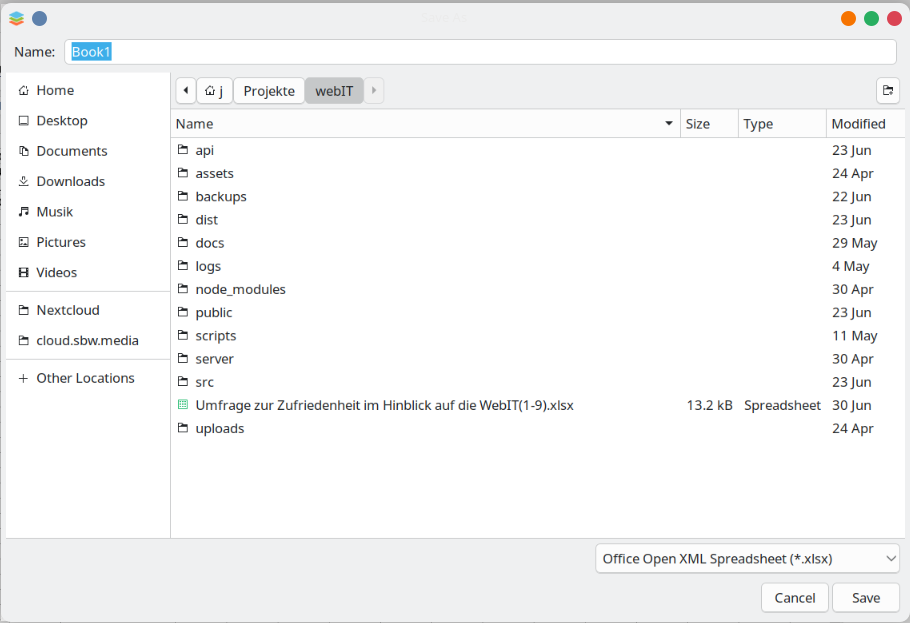
As the text “Book1”is highlighted one would expect that typing would replace the text “Book1” by a new name but instead it starts using the typed characters as a search in the file list. Quite surprising and not very helpful.
Either remove the highlight (or gray it) signaling that it is no active.
From your description, this looks more like the behavior of the system save dialog itself. The highlighted filename field is most likely rendered by the system dialog, and the unexpected typing behavior may depend on the desktop environment rather than on ONLYOFFICE alone.
To check this properly, please provide the following details:
exact ONLYOFFICE Desktop Editors version,
operating system and its version,
desktop environment / window manager.
Also, please check whether the same behavior can be reproduced in other applications that use the system “Save As” dialog.