I found a bug in ONLYOFFICE when editing XLSX files.
If I type a text inside an Excel cell and underline only part of the text, after saving the file the underlined part gets reversed character by character.
This does not happen if:
- the whole text is underlined, or
- no partial formatting is applied.
Example:
Original text (before underlining and saving):
teste para ver se o texto, esta invertendo em portugues.
After underlining only part of the sentence and saving:
teste para ver se o texto, seugutrop me odnetrevni atse.
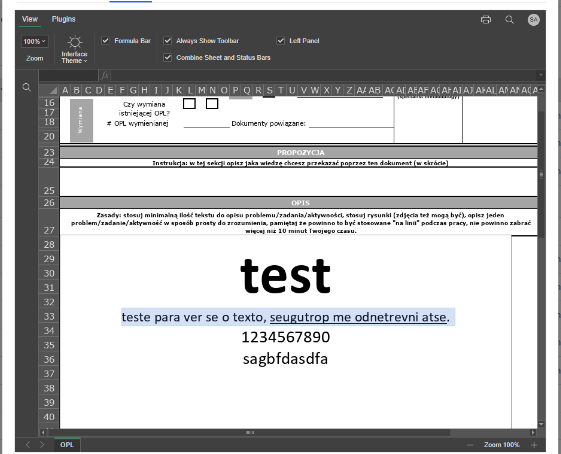
As you can see, the underlined part
esta invertendo em portugues
becomes
seugutrop me odnetrevni atse
Important notes:
- This happens only with partial underline
- It seems related to text runs / text direction (LTR)
- Happens inside Excel cells (XLSX)
- The same file behaves correctly when edited in Microsoft Excel or LibreOffice
When the entire text is underlined, the problem does not occur.
Version: 8.3.3 (build:19)