Do you want to: Suggest a feature / Report a bug / Ask a how-to question
For feature suggestions, describe the result you would like to achieve in detail.
For bug reports, provide the steps to reproduce and if possible a minimal demo of the problem.
Document Server version:
Type of installation of the Document Server (docker, deb/rpm, exe, please point us to the installation guide that you used as well):
OS:
Browser version:
Additional information:
Any relevant details about the situation. If you’ve modified configuration files or are using a proxy server that might affect the situation, please mention it. You can also attach images and videofile to the post (or to place them to external storage)
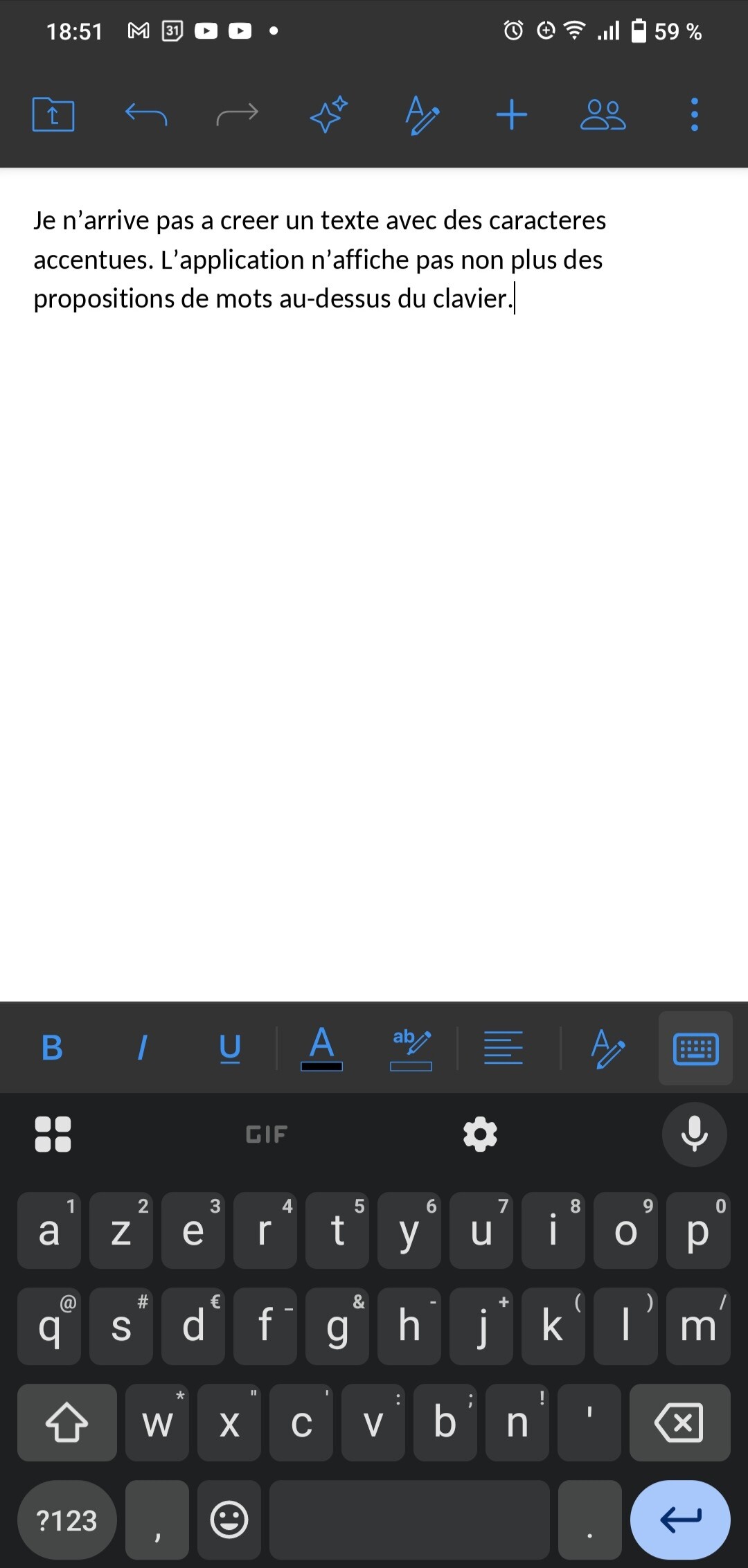
Hello, I don’t have access to the standard predictive text and autocorrect features of the Gboard keyboard when I create a document in ONLYOFFICE. I also cannot type words with accents. The input keyboard in ONLYOFFICE doesn’t suggest any words, even though I’m using Gboard on my phone with an AZERTY keyboard and the declared language is set to French.
How can I fix this?
Thank you for your help.
Hello @Sinna22,
Our team is aware of the issue with predictive text and autocorrect features of the Gboard keyboard in ONLYOFFICE. We plan to resolve this in one of the upcoming updates, but there is no exact timeline yet.
We have tested typing text with accents, and it works fine in ONLYOFFICE Documents mobile app version 9.0.4. Could you please check which version you are using? If it is older, we recommend updating to the latest version for the best experience.
If you have any other questions, feel free to ask.
Hello,
Thank you for your response.
First of all, the version of ONLYOFFICE DOCUMENTS that I am using is:
Version 9.1.0, build 663, SDK 9.1.0.181
This is the latest version available on Google Play.
I would also like to inform you that I have access to accented characters when entering the file name of a new ONLYOFFICE document, but no longer after I start typing text inside the file.
The specifications of my phone are as follows:
Vivo V2023
Funtouch OS 12
Android Version 12
Thank you for your help.
C. Lopez
Hi @Sinna22,
Thank you for the additional information!
We’ll keep you updated on any progress. Thank you for your patience!