Do you want to: Ask a how-to question
Document Server version: 9.0.2.9
Type of installation of the Document Server: Docker
Server-OS: Ubuntu 22.04 LTS
Client-OS: Windows 10
Browser version: Firefox 140.0.4
Hey!
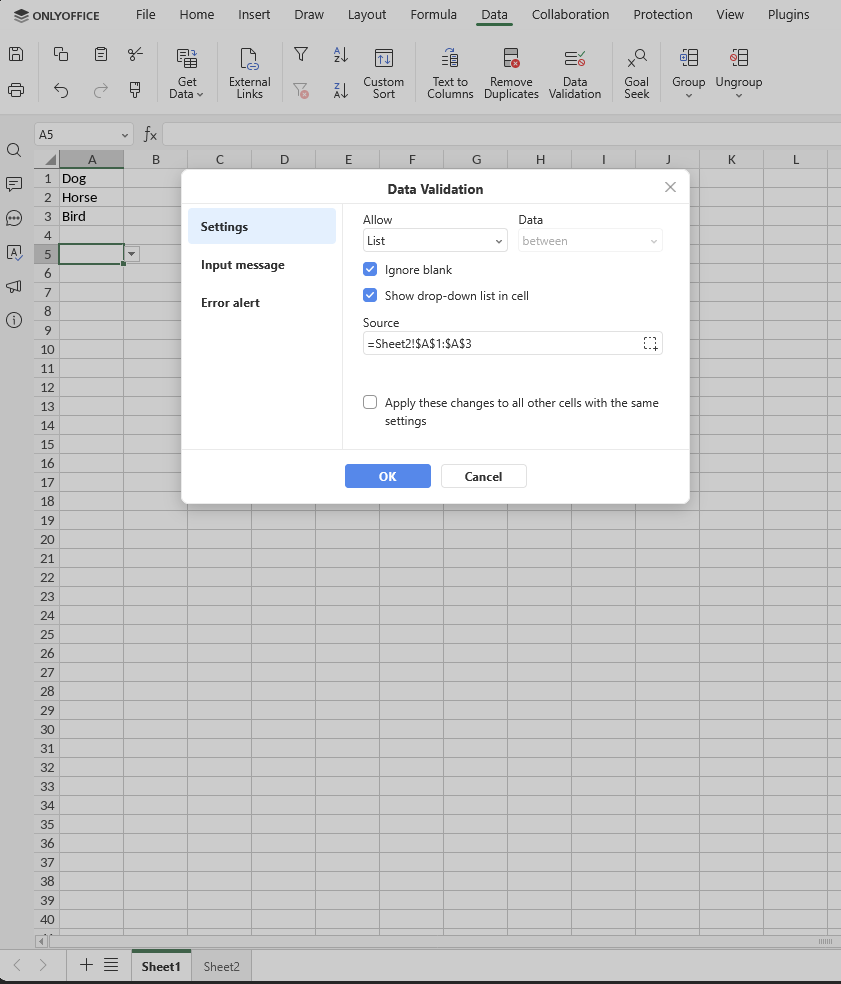
I created a file with some cells with dropdowns, where the possible data is given via “Data Validation”. There i chose “List” and give a source range. This works perfectly fine. If you try to enter something else in the cell, you´ll see an error. But at the moment everyone has the possibilty to just delete the data validation dropdown and enter whatever they want.
So i want to protect these cells from someone deleting the dropdown but everyone should still be able to choose from it / enter a valid value.
I tried “Protect Range” for one test cell and then added this cell in the allowed range in “Protect Sheet”. I don´t see a suiteable option for not changing the cell but choosing from a dropdown, so i wanted to check if “Edit objects” maybe helps. But when i try to save this with “OK”, i get the error message “This range is not allowed for editing.”. The same message another person gets, when i only “Protect Range” and the person tries to change the value via dropdown.
Anyone an idea how to get it working or is it not possible now and should be a feature request?
Let me know if you need more information! If needed, i can build a example file.
Thanks a lot!
Hello @nilskamm
Yes, an example file would be appreciated. Also, you can record a video file with demonstration of desired behavior and your actions.
We’re looking forward to your reply.
Sadly i´m not able to make a video file right now.
I made this file:
Lock Test.xlsx (9.4 KB)
There i created a list of values in “Sheet2”, which i used in “Sheet1” for the cells A1:A10 to create “Data Validation”-Fields where you can only enter or choose the values from the list in “Sheet2”. Like yo can see here:
At the moment everyone is able to just delete everything in the cell and therefore also delete the Data Validation. I want to lock these cells, so that just entering or choosing the right values is possible but not deleting the Data Validation.
When i use “Protect Range” for A1:A10 other users get the following error message when trying to choose a value:
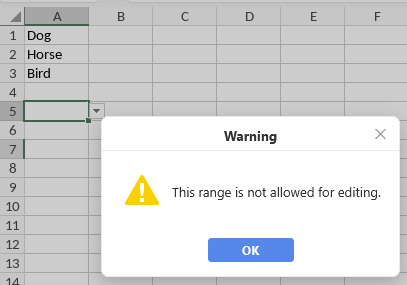
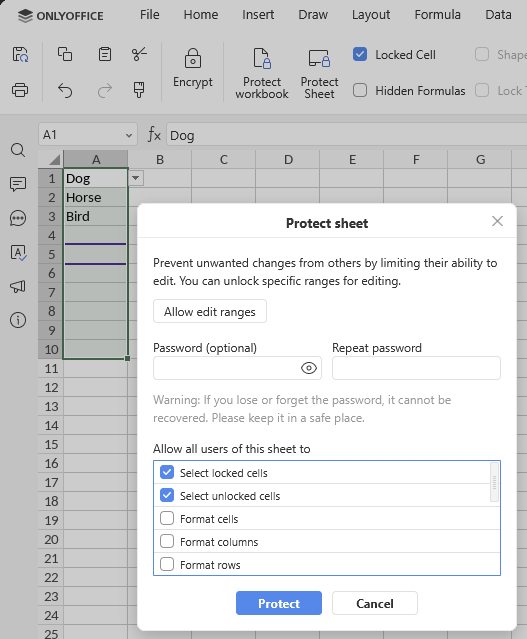
So i tried to give other people some possibilites back with the “Protect sheet” option:
I put the Range A1:A10 into the “Allow edit ranges” at the top of this screenshot.
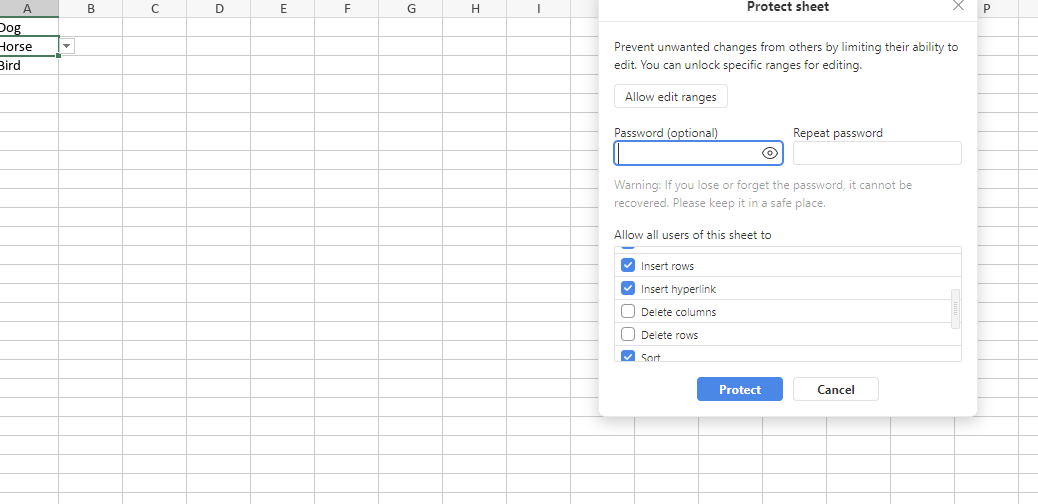
When i click on “Protect” i get the same error message as everyone else:
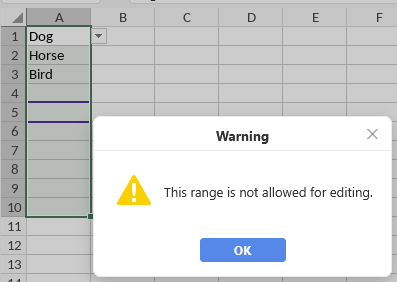
What i want to know is, if there is any way to protect the cells from everything else, than entering or choosing the given values?
Hello @nilskamm
Thank you for the file!
As far as I understand the main goal is preventing sheet2 from editing while keeping the drop-down menu active. I’ve attached a video file with my test, using ‘Protect sheet’ option is enough in this scenario to protect sheet2 while drop-downmenu works on the sheet1.
Please clarify if I misunderstood the request.
This also works for me, but is not what i want.
I want to protect the cells in Sheet1, so that no one can delete the dropdown but choose from the dropdown / enter the valid values.
Understood, we are checking the scenario.
Hello @nilskamm
Sorry for the late reply.
Please set up sheet protection and use the checkboxes in the main menu to specify what users can do on this sheet. Check all boxes except “Delete columns” and “Delete rows.” That should resolve the situation.
Hey Alexandre!
Sorry for the late reply. Life did a thing.
I checked out your idea and it doesn´t solve my problem.
After setting up the sheet protection with the options you said i was still able to delete the whole data validation and then enter whatever i want. I did that without deleting the column / row. I just did a right-click and chose “Clear” → “All”.
Hello @nilskamm
I’m a little bit confused. Could please record a videofile with your actions? The described scenario works well, and I cannot run “Clear” → “All”.
Hey Alexandre,
i made a video. I hope, that makes it more clear.
As additional information. I just updated the our onlyoffice docker to the latest, just before doing the video.
On the left there is my main user. The owner of the file. I set the protection and after that i try changing it with another user which has the nextcloud access “can edit”. That user is on the right site and is able to just clear the dropdown menu and with that the data validation.
Thanks a lot!
Hello @nilskamm
Still no luck, here’s my test:
I’m using Nextcloud hub 25 (v.32) with the connector app version v.9.11. Please let us know your versions in this scenario.
Hey Alexandre,
i use Nextcloud Hub 10 (31.0.10) with the App version 9.11.0.
While checking the version i looked at the settings page of the app.
Is there maybe something different between our versions?
Hello @nilskamm
It’s a little bit strange. Is it possible to provide us with two test account to your portal? This way we will be able to check the situation on the spot. If so, please contact me via PM.
Sorry for the long time. I will send you a PM right away.
Alexandre figured it out outside this thread.
I started in the beginning having the area in the “Allow edit ranges” in “Protect sheet” because i thought “Protect sheet” will prevent every change except the one chose in the “Protect sheet”-window AND to the area specified in “Allow edit ranges”.
For my case i can just use Protect sheet with the right options to prevent everyone from deleting the data validation / dropdown menus.
Thank you very much!
1 Like
We’re glad that the situation has been resolved. Please feel free to contact us if you face any issues.