My environment: Windows 10(x64) + Community version 9.1.0.167 (x64 exe).
Start onlyoffice by clicking its shortcut logo,view–macro, then press F1, call the window of Del Tools,
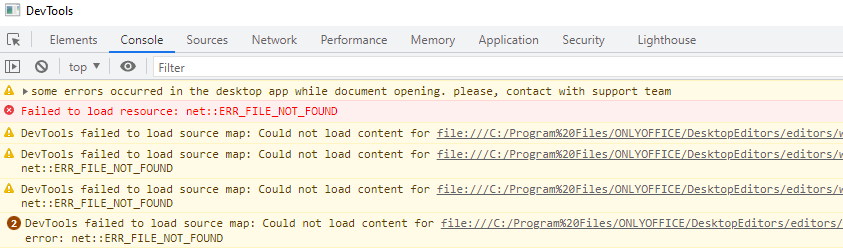
api.js:562 some errors occurred in the desktop app while document opening. please, contact with support team

/C:/Program%20Files/…/en/Contents.json:1 Failed to load resource: net::ERR_FILE_NOT_FOUND

DevTools failed to load source map: Could not load content for file:///C:/Program%20Files/ONLYOFFICE/DesktopEditors/editors/web-apps/vendor/socketio/socket.io.min.js.map: System error: net::ERR_FILE_NOT_FOUND

DevTools failed to load source map: Could not load content for file:///C:/Program%20Files/ONLYOFFICE/DesktopEditors/editors/web-apps/vendor/monaco/monaco/min-maps/vs/loader.js.map: System error: net::ERR_FILE_NOT_FOUND

DevTools failed to load source map: Could not load content for file:///C:/Program%20Files/ONLYOFFICE/DesktopEditors/editors/web-apps/vendor/monaco/monaco/min-maps/vs/editor/editor.main.js.map: System error: net::ERR_FILE_NOT_FOUND

2

DevTools failed to load source map: Could not load content for file:///C:/Program%20Files/ONLYOFFICE/DesktopEditors/editors/web-apps/vendor/monaco/monaco/min-maps/vs/base/worker/workerMain.js.map: System error: net::ERR_FILE_NOT_FOUND