When we fill in values in a Spreadsheet and the cell has a dropdown list, the dropdown list is gone. This is annoying as our customer wants to see which options were available as well. We extracted the options from the sheet exactly how they are configured, without any changes.
We use ApiRange.SetValue to insert the value of the customer into the cell, which works but like said above the dropdown list is gone. See images attached:
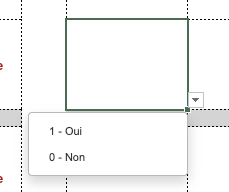
How the cell looks like before being filled in:
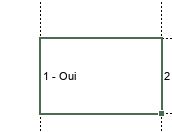
How the cell looks like after it is filled:
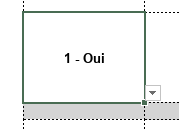
How it should look like when filled in with the SetValue:
Also note that before filled in - the cell has a bold formatting and this is also not been taken over…
Hello @LaurensSequesto
Please share a test file and specify how exactly you’re using ApiRange.SetValue to insert the value into the cell, we will check the situation.
So the issue we have is that if the cell has some layout (border, font size, font family, etc…) it isn’t taken over and it’s completely lost which is too bad as it screws up the spreadsheet of our customers.
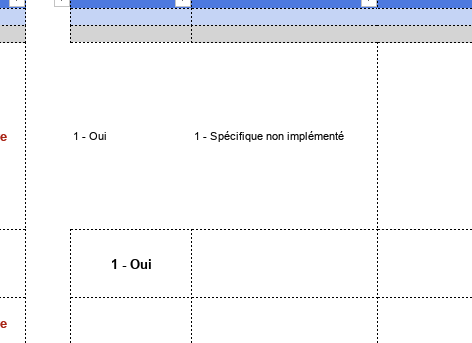
As you can see in this screenshot:
(first row is with our script, the row below is when we select an option from the dropdown)
Hello @LaurensSequesto
Thank you for the file. Indeed, I was able to reproduce the situation using the pasteHTML method.
I might have missed something, but why do you want to use HTML here?
I adapted the provided code to achieve the same scenario without HTML, and it seems OK.
Thanks for looking into this @Alexandre.
It indeed might look strange to use PasteHTML for this, but all our editors are using HTML.
And that’s why we use the PasteHTML method as we don’t know which answer we are working with (a simple dropdown option or rather styled piece of text).
Is there a way to keep the styling of the cell when pasting as HTML?
Hello @LaurensSequesto
We have completed our checks, unfortunately the PasteHTML method removes dataValidation in this scenario. We have added a bug to internal tracksystem and we have started working on it. I will update this thread once we have something to share.