Hi
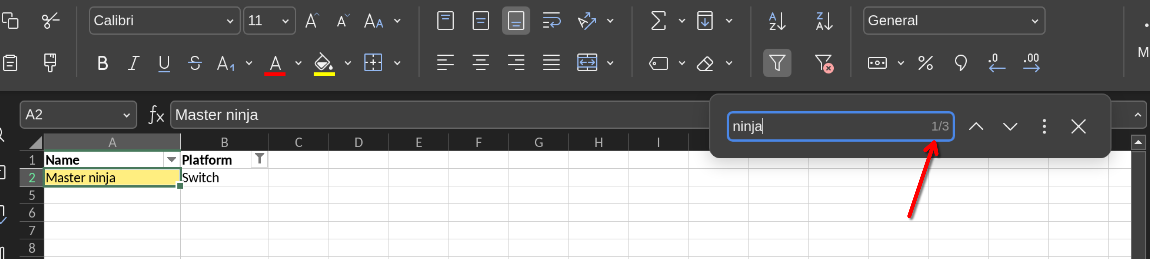
Search works great but not as expected. Say i filter my Console column to just PS5. I search for a game that i have both on my PS5 and Switch. The result even when filtered shows 2 instead of 1. So when i press the next it goes to a field that is hidden. I think this is wrong actually. Or atleast there should be an option to disable this. When filtered the result should be in what is shown i think.
This is also how it works in excel. Result shows in what you can see.
Hello,
Please provide the following additional info:
- What product are we talking about - is it Desktop Editors or Onlyoffice Docs?
- What is the version?
- Provide the original file
- A scree recording of the issue reproduction steps
ah sorry thought i selected linux but your right.
I use OnlyOffice Spreadsheet version 9.0.3.29 (flatpak)
As for result, i attach a video. I had to rename the extension to mp4 for it to load, it was .webm before. Maybe still works…
Please provide the original file as well
Hi, its pretty simple to reproduce, a simple example here with just 3 rows:
full file:
| Name |
Platform |
| Master ninja |
Switch |
| Ninja master |
PS5 |
| Ninja rebount |
PS4 |
Thank you for sharing, we are currently analysing the issue
Hello @vampyren, 
Thank you for pointing out the issue with search behavior in filtered ranges.
@DmitriiV, who was handling your case, is currently unavailable, but we’ve noted your report and have logged a bug regarding the search including hidden values in a filtered range.
We’ll notify you as soon as a version with a fix for this issue is released.
Thank you for your valuable contribution! 
1 Like