Do you want to: Report a bug
OS version: Win 11 Pro
App version: 9.4.0.129 (x64 exe)
Downloaded from: ONLYOFFICE website
The spreadsheet is not behaving as it did on the previous version.
I have been helping Florian ( @fl0rian ) with an issue with their spreadsheet.
The solution I found involving Cell Conditional Formatting, where I suggested she change =IF($N$2<>$M$2,1,0) to =IF($N$2<>$M$2,TRUE(),FALSE()) to facilitate auto-recalculation.
This worked in the previous version.
But in the current version, when this Condition Formatting test is run, ie. Data changes to affect a change, then the spreadsheet raises the following error
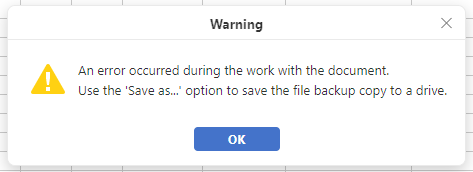
OnlyOffice stops at this point, and a restart of the application is required.
There are no entries in the Windows Logs to provide any details of the nature of the failure.
I went back to version 9.3.1.8 (x64 exe), and this case instance above is working fine again.