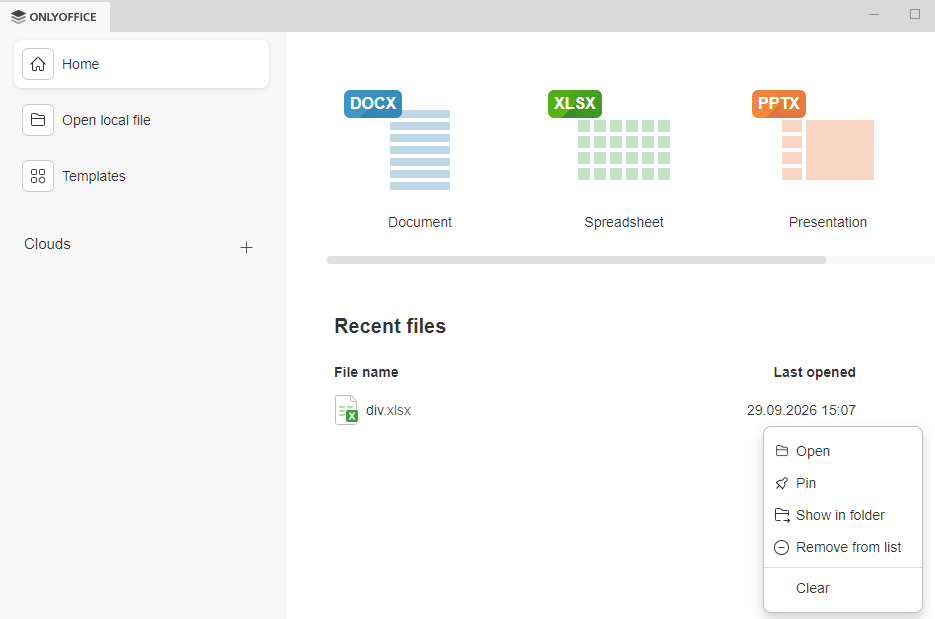
When the cursor is moved over one of the files in the list, a “…” menu appears to the right of the “Pin” icon. The last item in the menu is “Clear”. When this item is clicked, it removes all files from the list, INCLUDING PINNED FILES. Is this really intended?
We already have an internal issue registered for this case and plan to review the current behavior of the Clear option in the Recent files list. We have added your request to the existing issue.
Unfortunately, we do not have an ETA at the moment. We will update this thread as soon as there is any news.