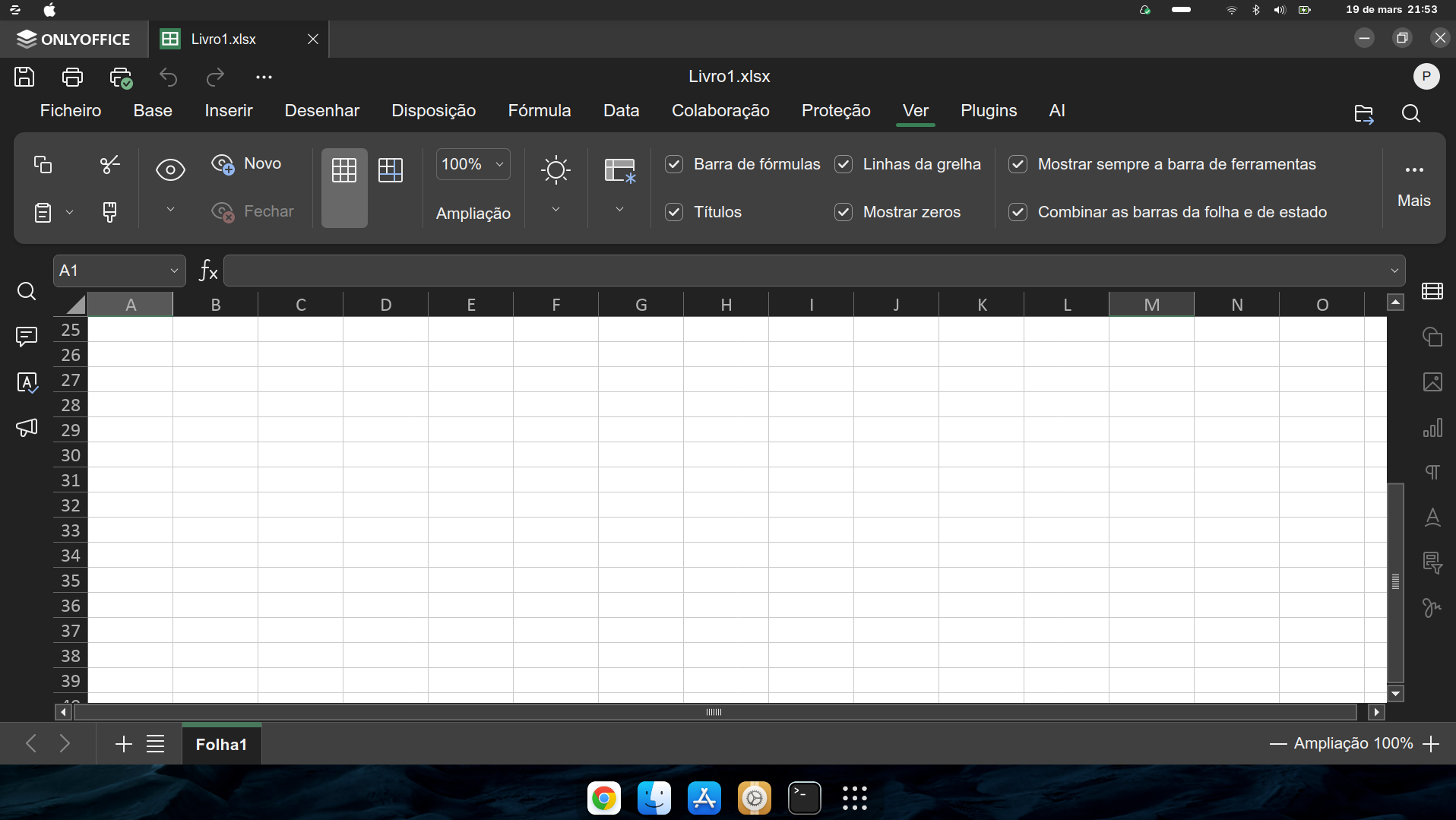
I installed the Onlyoffice in zorin OS 18 but the size of the menus are very big. I try scaling with “QT_Factor” but never fit nicelly on the size of the window… If I scale on zoom option only the working spreadsheet or page decrese the menu letter sizes always remain very big…
Any possible configuration? to drecease the letter size of the menus?
Thanks Pedro
Thank you for contacting us. To advise you correctly, could you please send a screenshot showing how the interface looks on your side and clarify which ONLYOFFICE product you are using exactly (Desktop Editors, Docs, Docspace or Workspace), as well as its exact version number?
After that, we’ll be able to suggest the most relevant configuration steps.
Hello @Pedro ,
Thank you for the clarification and the screenshots.
Please try starting the application from the terminal with a forced scale value, and then apply the settings so that it always opens with 100% scale:
For Flatpak: flatpak run org.onlyoffice.desktopeditors --force-scale=1
For AppImage: run the AppImage file itself from the terminal with the same flag, for example: ./DesktopEditors-*.AppImage --force-scale=1
Please let us know whether the menu size changes after launching it this way.
If the issue remains, please send us your screen resolution, the system scaling value in Linux Mint/Zorin settings, and whether you are using an X11 or Wayland session, as this may affect scaling behavior on Linux.
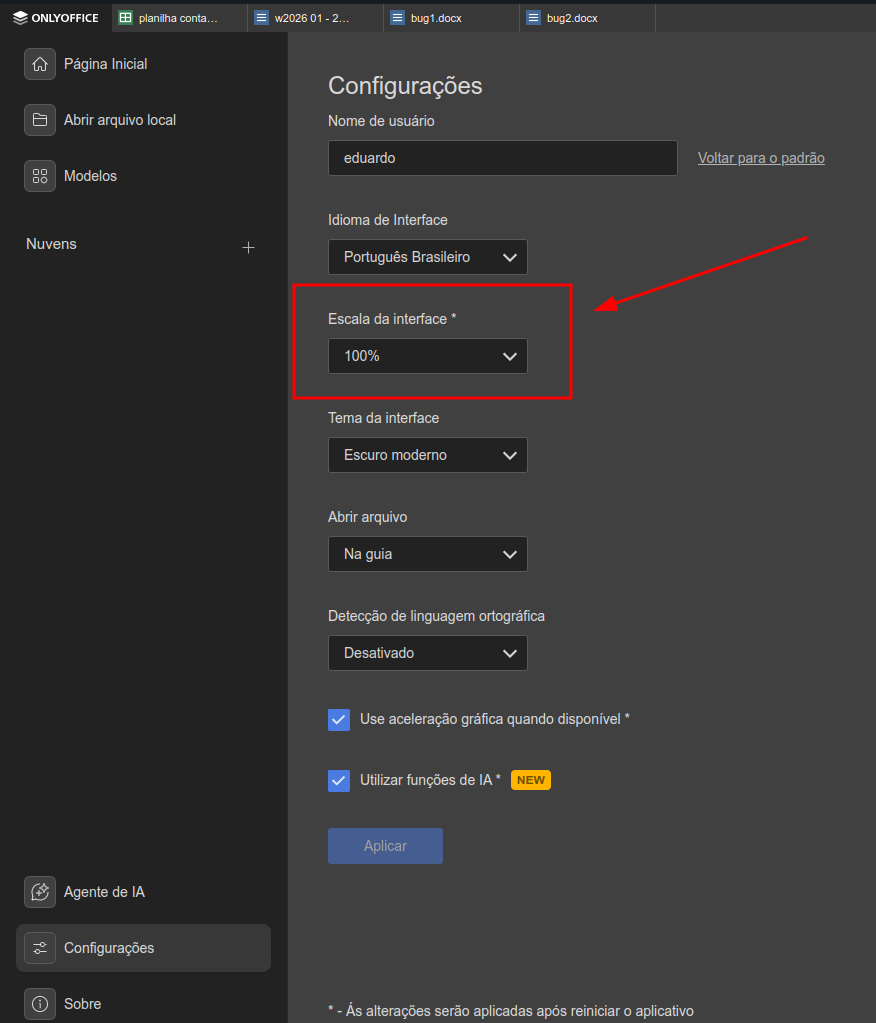
 olved. Thanks Edurbs. I tried it again, with 100 % is ok. Maybe last time I didn´t apply…