Do you want to: Ask a How to Question?
For feature suggestions, describe the result you would like to achieve in detail.
For bug reports, provide the steps to reproduce and if possible a minimal demo of the problem.
Document Server version: 9.2.1-8
Type of installation of the Document Server (docker, deb/rpm, exe, please point us to the installation guide that you used as well): Deb/RPM Installation Guide
OS: Debian 11
Browser version: Google Chrome Version 144.0.7559.97 (Official Build) (arm64)
Additional information:
Any relevant details about the situation. This is an old installation of OnlyOffice 7.0.1-37 which has been upgraded to 9.2.1-8 but after the upgradation the system has stopped working as expected also this system has an integration with a PHP application (aka SugarCRM).
-
error in out.log file is as follow
SyntaxError: Unexpected end of JSON input
at JSON.parse ()
at Object. (/snapshot/server/Common/sources/logger.js)
at Module._compile (pkg/prelude/bootstrap.js:1925:22)
at Module._extensions…js (node:internal/modules/cjs/loader:1623:10)
at Module.load (node:internal/modules/cjs/loader:1266:32)
at Module._load (node:internal/modules/cjs/loader:1091:12)
at Module.require (node:internal/modules/cjs/loader:1289:19)
at Module.require (pkg/prelude/bootstrap.js:1846:31)
at require (node:internal/modules/helpers:182:18)
at Object. (/snapshot/server/DocService/sources/server.js) -
DS docservice is in a reboot state. It doesn’t become active
● ds-docservice.service - Docs Docservice
Loaded: loaded (/usr/lib/systemd/system/ds-docservice.service; enabled; vendor preset: enabled)
Active: activating (auto-restart) since Mon 2026-01-26 05:29:42 PST; 9s ago
Process: 31888 ExecStart=/bin/sh -c exec /var/www/onlyoffice/documentserver/server/DocService/docservice 2>&1 | tee -a /var/log/onlyoffice/documentserver/docservice/out.log (code=exited, status=0/SUCCESS)
Main PID: 31888 (code=exited, status=0/SUCCESS)
CPU: 430ms -
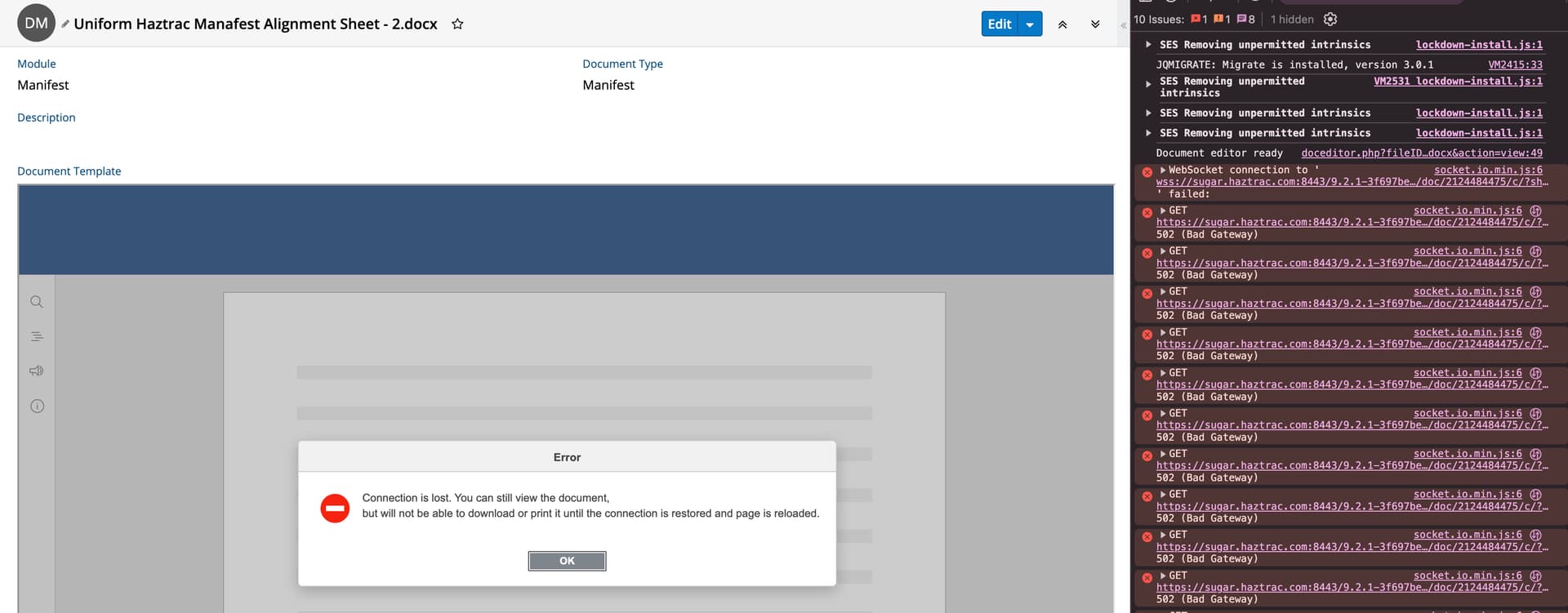
In browser integration is displaying wss error.