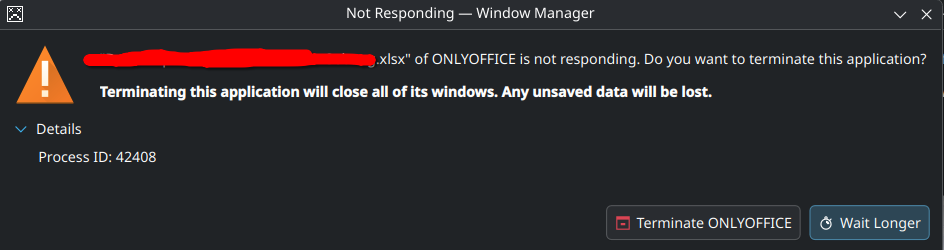
OS version: Fedora 42 KDE x86_64
Kernel: Linux 6.14.11-300.fc42.x86_64
App version: 9.0.0.172 (flatpak)
Downloaded from: KDE Software Center, flatpak
Additional information:
Only Office randomly not responding when being used. Sometimes it run smoothly, sometimes it very laggy and must be restarted. However this time it not responding.
I don’t know how to reproduce the lag or the not responding since it happened when I use it normally.
Hi @Afa 
Thanks for sharing this — could you let me know if the freezing happens with specific files or file types? Are you noticing any patterns, such as large document size, certain content (images, tables), or particular operations triggering the freeze?
That information could really help us pinpoint the issue. Appreciate your help!
I am actually have the same issues with both the text documents and the spreadsheets. It happens occasionally with files saved directly to my SSD and HDD. I’ve noticed with both situations this occurs more frequently when a) I’m accessing a file connected to a cloud service (I use Koofer but also happens with cloud files on Onedrive) and b) when I copy and past large paragraphs or content. However this also happens frequently when I am simply scrolling up or down on my documents or switching between tabs on my spreadsheets.
My files are small (less than 350kb).
Spreadsheets: saved as Office Open XML. I have about 6 tabs with different data that this occurs with. Copying and linking between tabs causes a freeze and restart.
Document files: saved as ODT file. Roughly 20pages but less than 300kb. Freezes when copying large paragraphs. But also freezes when scrolling between pages.
I have a Nitro5 with 16gb of RAM. Other programs seem to be unaffected while the freeze occurs in onlyoffice
Hey @jwrhodes2008, 
Thanks for sharing your experience with the random freezes in ONLYOFFICE Desktop Editors! It’s tricky to pinpoint from the description alone, as it could be related to external storage (like OneDrive), the app version, or installation type.
To help us narrow it down, could you share:
- Your OS and version?
- ONLYOFFICE Desktop Editors version (check in About)?
- Installation type (deb, snap, AppImage, exe, msi)?
Also, try tracking the issue via debug mode — it might give us clues. Here’s how:
Reproduce the freeze in debug mode (press F1), and share any errors/logs. This will point us toward the root cause.