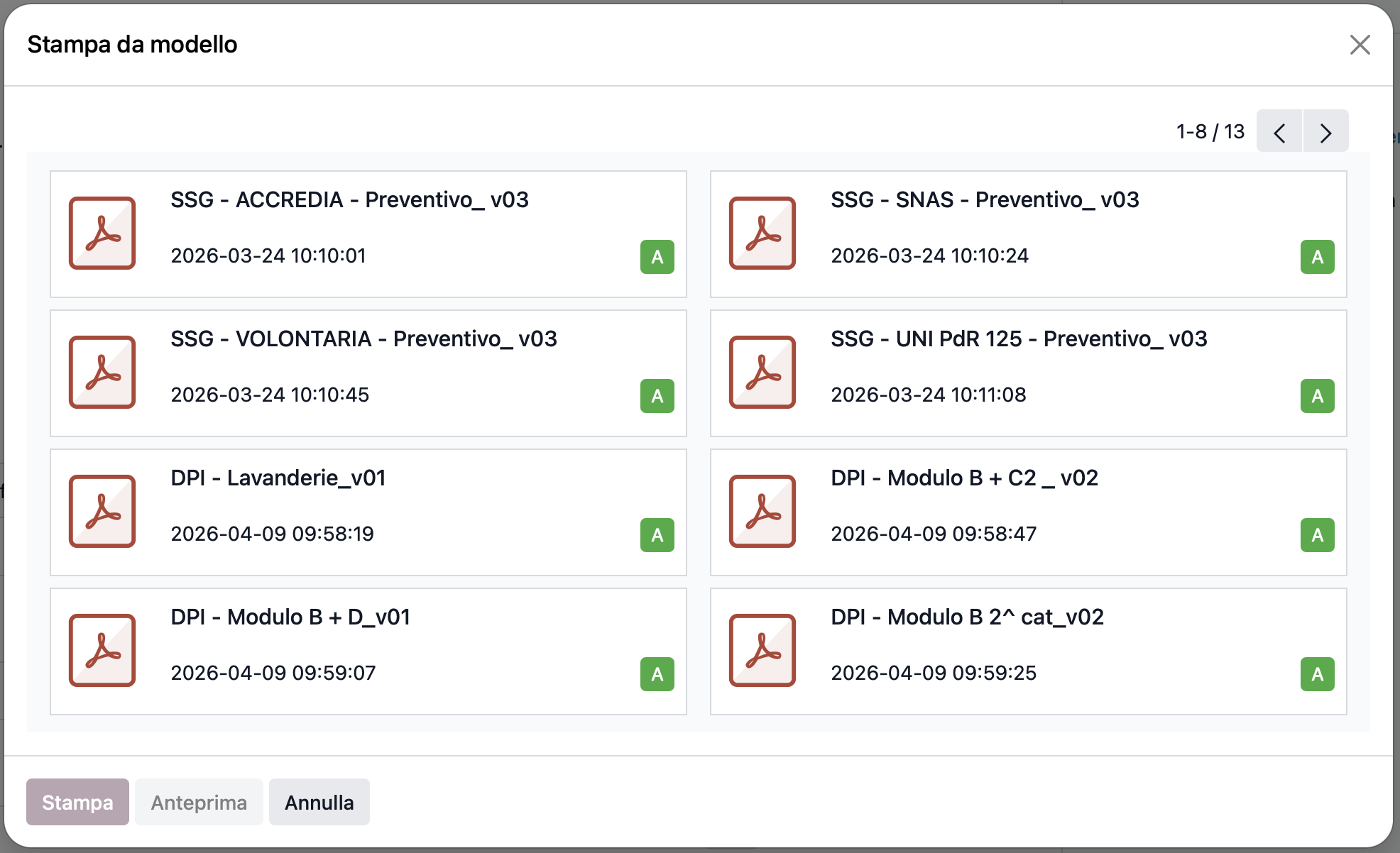
Please insert a search filter when, after clicking “print with ONLYOFFICE”, you are selecting which template model has to be used.
When you have many templates it becomes a long way to view them by changing page…
Please insert a search filter when, after clicking “print with ONLYOFFICE”, you are selecting which template model has to be used.
When you have many templates it becomes a long way to view them by changing page…
Hello @leonillo
Thank you for the suggestion. We need some time to discuss it, pelease await my feedback.
A follow-up: can you share a screenshot of the window where you would like to see a search bar?
UPD: We have added your suggestion to the internal bug-tracker, its number is 81201. Once this enhancement gets implemented, we will let you know.
Thank you for the interest in making this integration better.
The window I’ was talking about is the one which opens when you click on “Print with OnlyOffice” (see the attached image).
As you can see we have many different quotation templates, and much more have to come, because we have many departments and any of them uses its own set of templates.
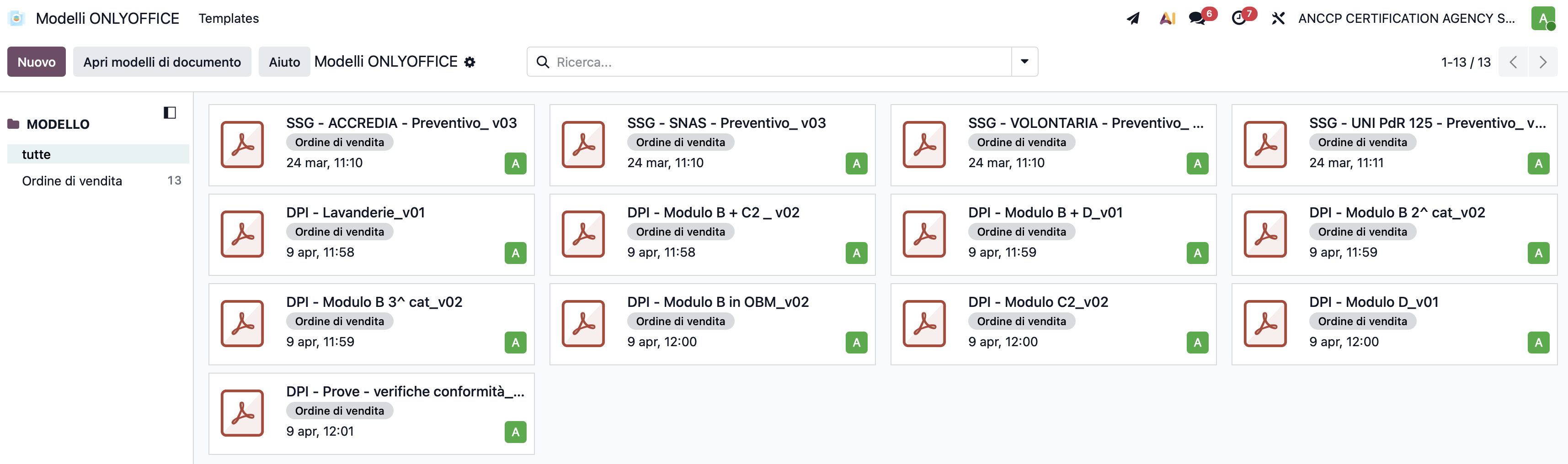
A search bar like the one the you have in the template page (see the second attached image which you’ll find in the next post I’m sending) will help a lot.
I take advantage of this email to ask you if there is a chance also to see a list view of the templates so that one can switch between the kanban and the list view.
Thanks for sharing, as I mentioned in my previous reply we have already registered this enhancement.
May I ask you to submit this as a separate topic? It would help tracking two suggestions independently. Thank you for the understanding.