This is a relatively simple one I think. It’s not critical, but I do like reducing mouse-clicks to achieve something if I can.
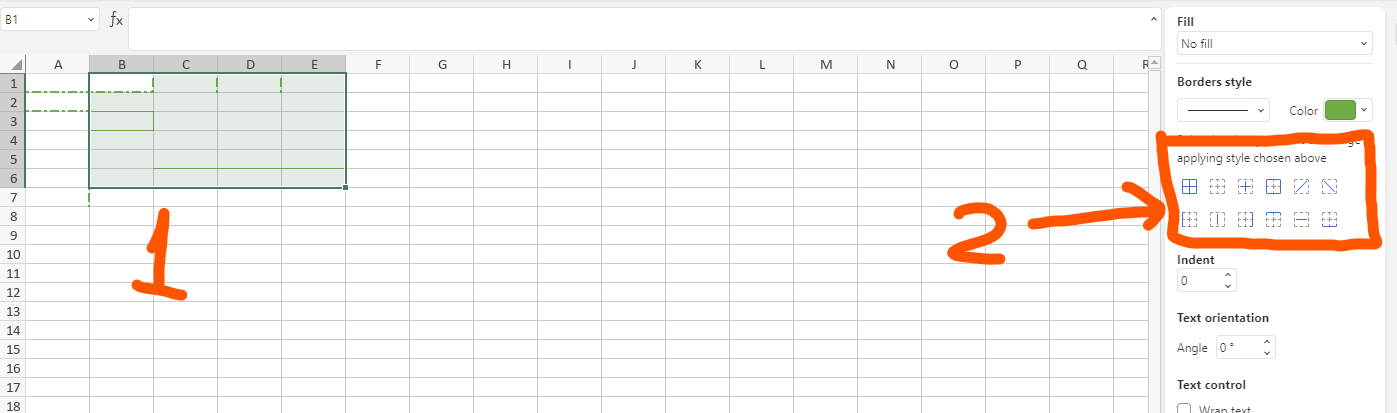
Adding border to any cell is very straight forward using the Border Style section of the Cell Setting panel. Select a single or multiple cells, click any border item, and it’s done. Removing borders, because I make many mistakes  , is a different story though. Clicking the blank border icon to clear all borders, even if I want to retain some, and then resetting the correct borders wasn’t initially obvious, plus it’s a lot of extra mouse clicks.
This suggestion is for any border icon to show whether it has been applied to whichever cell(s) I have currently selected, any form of highlight on the icon will do. And then for a mouse-click on a highlighted icon to remove it’s border from my cell selection, and to remove the highlight of course.
So, every cell border icon is simply an on/off switch, in both the Home ribbon bar, and the Cell Settings panel.
Hello @alinehan
I’ve moved your idea to ‘Suggestions’ category.
However, I’m not sure that I fully understand the enhancement:
for any border icon to show whether it has been applied to whichever cell(s) I have currently selected
Do I Understand it right that the desired behavior is following:
- user selected a few cells.
- In the right menu the border styles are highlighted if they are applied to the selected cells.
If I misunderstood the scenario, please clarify it.
Hi Alexandre,
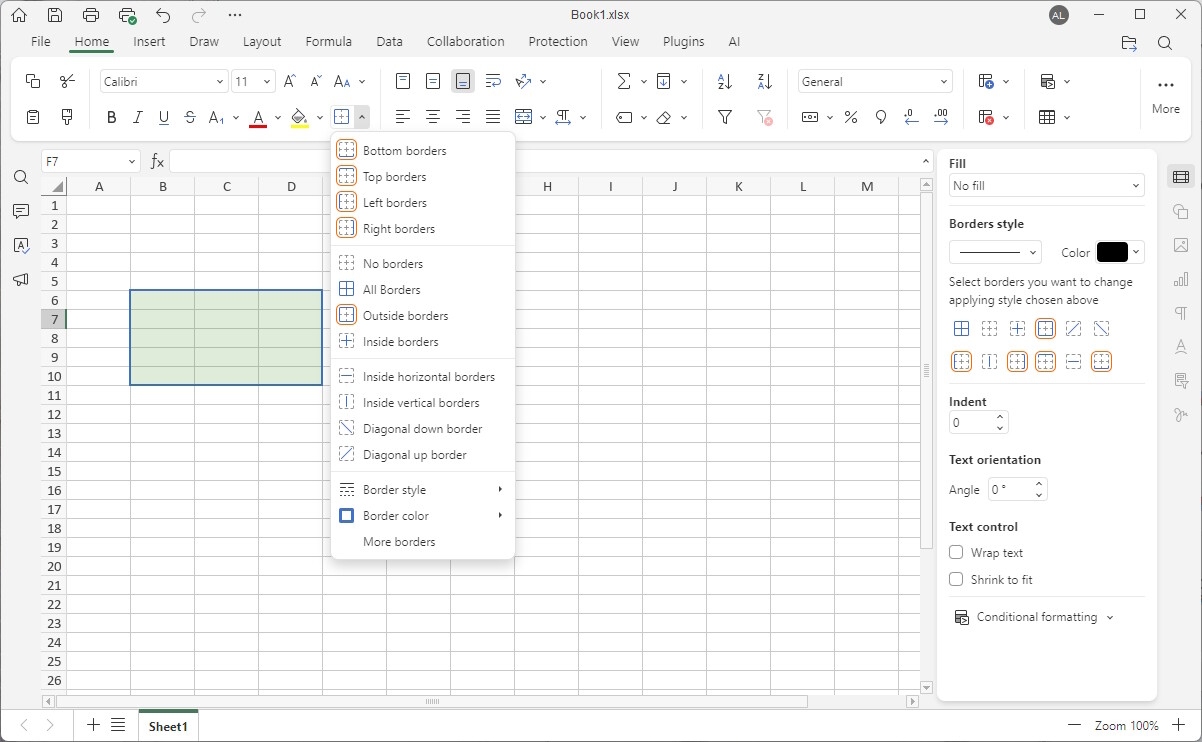
You have understood my request perfectly, but here’s a couple of images that I hope will help. If I select the range B6:D10 and add an outline, this is how I would expect to see the individual border buttons to be highlighted:
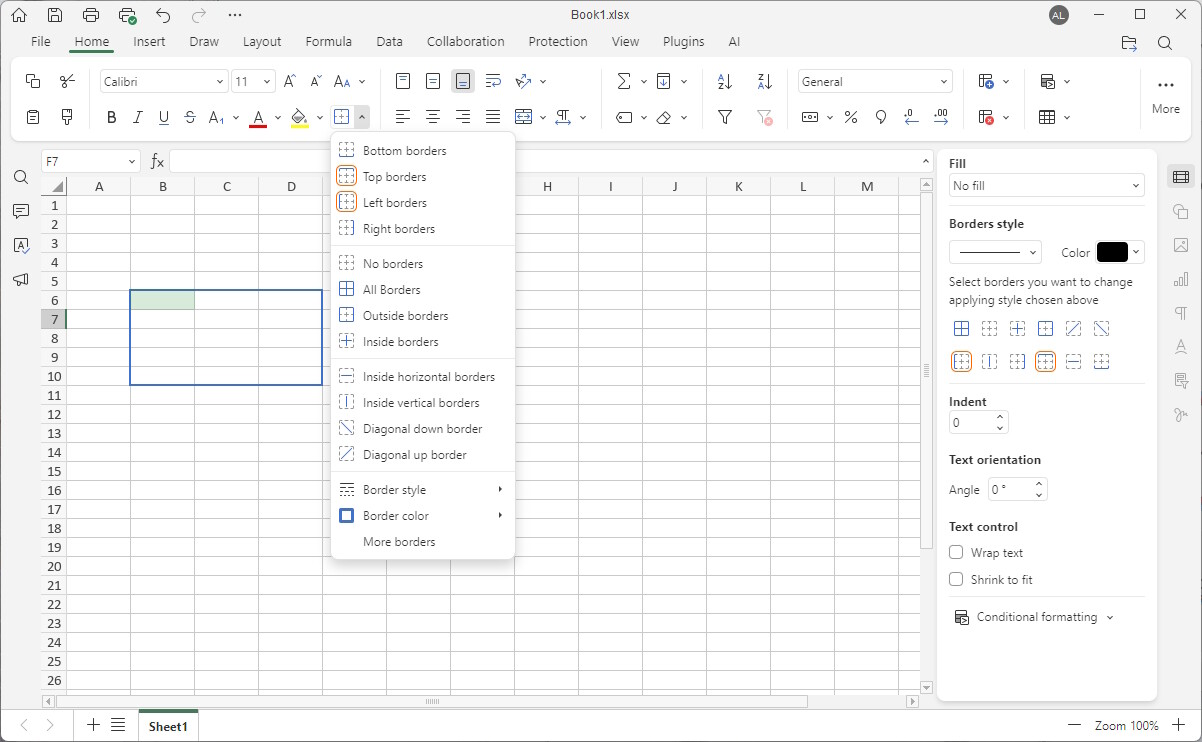
If I then only selected the cell B6, they would change to this:
At any time users can then de-select an individual button and that border, within the selected range, would be removed.
Of course, the outline, shading, and colour choice is yours.
Understood, we’re discussing the request. I will contact you shortly.
Dear @alinehan
We have added your request to internal tracksystem. We have started working on it.