we are using MathType with the OnlyOffice DocumentServer 9.0.4. We would like to preset the font inside the MathType Editor. The documentation of Wiris shows how to set the fonts inside the editor (see https://docs.wiris.com/en_US/mathtype-web-interface-features/custom-font-list).
How is it possible to set custom fonts inside the plugin? It would be great to obtain the font list directly from the DocumentServer.
Best, Volker
Document Server version: 9.0.4
Additional information:
You can modify the source code of the plugin installed on your Document Server to add your custom fonts just like the provided documentation describes. However, MathType plugin must be installed locally on the server, not via Plugin Manager, to make this work. Please refer this documentation to find out how to install plugin locally on your Document Server:
Basically, you need to add fonts parameter with your fonts to the following line of the plugin:
Note: this is a simplified version of JSON with fonts, make sure to follow the structure described in the documentation you’ve provided.
Pay attention that this approach will re-write default fonts in the plugin, so you must add them manually to have both default and your custom ones.
The plugin can only use the fonts installed in your system. For instance, on Ubuntu you can check the list of installed fonts with fc-list, from there you have to take a font name (not the working .ttf file name).
thank you for your quick reply. It worked out well. One further question remains:
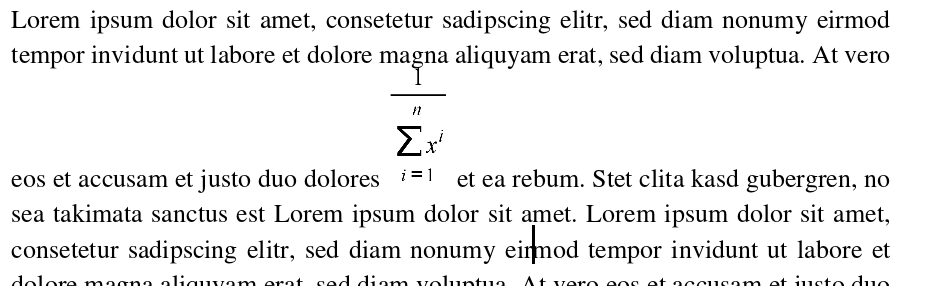
By editing a formula as inline with MathType it will produce something like this:
The formula is placed by buttonline of the actual line. The question is now: Is it possible to set a - in this case a image - to a vertically centered inline element?