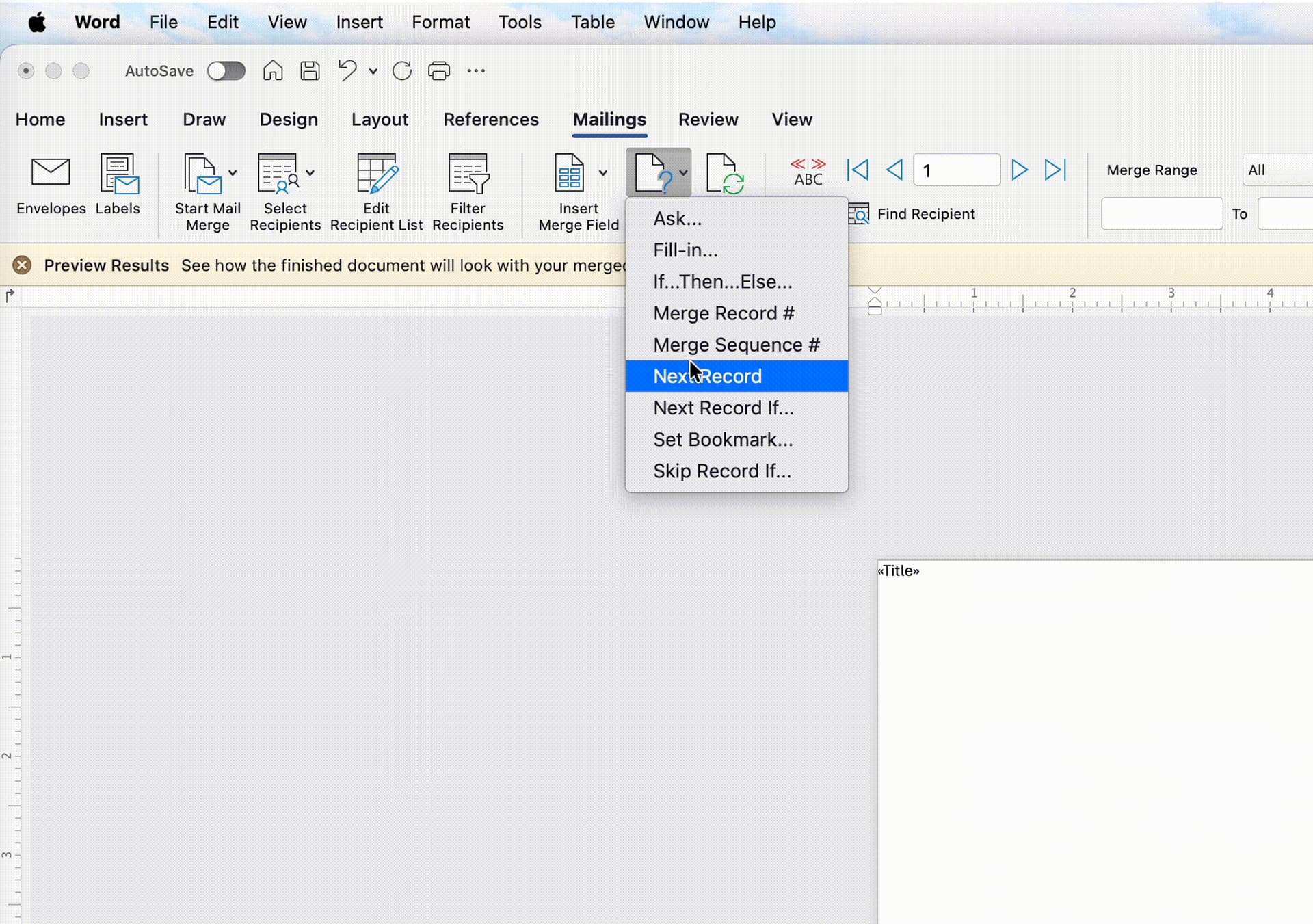
I was trying to make labels from data inside an excel document. Normally, with MS word, you go to “Mailings” → “Labels” then you can select from a list of rules, one being “next record” so you can have several records on a single page (hence a sheet of labels).
But I learned that you can get SOOO close with Only Office, you can add merge fields, but it will only do one record at a time. You cannot have several records on the same page. So I can either have an entire sheet of labels with the same name or one label and the rest of the sheet is wasted
I would love to see that ability come to Only Office. If I’m missing something and this can be done, please let me know.
Once you’ve selected your source excel file, you can then add the “Merge fields” in only office, but you cant ever advance to the next record. This is the screenshot from word.
Currently Mail Merge is not available for desktop version of the editor. Once this suggestion is implemented it will be available in online version only.