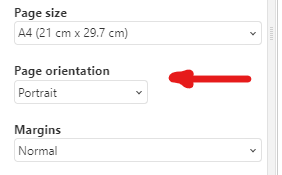
I can change the file to landscape mode, but when printing it prints in portrait mode.
OnlyOffice version 9.2.0
Windows 11.
Is there a fix for this problem?
I can change the file to landscape mode, but when printing it prints in portrait mode.
OnlyOffice version 9.2.0
Windows 11.
Is there a fix for this problem?
When you attempt to print a document, are you saying that the following Print option is not working?
The alternate setting for this selector is “Landscape”.
I tried it on the Spreadsheet I am currently working on, and it appeared to behave as expected.
If you have any further information, please advise.
/David…
This option appears when I select it and even changes the paper format before printing, but when printing it prints in portrait mode. As if I hadn’t selected the landscape option.
And does the option of using “Print using the system dialogue” also have the same issue?
Also, which may be relevant, what is the “file”? Word processor, Spreadsheet, or Presentation?
You also mentioned that printing a landscape document appears on paper as in a portrait orientation; but is the content rendered on paper to fit that portrait orientation? Or is t he content cropped on one side as if the paper was expected to be landscape?
A sample of your “file” may also provide some insight as to the nature of your issue, if it could be provided.