I really enjoy The presenter mode that you’ve for OnlyOffice! The layout is so much clearer and more use then similar apps. Great work! I have one suggestion that I believe could make it even better.
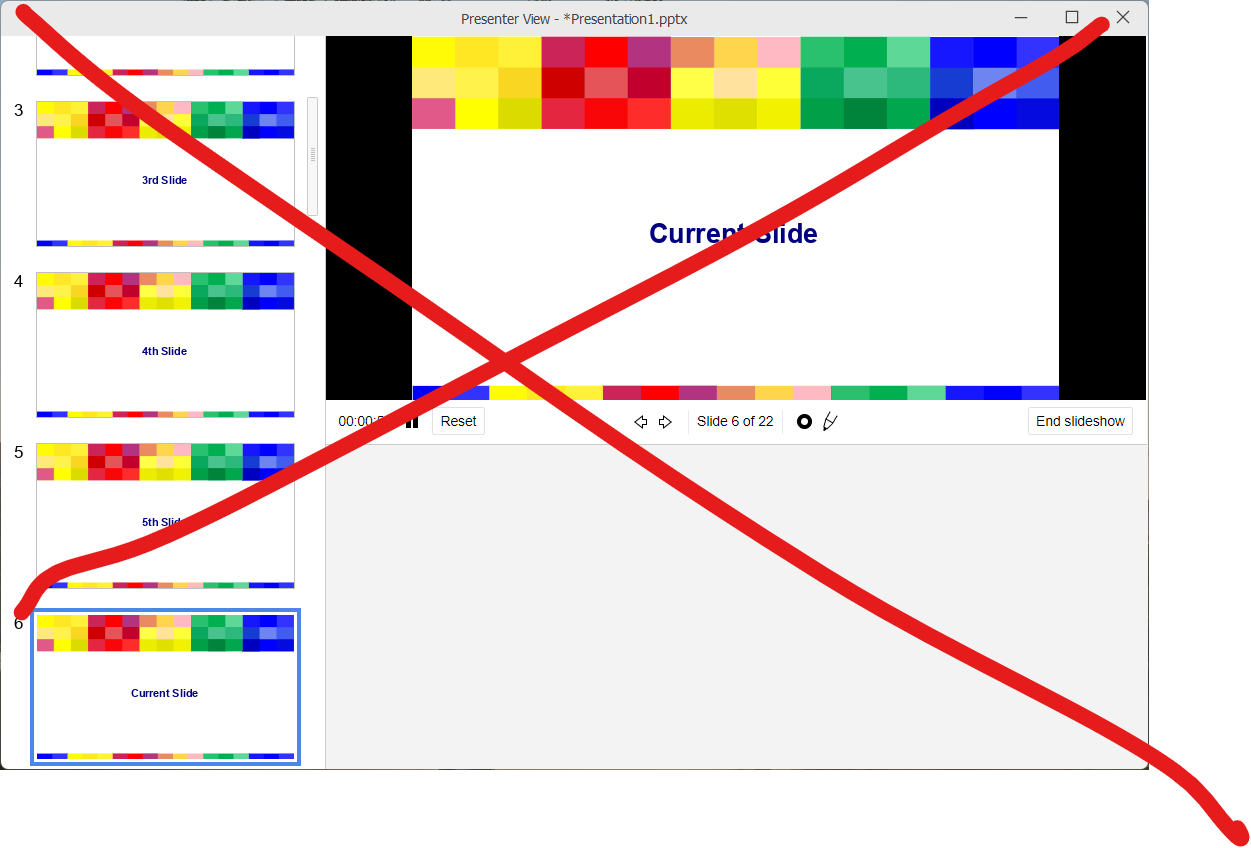
Currently, when you advance the slide in presentation mode, the current slide shows that the bottom of the left hand column. There are times when giving a presentation that it is helpful to move forward or backward more than one slide. It’s also extremely helpful to see the next slide that’s up.
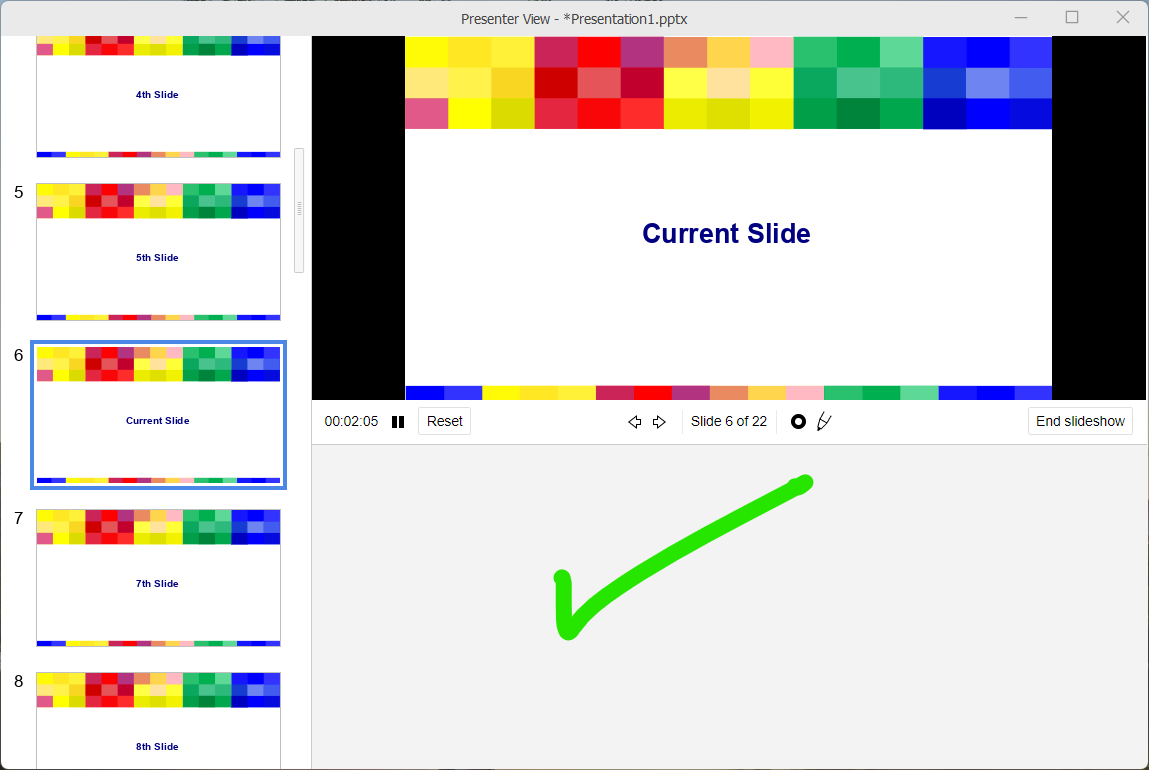
This is a small quality of life improvement suggestion. If the default scroll when advancing a slide (Such as from a clicker) Centered the current slide vertically rather than at the bottom of the column, It would by necessity show the previous and upcoming slides.
Hello @gedaliyah
Interesting suggestion, however, I’d like you to elaborate on the following situation: current slide is the last slide in the presentation, what behavior should it produce? For instance, should it stick to the center and leave some empty space below or it should be positioned at the bottom with no empty space? I believe it is important to consider such option too.
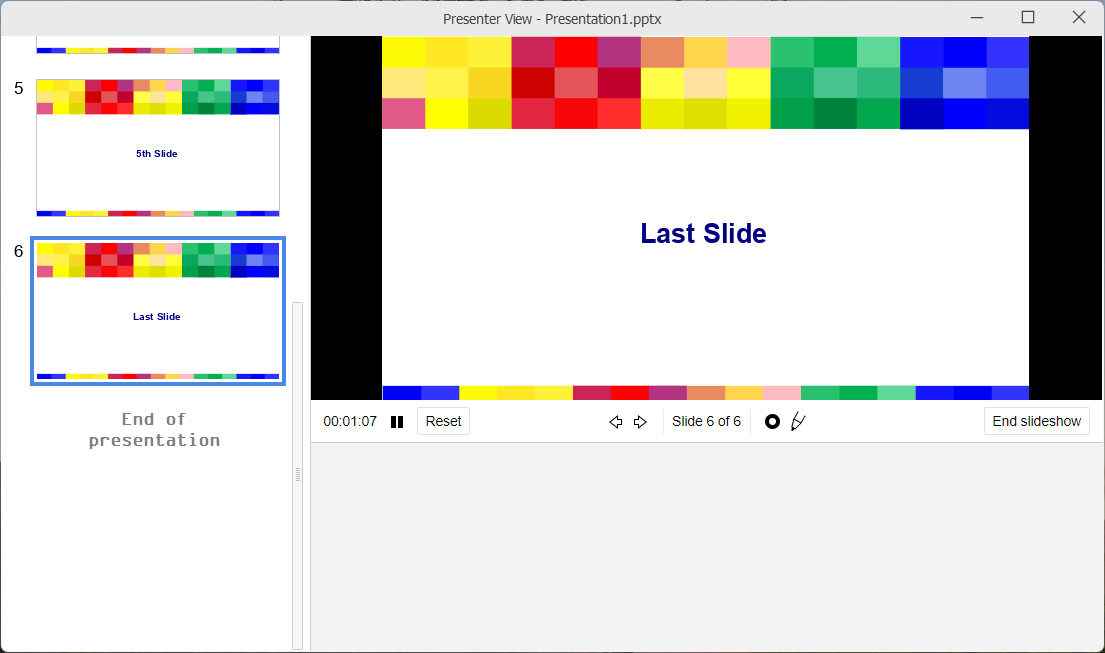
It seems like a possible simple solution: Just keep the current slide centered and optionally add an indication of the end of the presentation. This already happens after the completion of a presentation; the screen shows the message: “The end of slide preview. Click to exit.” Personally I think that something like “End of presentation” is more clear and concise, but I don’t think the exact verbiage matters. There may be some preferred wording on the part of the development team.
Something like this:
1 Like
Thank you very much for the feedback. I have forwarded your suggestion to the devteam for review. Please wait the feedback.
I was informed that suggested enhancement has been added into the internal bug tracker under the number 80505. I will inform you once it gets implemented.
1 Like