Do you want to: Ask a how-to question
I want to connect OnlyOffice to preview and edit documents.
Document Server version:
Type of installation of the Document Server (docker, deb/rpm, exe, please point us to the installation guide that you used as well):
Connector version: latest Releases · ONLYOFFICE/onlyoffice-liferay · GitHub
v3.1.0 (i use liferay-docs-3.1.0-CE-7.4.jar)
DMS (platform) version: Liferay CE 7.4.3 GA-132 (latest)
OS: Alt Linux
Browser version:
Additional information:
config files to attach
onlyoffice:
image: onlyoffice/documentserver:latest
container_name: onlyoffice_docs
ports:
- “8083:80”
environment:
JWT_ENABLED: “true”
JWT_SECRET: “${ONLYOFFICE_JWT_SECRET}”
volumes:
- ./volumes/onlyoffice/data:/var/www/onlyoffice/Data
- ./volumes/onlyoffice/logs:/var/log/onlyoffice
- ./volumes/onlyoffice/cache:/var/lib/onlyoffice
- ./volumes/onlyoffice/db:/var/lib/postgresql
healthcheck:
test: [“CMD”, “curl”, “-sf”, “http://localhost/healthcheck”]
interval: 30s
timeout: 10s
retries: 10
start_period: 60s
networks:
- liferay-net
logs in onlyoffice container
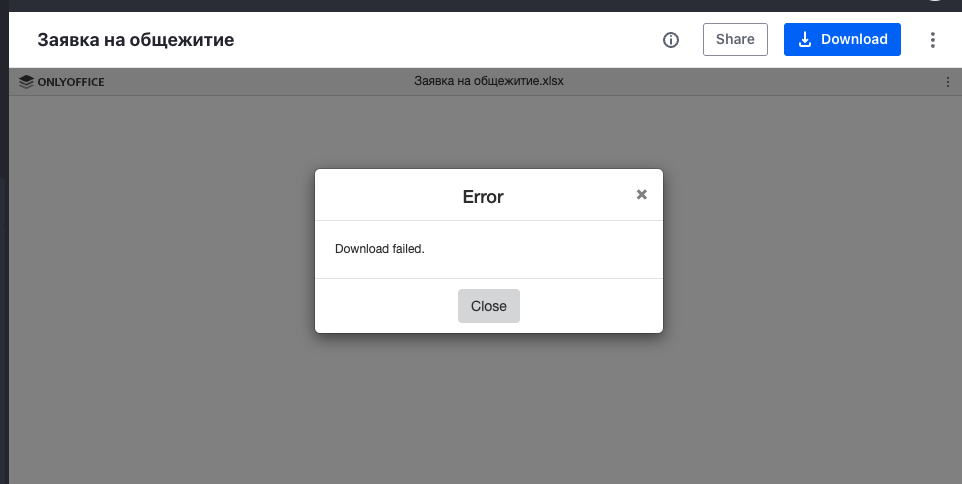
[2026-03-30T11:42:28.487] [ERROR] [localhost] [e98a8381-2c26-5a8c-9d0d-38156fe69e15_1774866812601] [20123] nodeJS - error downloadFile:url=http://localhost:8082/o/onlyoffice-docs/download/20117/6e4efe8d-99d0-898c-6ded-bcc85abb0904?version=1.0&userId=20123;attempt=3;code:ECONNREFUSED;connect:undefined Error: connect ECONNREFUSED 127.0.0.1:8082
Hello,
The issue is most likely related to network accessibility between Liferay and ONLYOFFICE Docs. The Liferay address must be accessible from ONLYOFFICE Docs, and the ONLYOFFICE Docs address must be accessible from Liferay.
Please try to configure the Server address for internal requests from ONLYOFFICE Docs setting in Liferay. It must contain a Liferay URL reachable from the ONLYOFFICE Docs side, not localhost.
Also make sure that you completed all steps described in this guide: Integration Guides - Liferay - ONLYOFFICE
Please test connectivity in both directions with the following commands:
From the onlyoffice_docs container:
docker exec -it onlyoffice_docs bash
curl -I http://<liferay-host>:<port>
From the Liferay side:
curl -I http://<onlyoffice-host>:<port>
Also verify that the Secret key in the Liferay connector settings matches the JWT secret configured in ONLYOFFICE Docs.
If the issue persists, please send us:
- a screenshot of the ONLYOFFICE connector settings in Liferay,
- a screenshot of the results of both curl commands,
- the exact ONLYOFFICE Docs version you are using,
- screenshots from the browser Developer Tools when clicking Save in the ONLYOFFICE settings page in Liferay: please open F12 → Console and Network tabs and send screenshots of any errors or failed requests.