When I try to open a document from a network shared folder, it opens a new doc and not mine. Also, I do not see my network shared folders when I open a document from OnlyOffice
Many thanks for your help
Pascal
OS version: LinuxMint 20.2
App version: 6.3.1.56
Downloaded from: ONLYOFFICE website / Other (specify) : Website
Hello again @Pabar
Thank you for the provided video. We found a match with the known issue (bug number - 42276). We are still working on it. Unfortunately, I cannot provide you with exact timeframes of the fix release.
Sorry for inconvenience.
Hi there Pabar - and anyone else reading this forum.
In response to: “Also, I do not see my network shared folders when I open a document from OnlyOffice”
In my case this was due to OnlyOffice being installed as a Flatpak and hence in a sandboxed environment.
In this case, uninstall OnlyOffice via the Software Centre/similar and then install again in this way:
Visit:
And, if you are on a Ubuntu/Debian based distro like either download the .deb package and install or follow the instructions at the following web address to add the OnlyOffice repository to your package manager (recommended)
Hi Alexandre, sorry to piggy back another thread but I have tried to get to the 42276 issue, noted above but cannot find it. So save starting another thread with the same issue which I am OK to do if you so request;-
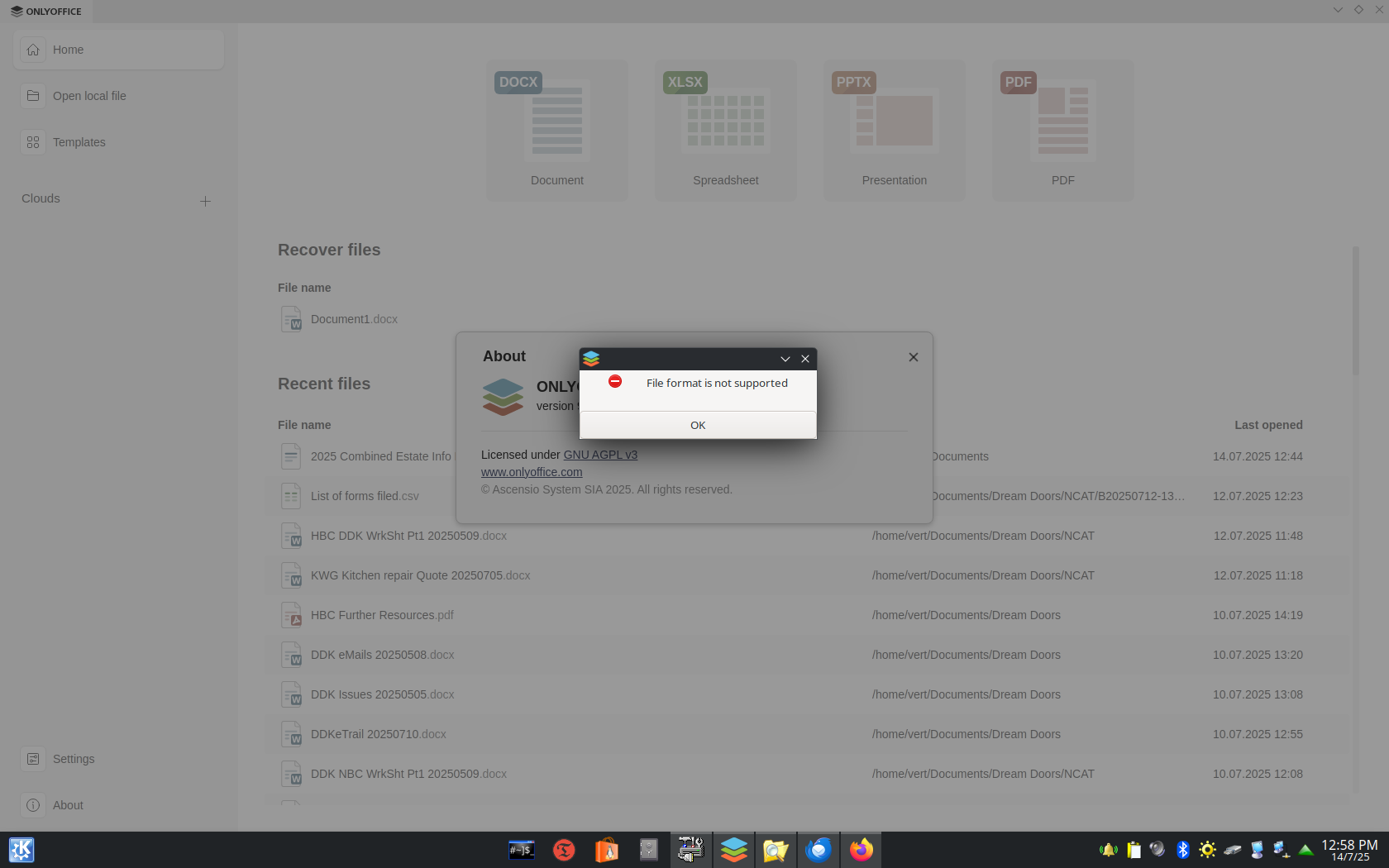
I am running KDE Plasma 6.3.4 on Ubuntu 25.04 running ONLYOFFICE 9.0.3.29. I can from the Ubuntu client Read/Write/Delete files on the shared network file and I can access these same files with every program with the exception of ONLYOFFICE. I can see the file in the open file list and I can select them however when I try to open these same files in ONLYOFFICE I get the error noted in the attached screen scrape.
Hello @vert
The bug 42276 is related to completely invisibility of files in shared folders in the Desktop Editors. However, in your scenario you can see the files, but faced an error when opening them.
I have increased your community level, so you can attach video files to replies. If it’s possible, please reproduce the situation and record a video file. Also, does the issue occur with all files or specific ones only?
Hi Alexandre, tks for the follow up I wasn’t expecting the attention so OK… to answer your questions;-
Correct:- as the original screen scrape showed, all the files listed in the window behind the error pop-up, are on the shared network drive.
The error occurs on all MS file types that I try to open on the shared network drive. As soon I copy any one of the files to my local drive the files open without error.
I gave up trying to find a solution so I reverted to using LibreOffice which doesn’t have the issue and is packaged with the Ubuntu distro. I would much prefer to use ONLYOFFICE so… I have re-installed desktop ONLYOFFICE and tried to attached a Spectacle captured video. The video shows my attempting to open three MS file types on the shared server and the error each opening causes. I then copy the files directly to my local drive and viola, they are able to be opened. Unfortunately the Spectacle video format won’t upload, it is not a valid format for this site to upload, go figure… Leave it with me I’ll see if I can convert it and upload a VLC/FFox files. Cheers vert.
BTW and to be clear, none of these shared files can be seen via the ONLYOFFICE Open local file browse menu or + other places menu. The only way you can see and open these shared files is using a file management tool like Dolphin to locate the file and then choosing ONLYOFFICE to open the file, as shown in the clip.
Hello @vert
Please clarify the Desktop app installation type (point me to the guide) and let us know which protocol is used to access the folder over the network.
Also, please install the Neofetch/Fastfetch app and show us their output results (they are system information tools).
Yes the protocol is SMB, I have included a screen scrape of SMBstatus, IPstatus and IFconfig at time of accessing shared files on my WIN10 server, Interesting I can run Dragon to access my clips without issue but as soon as I try to open a ONLYOFFICE file, “File format not supported error” pops up.
Hello @vert
Thank you again for the provided details. We are going to implement some changes in v.9.0.4 which should improve the situation. I would ask you to re-check the issue once v.9.04 is released (ETA is one-two weeks).