Document Server version: 7.3
when i upload a document that has a image it rotates the image like below
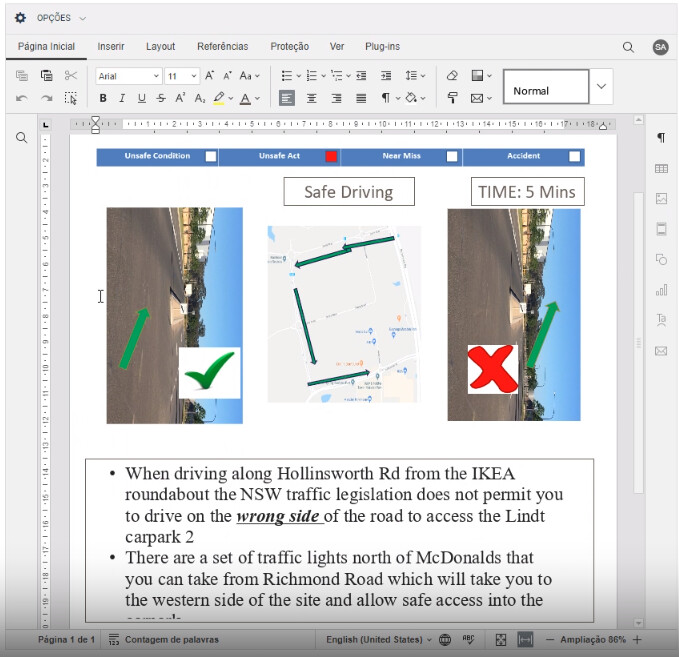
Thats the document before uploading in the onlyoffice
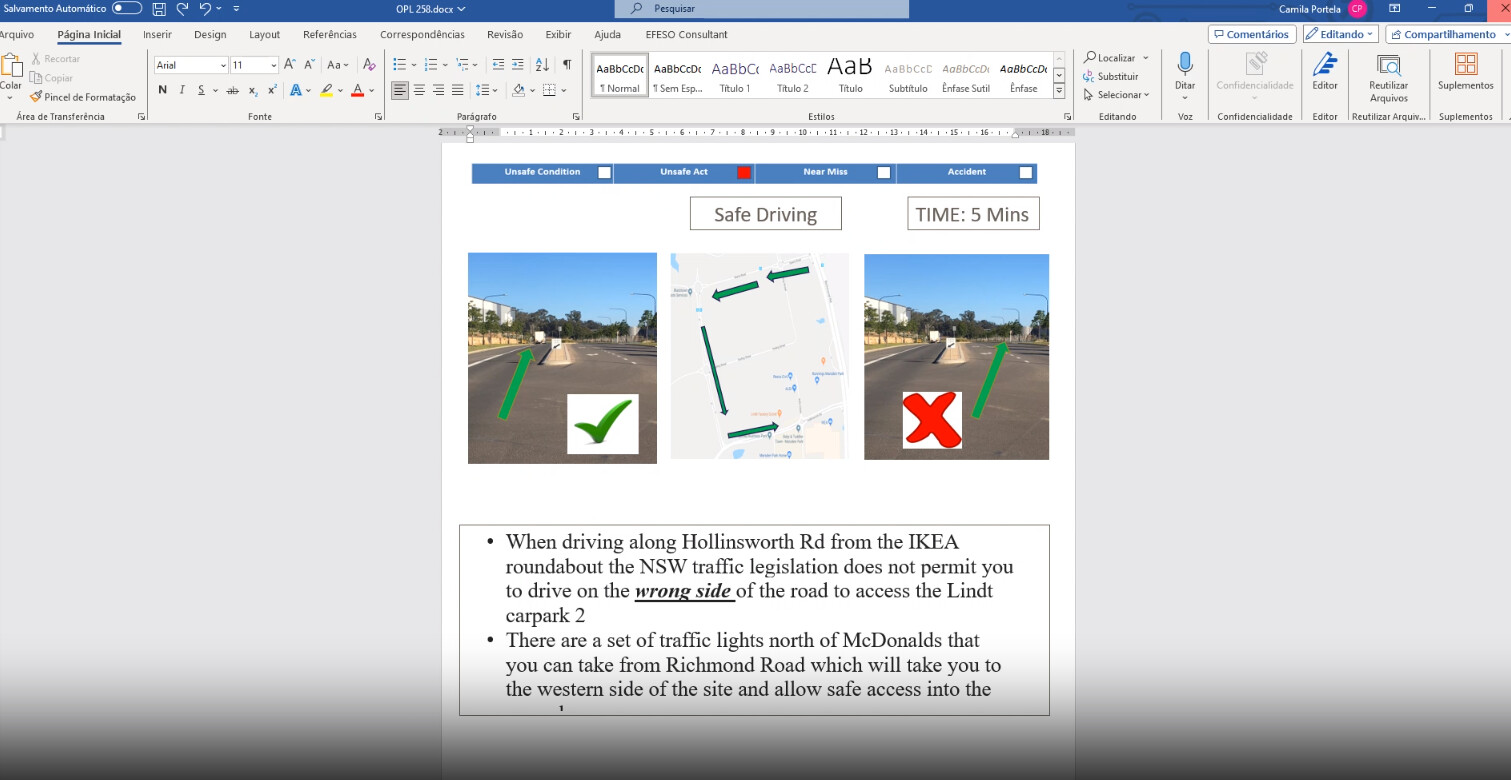
Heres the document
OPL 258.docx (1.0 MB)
Document Server version: 7.3
when i upload a document that has a image it rotates the image like below
Thats the document before uploading in the onlyoffice
Heres the document
OPL 258.docx (1.0 MB)
Hi @mctvp 
Thank you for providing the file and describing the issue.
We are checking the situation. I will inform you once we have an update.
P.S. The current version of the Document Server (Docs) is 7.5.1 
Ty 
We have created a bug report for the issue you encountered
I will contact you immediately once we release a fix.
any updates?
Hello @mctvp
Unfortunately, there no news are available yet. We will notify you once the issue is resolved and fix is officially released.
+1 This has existed for many versions now and has become a major issue. I have had to manually rotate my images for export to pdf and pptx for anybody else’s view. This shouldn’t have to be done. Hopefully this gets resolved asap.
you right, my clients are all complaining about it
@maevebaksa
Added you to the list of those interested in fixing this bug.
Unfortunately, there are no specific timelines for resolving this issue at the moment. 
Does the issue has been fixed in the update 8.0.0
@mctvp
The issue has not been resolved yet.
any updates?
With regret, alas…
@Nikolas @Constantine Was the problem solved on the update 8.1.1?
Hello @mctvp
We are still working on the mentioned bug. We will update this thread once we have something to share.
Sorry for the inconvenience.
@Nikolas @Alexandre was the problem solved on the last update?
Hello @mctvp
Please accept our sincere apologies for the length of the situation. We are still working on the mentioned issue, I will update this thread when we have any additional information.
I assume that I observed an issue which is related to this ticket, but I’m not 100% sure. Beg your pardon, if I’m wrong.
I created this pptx file using the Community Edition Document Server v8.3.3.18 in my browser via the NextCloud integration. Then it was downloaded by a colleague, edited via Microsoft Powerpoint (he added the images) and uploaded to the NextCloud again.
Now the presentation looks like this in Only Office:
When I export the presentation as PDF file, I get:
Sample Presentation Image Bug.pdf (6.5 MB)
→ All the images are rotated. As a user I’d have expected to get the same as in the presentation.
Then I downloaded the pptx file and tried to open it on Manjaro Linux using Only Office Desktop Community-Version 9.3.0.140 (x64 deb). This doesn’t work at all (Error Message: Presentation can’t be opened.)
Hello @markusw
Can you provide original PPTX file for a test? I seems that the link is not available anymore.
Hi @Constantine,
Unfortunately, the file was too large for a direct upload. I accidentally broke the link by moving around folders. Sorry. Here is the fixed link: Sample Presentation Image Bug.pptx - Peerox Share