Hello everyone,
First of all, thank you guys for the amazing job you’re doing !
I’m using Onlyoffice Desktop Editors (9.0.4) through flatpak with a computer running under Arch Linux.
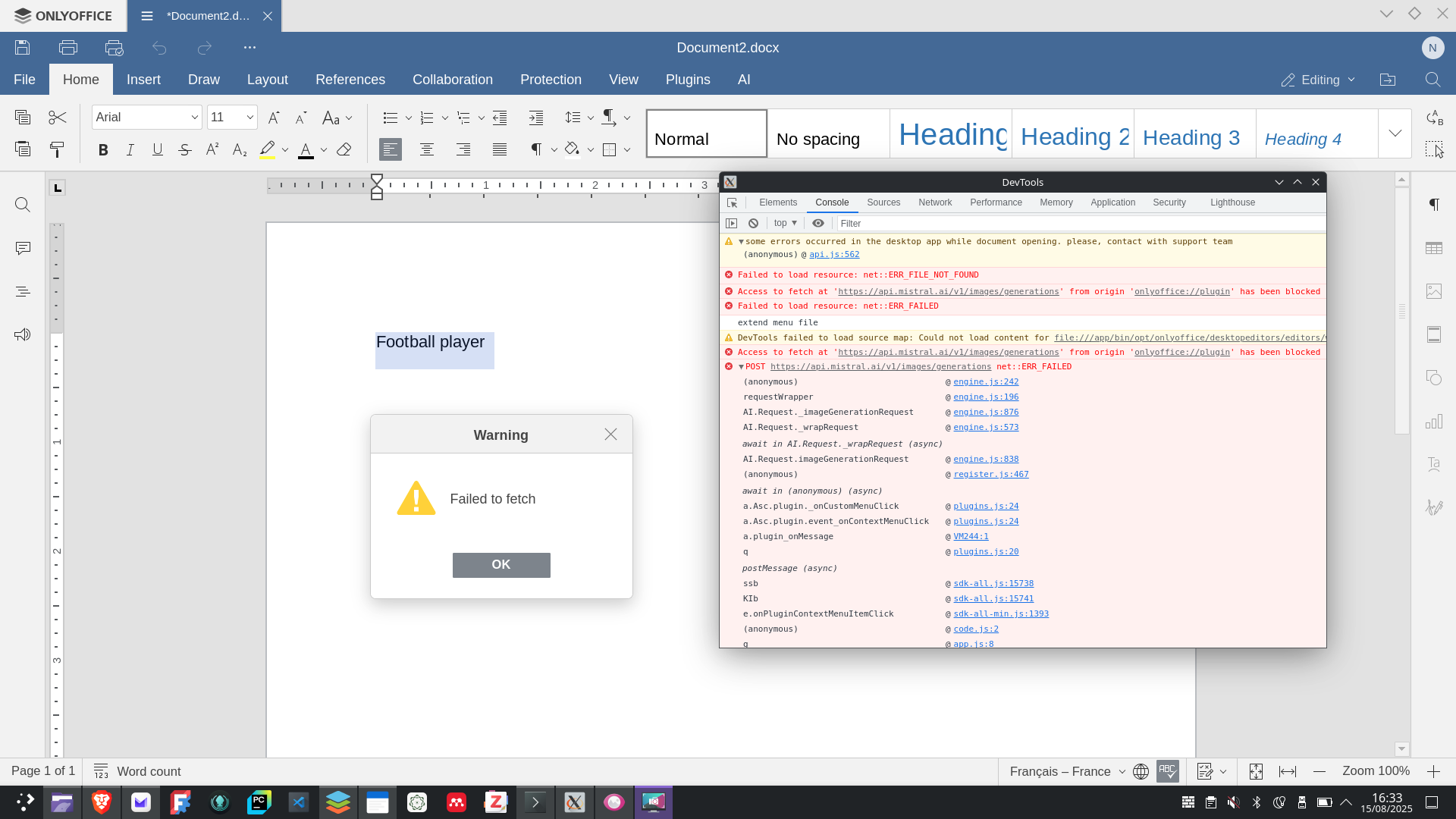
I just wanted to point out that the image generation using Mistral AI doesn’t work.
Every time I select some text, right click AI > Image > Text to Image, I get the error message « Failed to fetch ».
What I am missing ?
Thanks in advance !
Hello @nicolas.a.grandin
Please specify version of the AI plugin that is currently used. You can find it in Plugins tab > Plugin Manger > AI > Info & Support.
Hi @Constantine ,
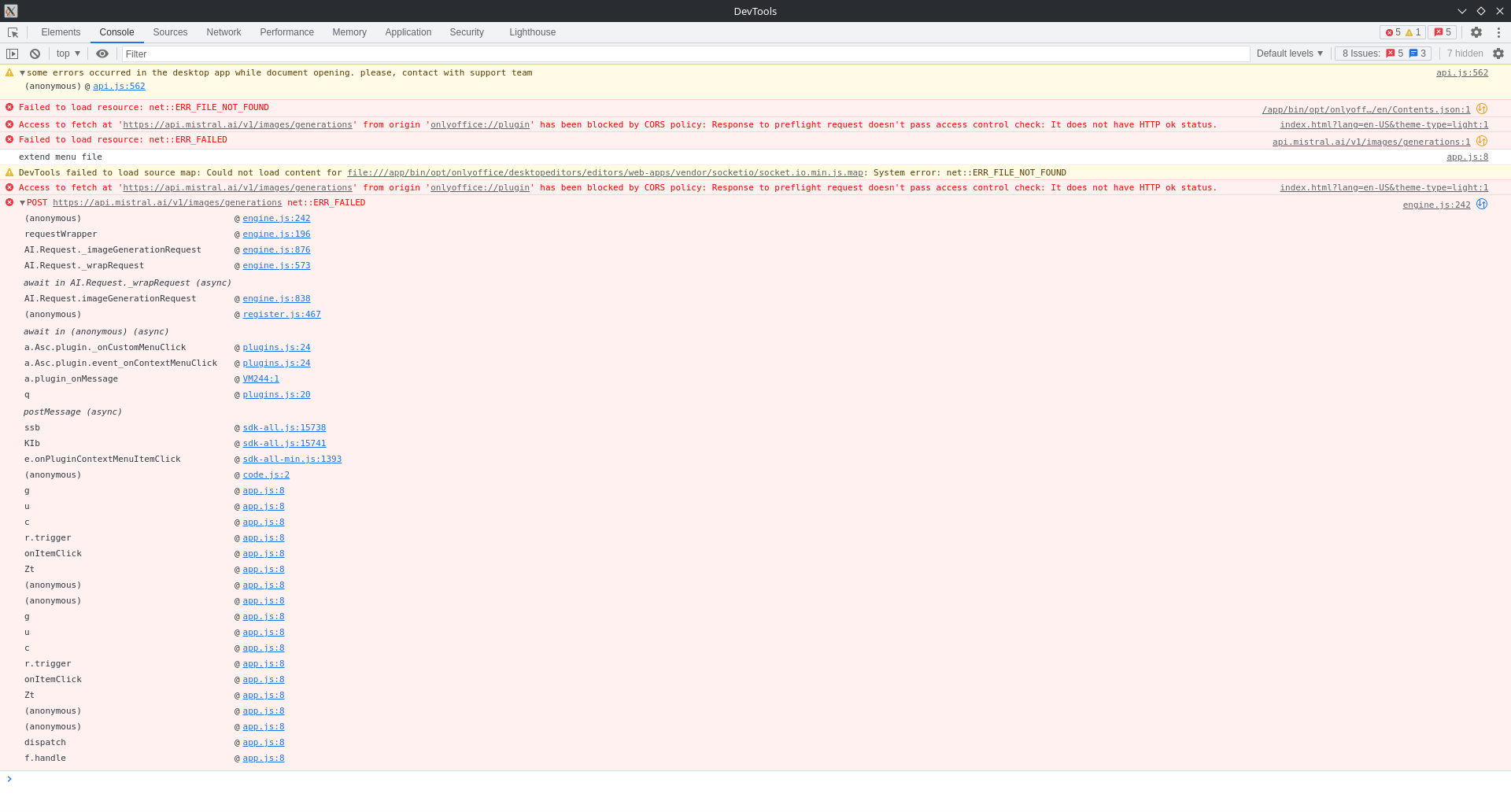
Thank you. Please run the app in debug mode and check the console when sending Text to Image request:
In certain cases, it is necessary to run ONLYOFFICE Desktop Editors in debug mode — for example, to troubleshoot performance issues, inspect logs, or collect information for support.
Hi @Constantine ,
In detail:
Thank you. I was able to reproduce this error. Currently, I am investigating the cause, please await my feedback.
1 Like
Hi @Constantine ,
I hope you’re doing well.
Sorry for the delay. The latest version 9.3 of Desktop Editors and of the AI plugin 3.0.8 has brought various improvements to CORS handing. Please update both items and let me know if the same occurs to you.
Hi @Constantine ,
Thanks for the reply. That is strange, we will take closer look at it.
UPD: It seems that Mistral is not capable of generating images directly, but only via an agent. Can you check whether any regular CLI-like interface with Mistral allows image generation from your end?
Hi @Constantine !
2 Likes