OS version: Windows 11 Pro 25H2
App version: 9.3.1.8 (x64 exe)
Downloaded from: ONLYOFFICE website
Additional information:
Hello,
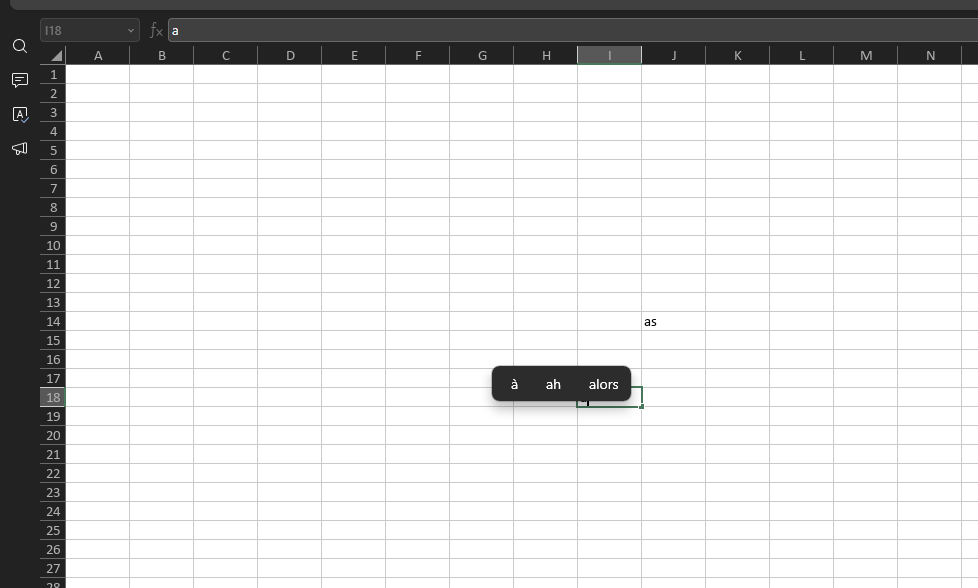
While using Calc, the Windows-style input suggestions appear right on top of the cell I’m typing in, which is extremely distracting. Is there any way to move these suggestions away from the active cell? (Please note: I am not looking for the ‘Autocomplete’ option in the Plugin Manager.)
Thanks for your help.