Hello, this is my first post. I did come across similar topics but none gave me an answer. In Microsoft Excel, you can use “text to columns” to parse a date in a specific format (DD-MM-YYYY/MM-DD-YYYY, etc). I failed to find a solution for only office spreadsheet, altough I’ve heard that the issue is solved but as for me I can’t find how. The only thing I found is changing the system local, but it can be impractical to change your system local each time you have to deal with a different date formatting (and worse if there are multiple date formats accross your document).
Hello @vincent456
Sorry for the late reply.
What is the exact issue in this scenario with data parsing? Do I understand it right that the final goal is to change all cells in DATE format which are using different date formats based on regional settings, to a single format?
If I misunderstood the request, please clarify.
I have these data imported from CVS file. When I format as date this is what happen (sorry no screenshot, I can only upload one screenshot): The problem is obvious : the actual data of the dates are in DD/MM/YYYY format, but the english locale of Spreadsheet does an interpretation that makes the sofware think that the dates are in MM/DD/YYYY format, since it’s the default American format.
On Microsoft Excel, you can do this
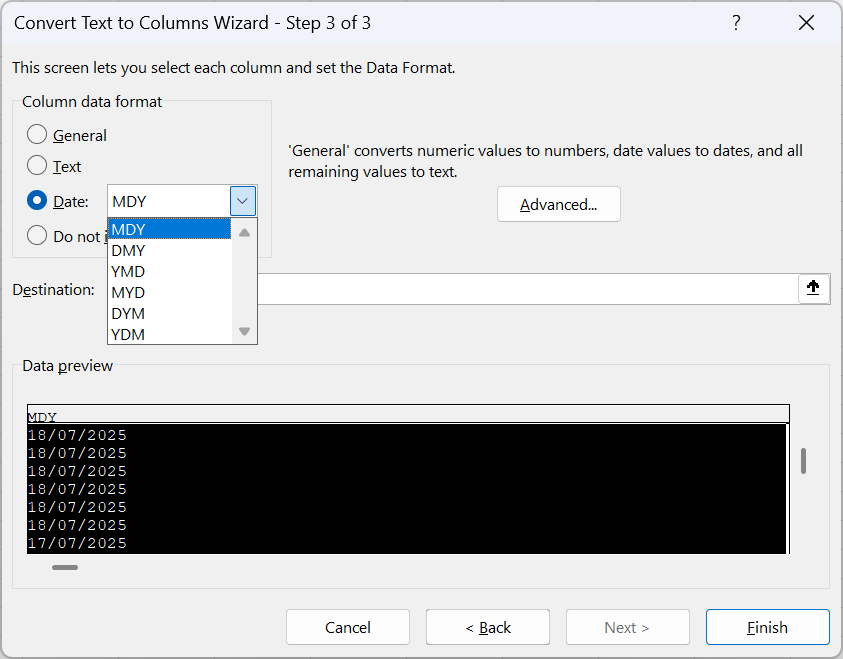
This feature “fixes” the date (and the numeric decimal). We fill the form to tell Excel 'this date is actually of “DMY” format (and we can “fix” the numbers also) and excel will reformat the raw data of the cell
Excel gives the raw value as a date in the locale format.
Now that I notice, OnlyOffice spreadsheet doesn’t seem either to be able to “fix” proper number decimal formatting. I guess it’s more a feature suggestion than an actual bug ?
Hello @vincent456
Let’s take a closer look at it. Please specify the MS Excel version where this feature exists and provide us with a test .csv file. If possible, please record a video showing the entire scenario.
I have increased your community level, you should be able to attach files to posts now.
5268486F0331753698561516.csv (3.2 KB)
here is a sample (it comes from my bank provider. It’s a cvs file, but “;” is the separator, and it is in french format.
In excel, when I import my data via “Data>Get Data>from cvs”,
this is what I got
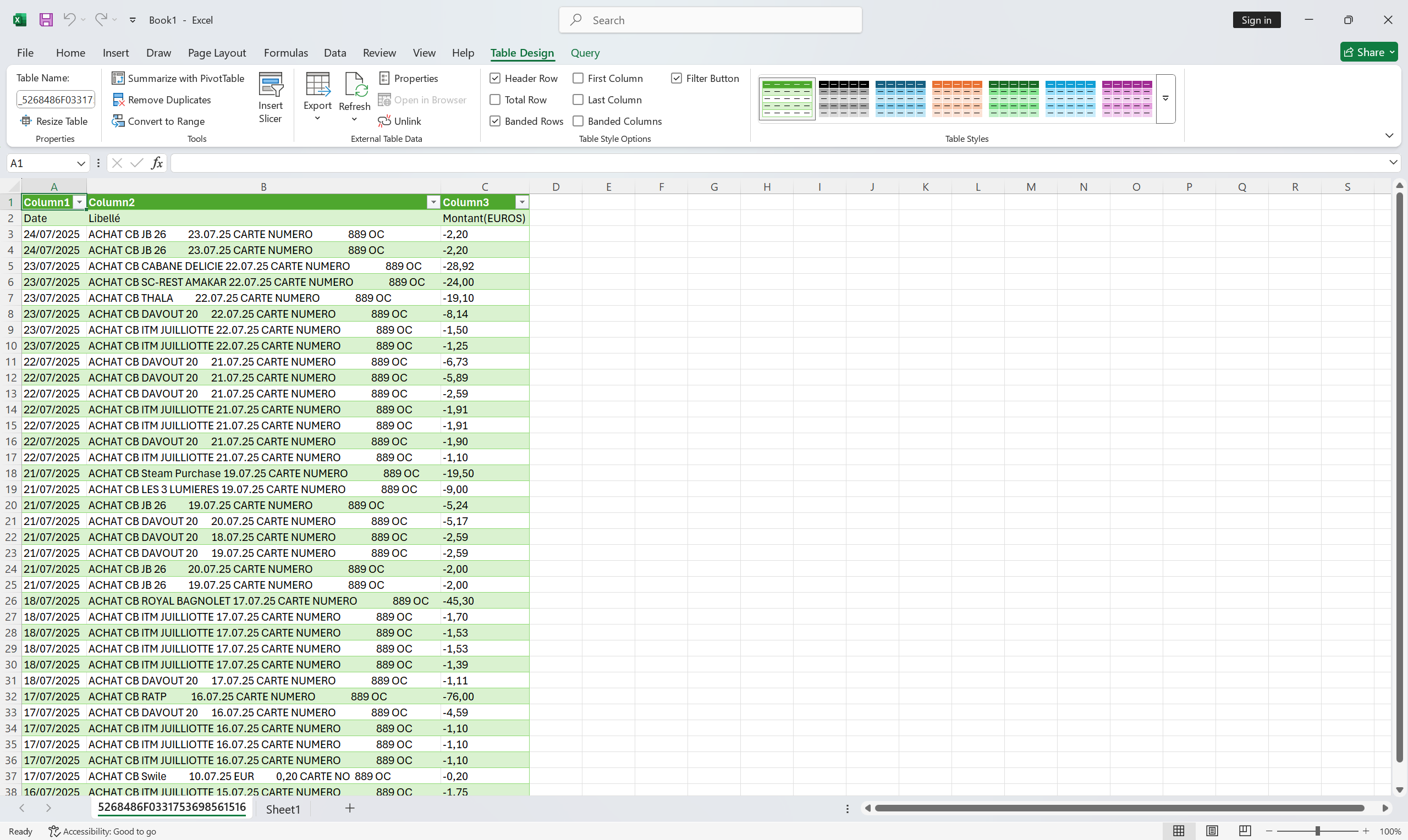
That looks fine, except there is an error : since the date and decimal doesn’t match the locale setting in excel, Excel doesn’t consider the first column as date nor the last column as decimal. Fortunately, in excel there is a tool in “text to column” wizard that have this screen
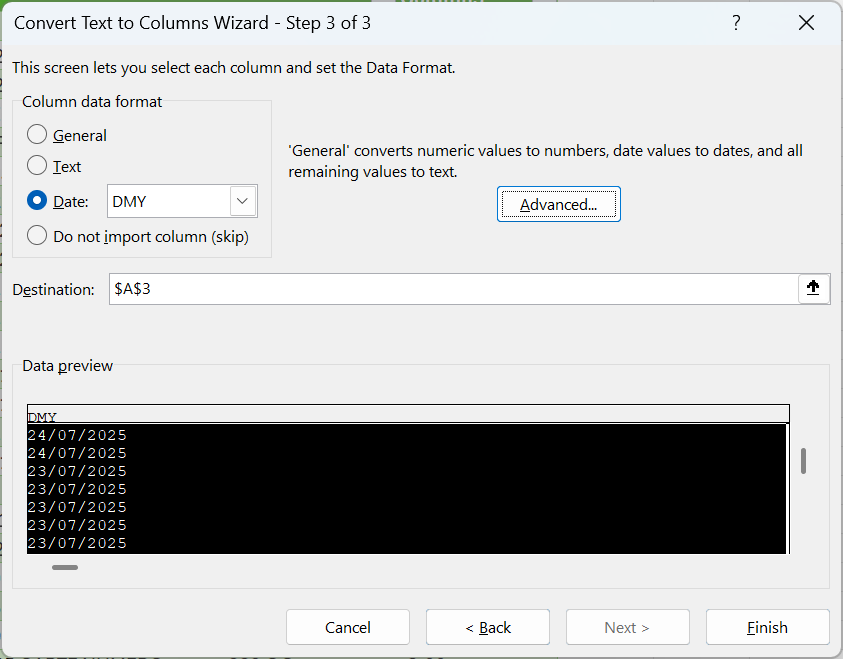
where I can tell Excel "hey, my date is actually in the form of “DMY”, “please fix it”). I can do the same with the last column and say "my decimals are separated by “,” , “please fix it”.
Which lead me to this sheet
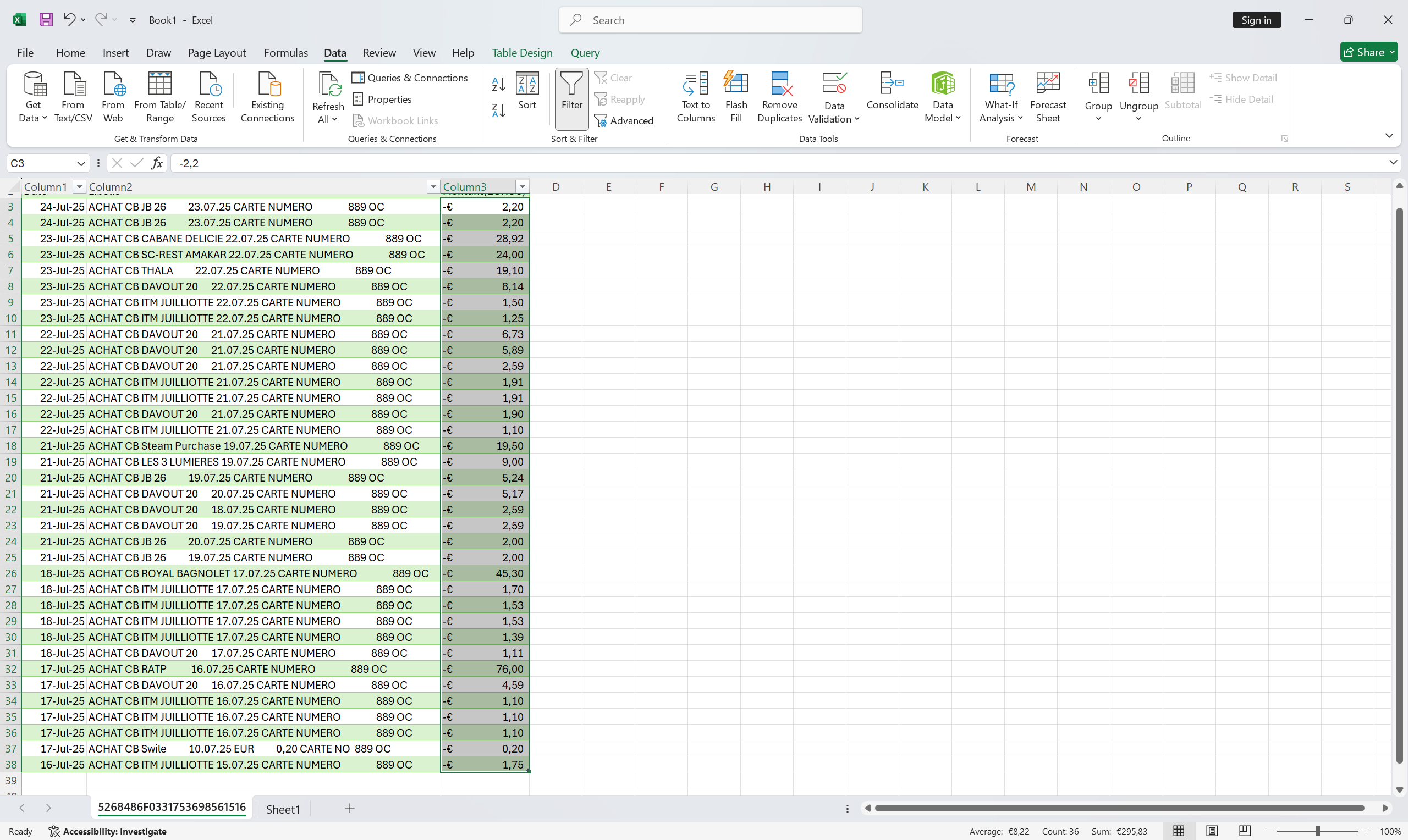
where everything is fixed
I can’t figure out how to achieve the same result with only office and I thought to myself “surely there should be a way to manage data format parsing in Only Office, but how ?”
Hello @vincent456
Probably I misunderstood the scenario. The data view in columns A and C relates to cell format only, and you can easily set it up in the editor itself:
Please clarify what I am missing.
I managed to do recordings.
Here is what I get in onlyoffice
And here is the way to fix data in excel
Thank you, we are checking the situation.
Hello @vincent456
We have added your idea to internal tracksystem, we have started working on it.
Thank you for your suggestion!