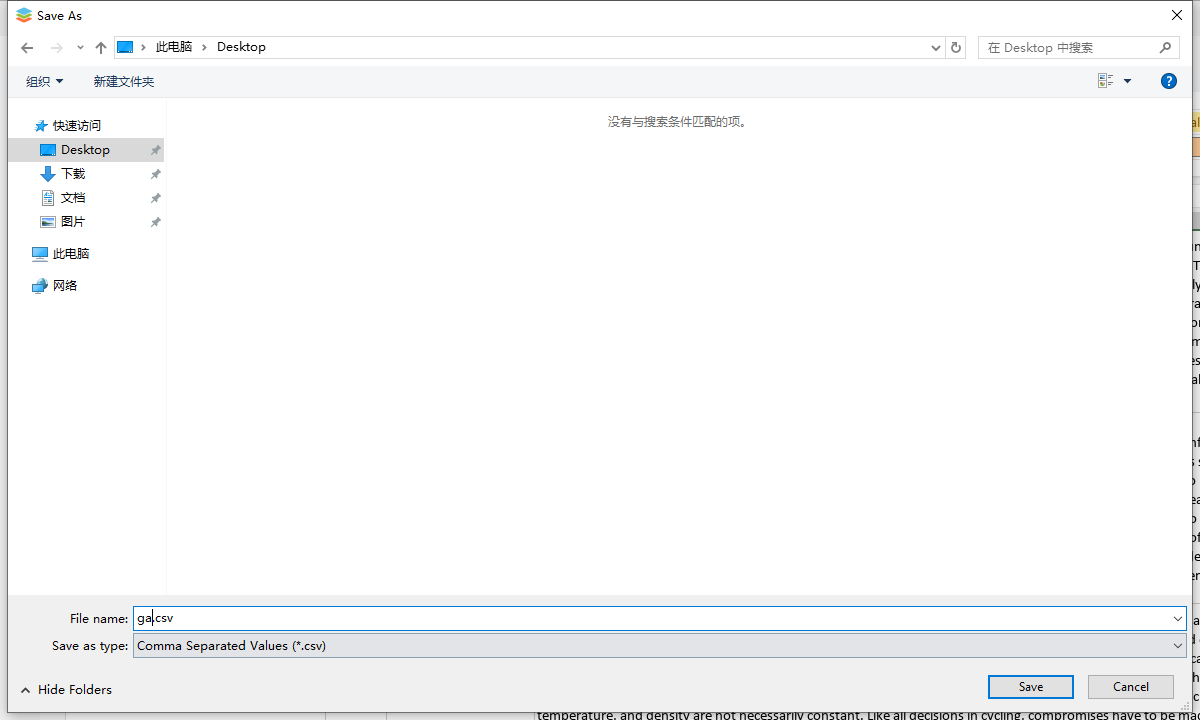
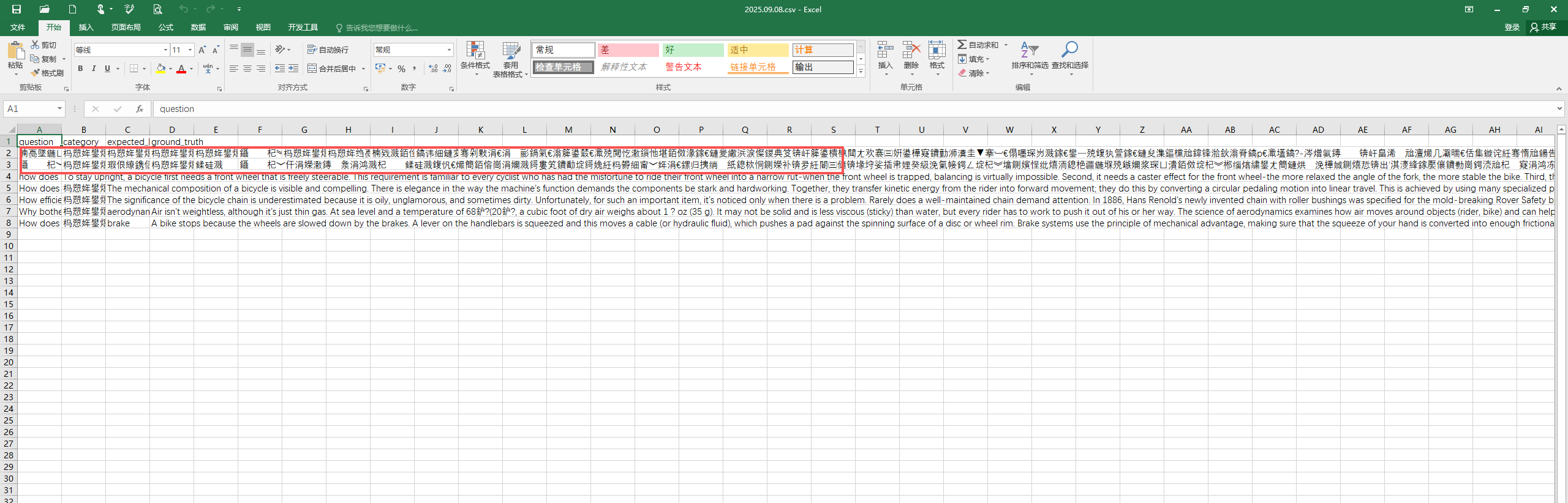
When exporting a CSV file from OnlyOffice, I found that my program cannot handle it. Moreover, when opened with MS Excel, the file appears as garbled text.
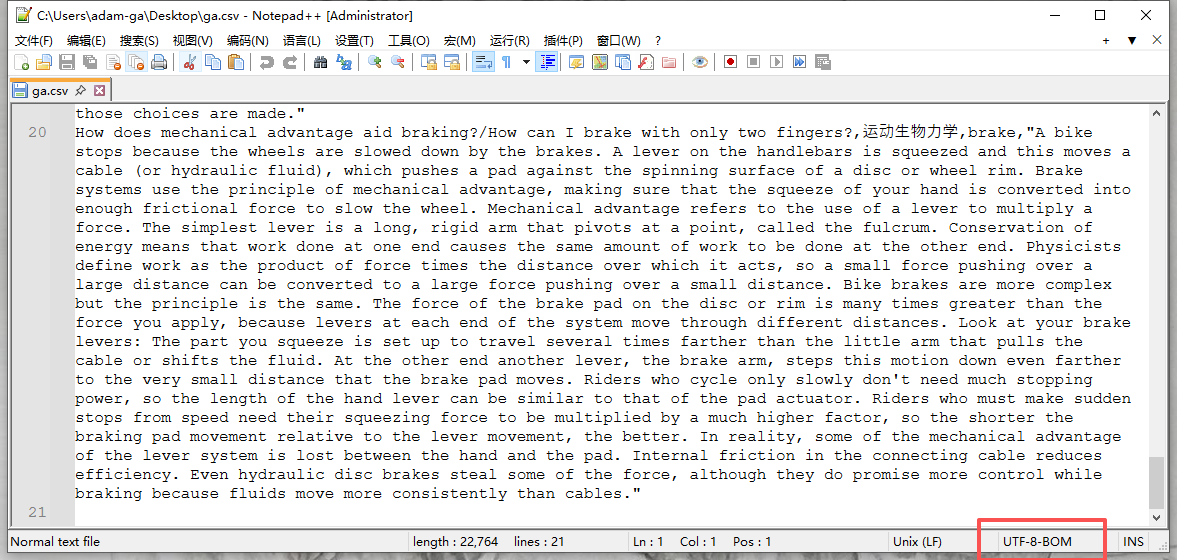
After some investigation, I discovered that the CSV file exported by OO is UTF-8 with BOM, while my program doesn’t require the BOM. MS Excel (Chinese version) uses GBK encoding.
Therefore, I would like to know where I can configure the encoding format when exporting a file from OnlyOffice.
Hello @ebfming, 
Thanks for reporting the CSV export issue with UTF-8 BOM causing garbled text in MS Excel (Chinese version).
Could you share screenshots from MS Excel (Chinese version) with encoding? This will help us dig deeper.
i can take a screenshot with MS excel open .csv file.
but my program (php dev)with uft-8 does not require the BOM
Hey @ebfming,
Could you share the CSV file you’re exporting (or a simple sample one that triggers the garbling?
You can upload it here or to a service like Google Drive/kDrive and share the link.