When I use OO’s word processor, comments are displayed as a running list on the left side of the screen. Is there any way to display them the way other word processors do, i.e., Word, WPS, and Libre Office, with each comment’s insertion point clearly marked and it’s obvious which comment goes with which text passage, almost like bubbles?
2 Likes
Hello @acolburn
Unfortunately, this feature is currently unavailable in ONLYOFFICE. We will forward your suggestion to our Development Department.
Hello Kate,
Has this feature been implemented yet as it has been two years?
Thanks
David
1 Like
Hello @tdw1
Comments now are highlighted and you can click it to open balloon with more information about the comment. Here is an example:
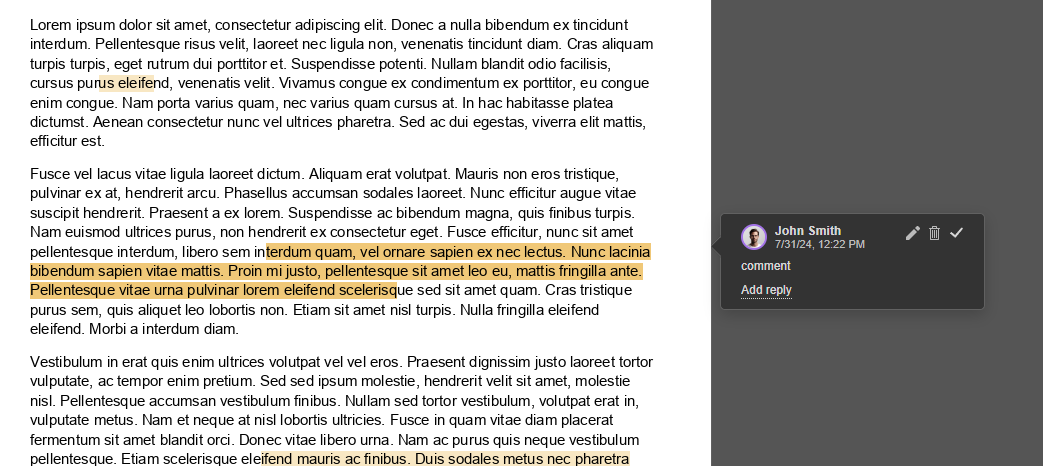
It’s a great improvement, but it would really help the user experience to have the option for the comment bubbles to be all open asinline margin bubbles anchored to the insertion point (the way Word or LibreOffice do it). I guess if we can do it one at a time, most of the implementation is done, the challenge is how to stack them when there are many comments inside the viewing area…
1 Like
Hello @bahanzai
Can you provide a screenshot of this for better understanding?
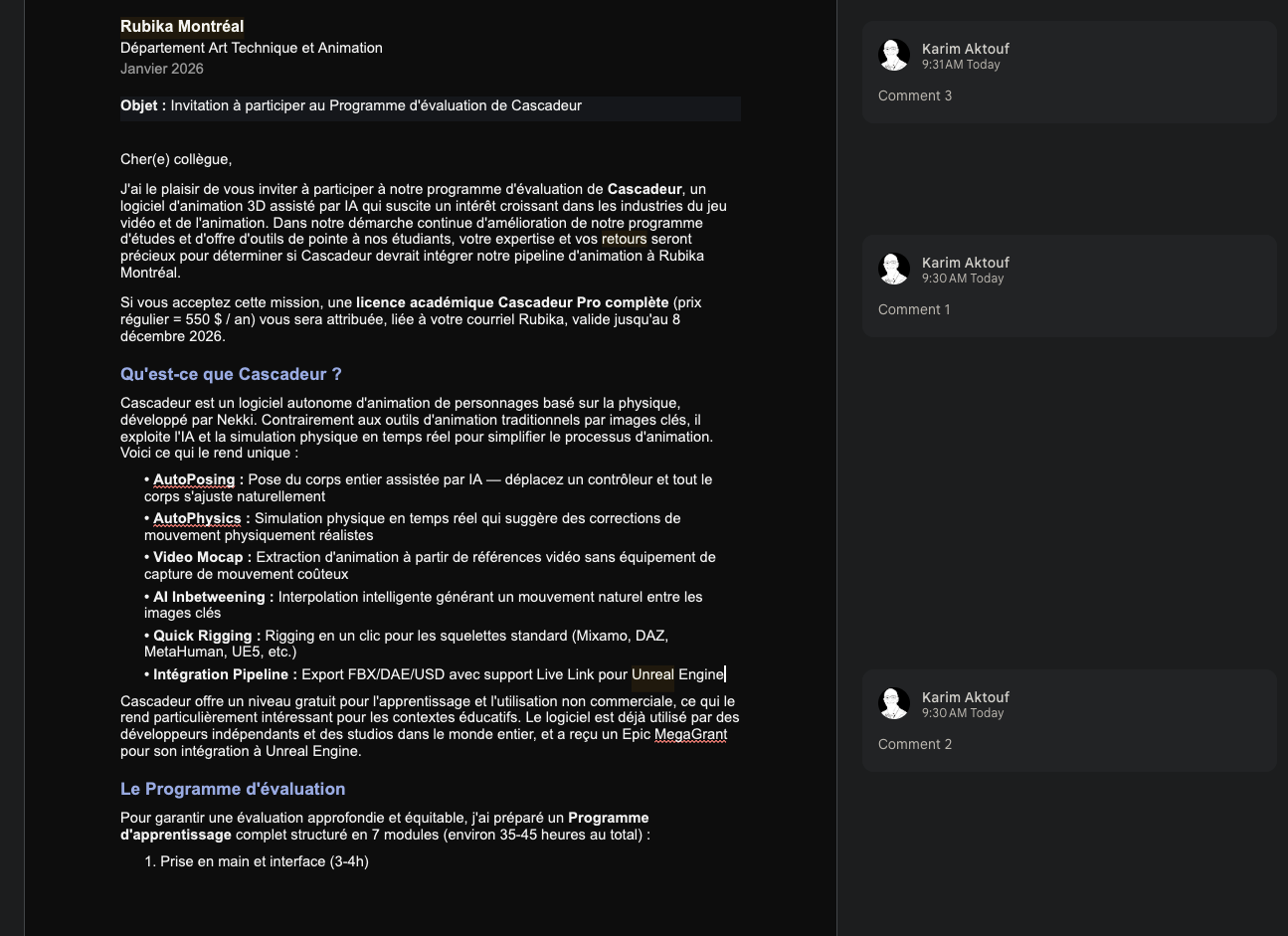
Sure, Here’s an example from Google Docs. The important aspects are that the comments are always visible and anchored to where they were added.
1 Like
Thanks. Similar suggestion was registered earlier, I am adding your query to it. Once any news comes up, I’ll let you know.
1 Like
I’d like to support this suggestion, there are lot of things to love about OnlyOffice, but currently reviewing documents with lots of modifications is pretty cumbersome compared to MS Word or Google Docs, as the reviewer is partly blind as to who changed what or commented what.
Hey @flebuz and everyone following this thread, 
Thanks a lot for your comments and for supporting the idea!
We’ve added your voices to the existing suggestion regarding comment display (inline margin bubbles anchored to the insertion point, always visible like in Word).
Every additional comment and vote helps raise the priority, so thank you for taking the time to share your feedback!
We’ll keep you updated here if there’s any progress on this feature.
2 Likes