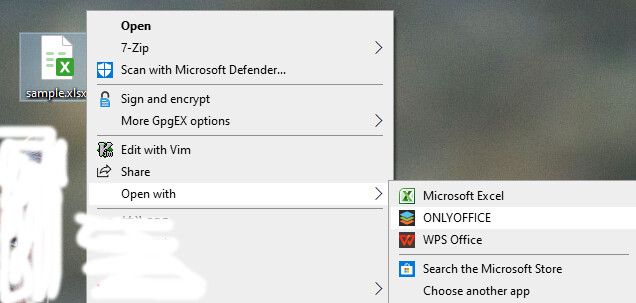
OS: window10
Operating System
Windows 10(x64)
Version information
Community version 9.1.0.167 (x64 exe)
I have created the shortcut logo in Desktop.In the property–target–“C:\Program Files\ONLYOFFICE\DesktopEditors\DesktopEditors.exe” --ascdesktop-support-debug-info-keep=1.Now when click this shortcut , enter into onlyoffice,select “view”–macro,press F1,the window of Developer Tools can be called.

If i click some xlsx file (sample.xlsx)with “open with”–ONLYOFFICE ,sample.xlsx opened with ONLYOFFICE, select “view”–macro,press F1,the window of Developer Tools can not be called.
How can make xlsx opened in debug status when “open with–ONLYOFFICE”?