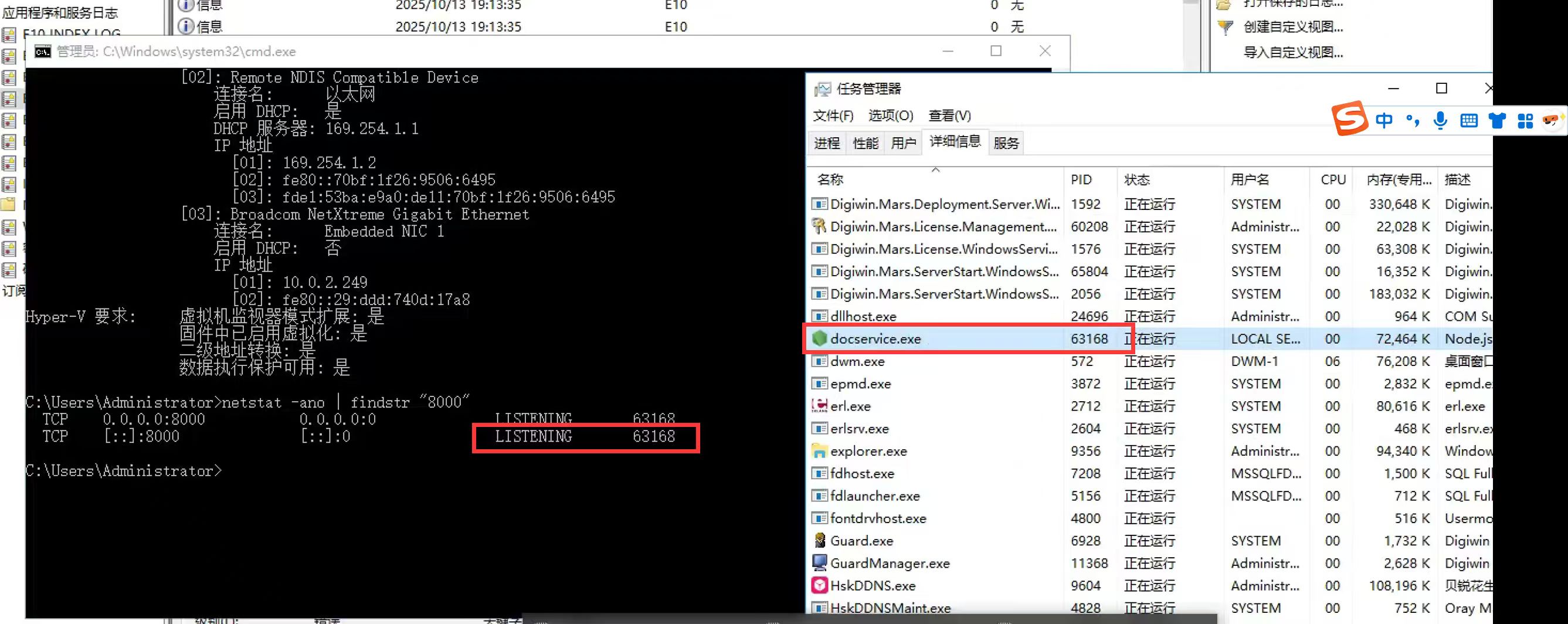
Hey @dream, 
Just to make sure I’m on the same page — are you trying to change the port for the ONLYOFFICE Docs service (docservice.exe)? If so, could you share why you need to modify it?
Yes, because port 8000 conflicts with another application port.
Hello @dream
According to the official installation guide:
By default, ONLYOFFICE Docs listens to the incoming connections using port 80 . Starting with version 4.3 you can change the port for ONLYOFFICE Docs if you plan to use it instead of the default one. To do that, run the executable file with the parameter:
onlyoffice-documentserver.exe /DS_PORT=<PORT_NUMBER>Where
<PORT_NUMBER>is the number of port you want ONLYOFFICE Docs to use.
The command ‘onlyoffice-documentserver.exe /DS_PORT=9090’ has been modified.However, it still occupies port 8000 through detection.
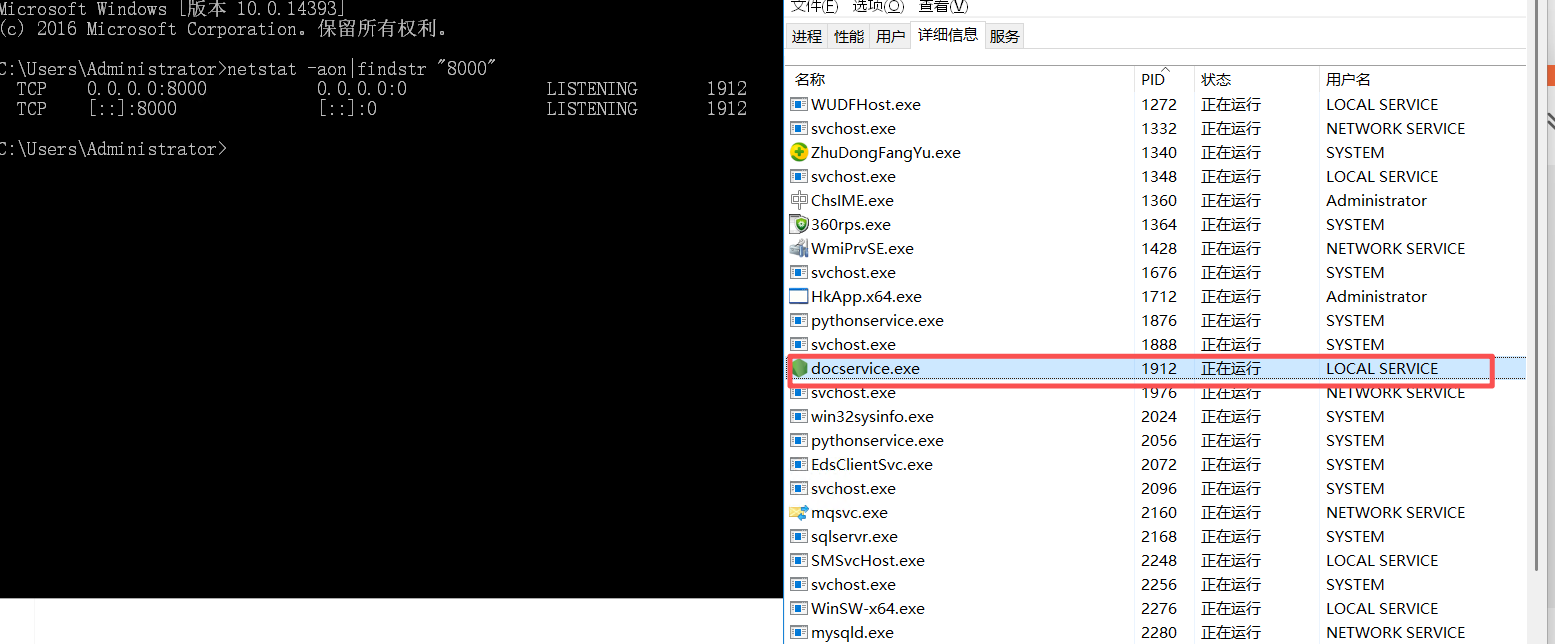
Hey @dream, 
Thanks for the update and screenshot — I see port 8000 is still in use even after setting /DS_PORT=9090.
To clarify: the /DS_PORT parameter changes the main ONLYOFFICE Docs listener port (the one the server binds to for external connections, e.g., via browser or editor integration). However, DocService (docservice.exe) internally communicates with other components on port 8000.
So:
- Your main Docs access will now be on port 9090.
- But internal services, including DocService, will still use 8000 for inter-process communication.
Solution:
Since port 8000 conflicts with another app, you have two options:
- Free up port 8000 on your system (stop the conflicting app or reconfigure it).
- Run ONLYOFFICE Docs in a container/VM where port 8000 is isolated.
We’re aware this limits flexibility on Windows installs — no current workaround to change the internal DocService port.
Hi @dream
It seems I misled you earlier. Actually, it should be possible to change the docservice port through the configuration file — I hadn’t noticed that before.
You can update it here:
https://github.com/ONLYOFFICE/server/blob/master/Common/config/default.json#L321
However, you’ll also need to update the corresponding value in Nginx for the change to take effect:
https://github.com/ONLYOFFICE/document-server-package/blob/master/common/documentserver/nginx/includes/http-common.conf.m4#L2
Please check if this approach works for you.
Still, by default, changing port 8000 is not officially supported.
This works for me. I’ve installed document server on rockylinux, the correspond files are: /etc/onlyoffice/documentserver/default.json and /etc/nginx/includes/http-common.conf
This topic was automatically closed 12 hours after the last reply. New replies are no longer allowed.