Hello
Using last version of oo on kubuntu last version too.
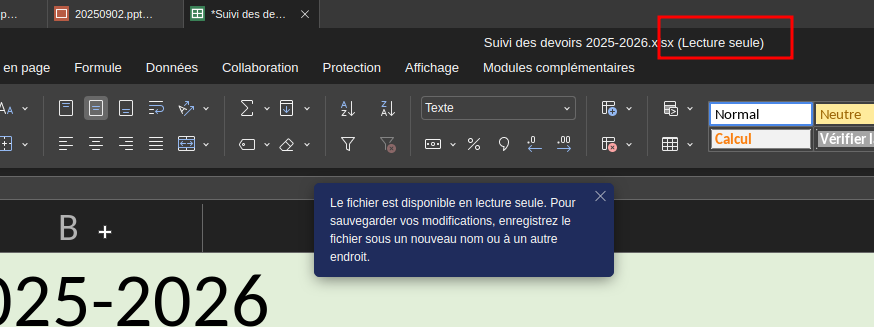
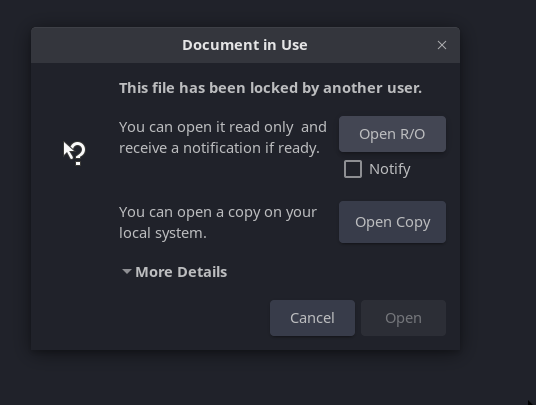
I don’t know yet exactly the source of the issue, or to reproduce it precisely, but what I see is that some files are considered in read only by OO.
I can’ save them:
Closing & reopening does not fix the issue.
Copying it in the file system:
the copy can be opened & modified
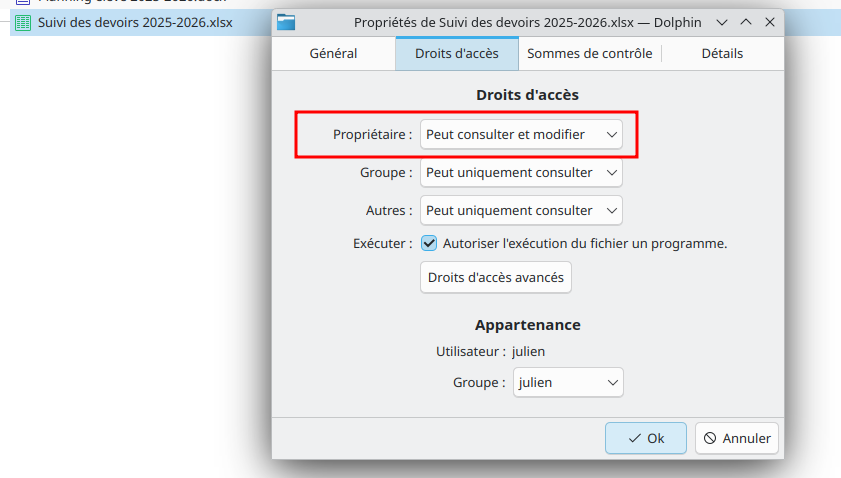
if the locked file is deleted and the copy renamed with the name of the locked file, then the copy is in read only !
=> It looks like OO stores the information file / lock status somewhere and does not update this information !
Providing a video won’t help (and as of now I can’t do it on my system).
Thanks for reporting this issue with files opening in read-only mode in ONLYOFFICE Desktop Editors on Kubuntu — and for the detailed troubleshooting steps! I’ll do my best to dig into what’s going on here.
You mentioned it happens with “some files” — any chance you’ve spotted a pattern on why only certain ones are affected (e.g., file type, location, or how they were created)?
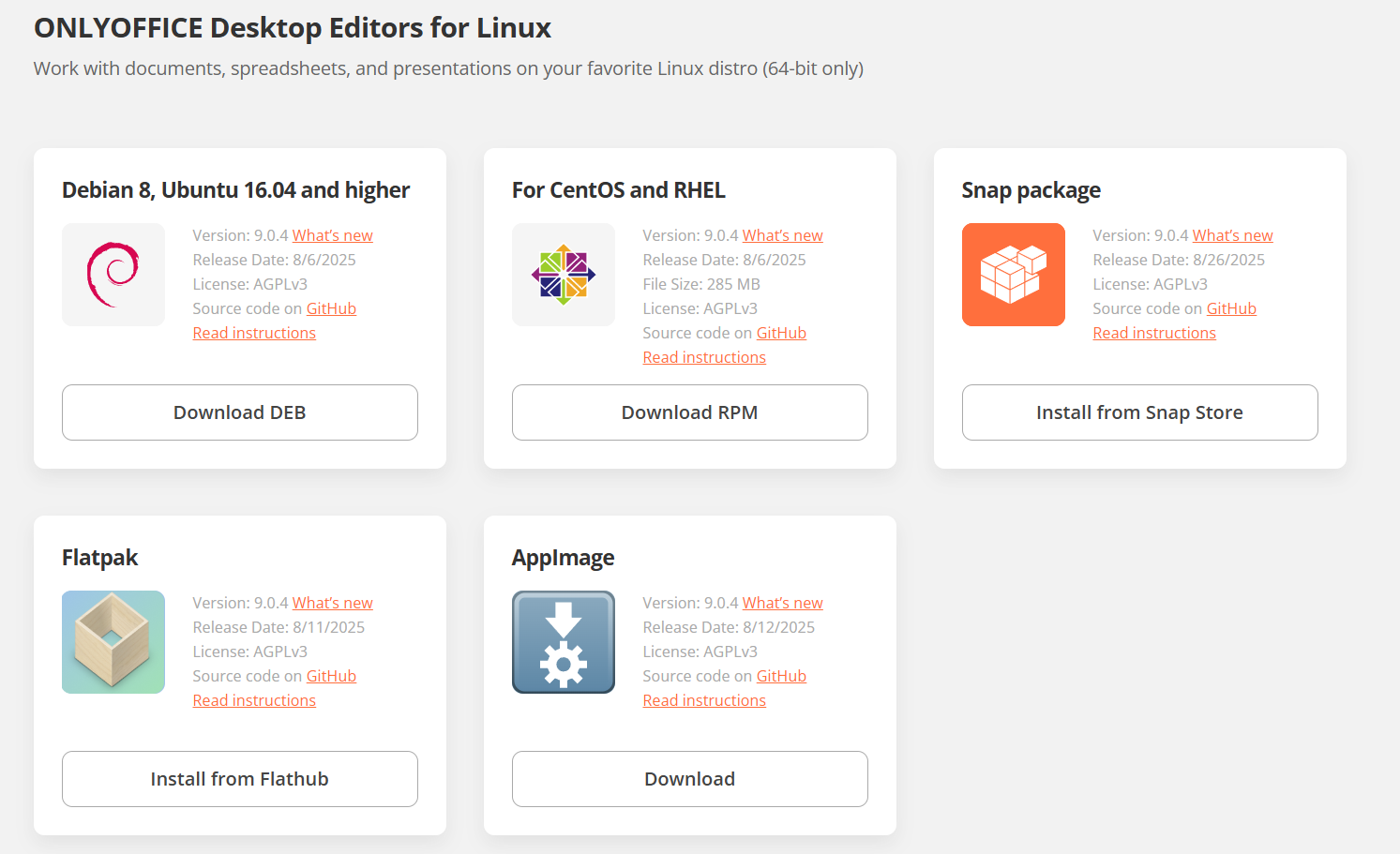
Also, could you let me know which installation method you’re using for Desktop Editors on KUbuntu (Snap, Flatpak, AppImage, or Deb)? If you can test with one of the other formats, does the problem still show up?
So after cutting/pasting the file back to the original folder, did the problem stop recurring for that file (or others)?
To help us reproduce this, could you walk us through a step-by-step scenario of your actions from start to finish (e.g., how the file was created, what you do before opening it in ONLYOFFICE)?
Right now, it sounds like it might be related to the file itself or something system-level, but more specifics would let us test it out.
Hello @Nikolas
I finally found the cause of the problem
I was opening the file via a symbolic link stored in a “favorite files” folder
in this folder, an hidden lock file was present, dating from some days (probably one day the system crashed)
=> that explained that when I opened the file directly from it’s folder, it worked fine, while when I opened it via the link, it was considered as locked as in the link folder, there was the lock file.
=> Not an OO bug, just a consequence of a linux crash.
Awesome, glad you tracked down the cause of the read-only issue with the symbolic link and hidden lock file from a Linux crash! No worries at all — thanks for sharing the details, as this could definitely help other users running into similar situations.
I have similar problem. Documents open in Read-only mode. When I want to save it I have to overwrite the previous version. Usually when I do that the latest changes are not even saved ? It terribly slowing down my work and is extremely annoying.
Thanks for chiming in — sorry to hear you’re hitting a similar read-only mode issue with documents in ONLYOFFICE Desktop Editors, where overwriting doesn’t always save changes. That’s definitely frustrating and slows things down!
To help us figure out if this is the same as @arcqus’s case (hidden lock file from a crash) or something different, could you share more details? For example:
Your OS and version (e.g., exact Linux distro and release)?
ONLYOFFICE Desktop Editors version (check in About)?
Installation type (Snap, Flatpak, Deb, AppImage)?
Are you using symbolic links, virtual disks, or any special folder setups (like favorites or network drives)?
A short video or step-by-step reproduction (e.g., open a file, edit, try to save) would be awesome — upload to Google Drive/kDrive and share the link.
Check for hidden lock files (e.g., .lock or ~$filename.docx) in the file’s folder, as in the original issue.
This will give us a hook to investigate. Constantine didn’t mean to offend by closing your previous topic — he was just trying to consolidate similar reports.
1.Ubuntu 24.04.3 LTS
2.Desktop version 9.0.4.50
3.Snap
4. No
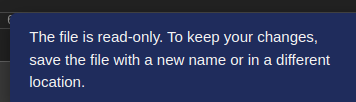
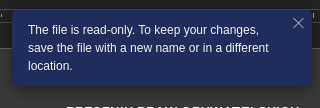
5. The way I open a document: I go to folder and click twice to open it. It automatically opens in OnlyOffice. Document is opened with the massage I have attached below : …read-only.Even so the document a day before was modified and saved in this destination when shot down a computer and restart it the next day the same document is read-only.After I make some changes in edited document to save it I need to overwrite the document from day before or I have an option to save it as a new document.
6. I do not know were to search for it.I have been trying but I can not find any of it.
7. This massage I get when I open a documents :
Let’s try this: download and install the AppImage or Deb version from our official site instead of Snap. If the read-only problem goes away with those, it’ll point us to a Snap-specific issue we can dig into further.
Give it a shot and let me know how it goes — we’ll sort this out!
The situation I have right now is terrible. I have corrected yesterday one of the documents and I have save it. Today when I have opened it is not corrected. It was not saved correctly. I have no idea what is happening. So much work for nothing. I need to start back again.
I try to install the deb package and I get some issues :
~/Downloads$ sudo apt install ./onlyoffice-desktopeditors_amd64.deb
Reading package lists… Done
Building dependency tree… Done
Reading state information… Done
Note, selecting ‘onlyoffice-desktopeditors’ instead of ‘./onlyoffice-desktopeditors_amd64.deb’
Some packages could not be installed. This may mean that you have
requested an impossible situation or if you are using the unstable
distribution that some required packages have not yet been created
or been moved out of Incoming.
The following information may help to resolve the situation:
The following packages have unmet dependencies:
fonts-dejavu : Depends: fonts-dejavu-extra but it is not installable
E: Unable to correct problems, you have held broken packages
I have uninstalled snap pack.
Then I have been trying to install .deb version without success.
I have found then Flatpak which I have installed successfully .
Unfortunately the same issue:
After I open a document I have the above Read-only note. Then lets say modify a document itself and want to save it. I need to overwrite the previous location to save it in the same place. When I open a document the Read-only note is still there.It does not disappear… but it is saving at the proper location without asking where to save it.
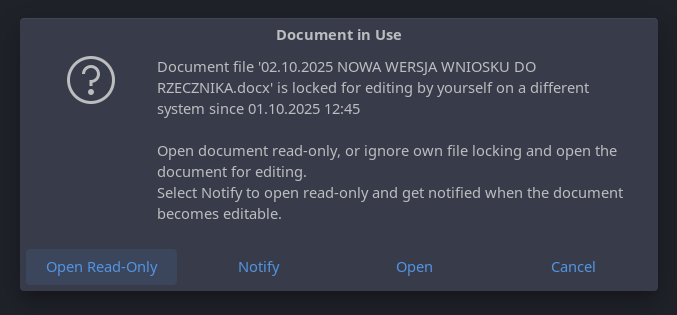
Also at first when I wanted to open that file the next day today I first get this kind of massage which I do not understand also:
I try to resolve the problem with my friend who actually knows the staff a way better then me and he has suggested to check the .~lock files as this is probably the case … and I have found a lot of them:
I am having the same issue. It is really becoming a problem. I used to just be able save with a different name which was annoying but workable. But now it isn’t always saving the changes ive made. Have we made any progress towards a fix? Im update to latest version 9.4 and on a linux laptop
I see a bunch of lock files (e.g., .~lock.filename.docx#) in your setup — that’s a key clue! Here’s how the editor works with these:
When a document is opened, ONLYOFFICE creates a hidden lock file (.~lock.filename.docx#).
This file should auto-delete on proper document closure.
If the system crashes (e.g., PC shutdown, Snap/Flatpak sandbox glitch), these lock files linger. On the next open, the editor thinks the file’s in use and opens it read-only.
Let’s try this:
Test with a lock file (video): Pick one .~lock.filename.docx# file, delete it, then open the document, edit, save, close, and reopen to see if the issue recurs. Record a video showing all steps (e.g., file becoming read-only, location, opening/editing process) — upload to kDrive/Onlyoffice DocSpace/Google Drive and share the link. This will help us reproduce it or suggest a fix.
Check your installation:
2.1 Did you fully remove the Snap version? Run snap list to ensure onlyoffice-desktopeditors 9.0.4 is gone. Remove it with sudo snap remove onlyoffice-desktopeditors if needed.
2.2 Did you install the .deb version? Let’s confirm.
Hi Nikolas,
I have been having the same problem for a while, about since this thread was started.
I am using ZorinPro (Linux ubuntu).
Just checked the file list and there are a bunch of lock files there for various files I have edited recently. I manually deleted one of them and then edited the file that it had pointed to and saved the file. As soon as I closed the file I saw its lock file go away. I then opened the same file and it came up w/o read only status. Perhaps we at least have a workaround. If I open a file and it comes up as Read Only, then close the file, check that it is not possibly open by another process, delete its lock file and re-open the file.
To see if recent fixes help, could you all test with the latest version, 9.1.0? There were some improvements around file locking and read-only detection that might resolve this. Download it from the official site: ONLYOFFICE Desktop Editors (try the .deb for Ubuntu if Snap/Flatpak are still glitchy).
After installing, delete any lingering .~lock files from your folders (as you mentioned, @Molar).
Open a file, edit, save, close, and reopen to check if read-only persists.
If possible, record a quick video of the steps (including any lock files or errors) and share via ONLYOFFICE DocSpace or kDrive — it’ll help us confirm if it’s fixed.
Why do users have to search for these hidden files after every crash, which happens very often? I can’t find any hidden files on my Windows 10 desktop. Because of this, I had to install LibreOffice, even though I hate it for its terrible interface.