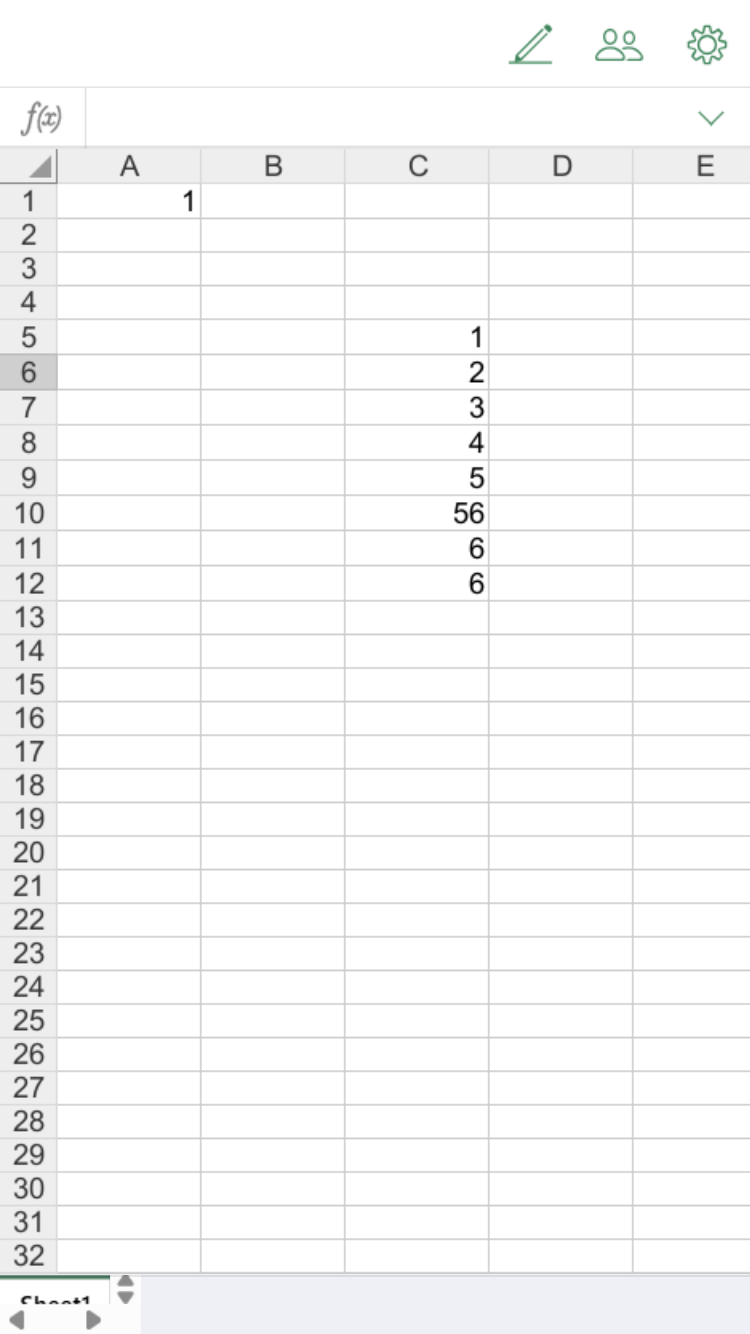
In the mobile editor, when editing a Word file, the filename is displayed in the header toolbar, but for Excel and PowerPoint files, it is not.
How can I configure it to display the filename in the header toolbar for Excel and PowerPoint as well?
How are you accessing documents? (Browser or ONLYOFFICE Documents mobile app)
If mobile browser, what integration (Nextcloud, ownCloud, etc.)?
I’m using an on-premises ONLYOFFICE Docs Server and the Java integration example from Docs API integration samples. I access it via a browser with type=mobile.
Device details: iOS or Android; OS version
I’m using iOS version 18.6.2.
However, you can also verify this by enabling Chrome’s Developer Tools, selecting Dimensions → iPhone SE, and refreshing the page.
After checking with our team and comparing with your screenshots from version 8.1.1, we can confirm there has been a design change.
In version 9.1(currently latest version):
Filenames are displayed in the header toolbar for docx on smartphones before entering edit mode.
The mobile toolbar was redesigned with additional editing instruments and tools. Due to this redesign and limited screen space on smartphones, filenames are no longer displayed in the toolbar for xlsx and pptx files.
Long filenames would be truncated and affect the interface appearance. The space is now used for the ONLYOFFICE logo and essential editing tools.
Our team prioritized providing more editing functionality in the toolbar over displaying filenames on the limited smartphone screen space.
Thank you for your reply. I’ve understood the reason now.
I have another question about the mobile editor UI. Could you help me with it?
The toolbar header color when editing on iPhone and Android is different.
I tested this on OnlyOffice Document Server Developer Edition version 9.1.
Is there any setting to make them display the same?
I’ve described the detailed question in the post below.
Thank you for bringing this to our attention. I’ve replied to your new question about the mobile editor UI differences in the new thread you created. Let’s continue the discussion there!