Do you want to: Suggest a feature / Report a bug / Ask a how-to question
For feature suggestions, describe the result you would like to achieve in detail.
For bug reports, provide the steps to reproduce and if possible a minimal demo of the problem.
DocSpace version: v.3.1.1
Type of installation of the DocSpace (docker, deb/rpm, exe, please point us to the installation guide that you used as well): deb/rpm
OS:
Browser version: Microsoft Edge Microsoft Edge 143.0.3650.96
Additional information:
Any relevant details about the situation. If you’ve modified configuration files or are using a proxy server that might affect the situation, please mention it. You can also attach images and videofile to the post (or to place them to external storage)
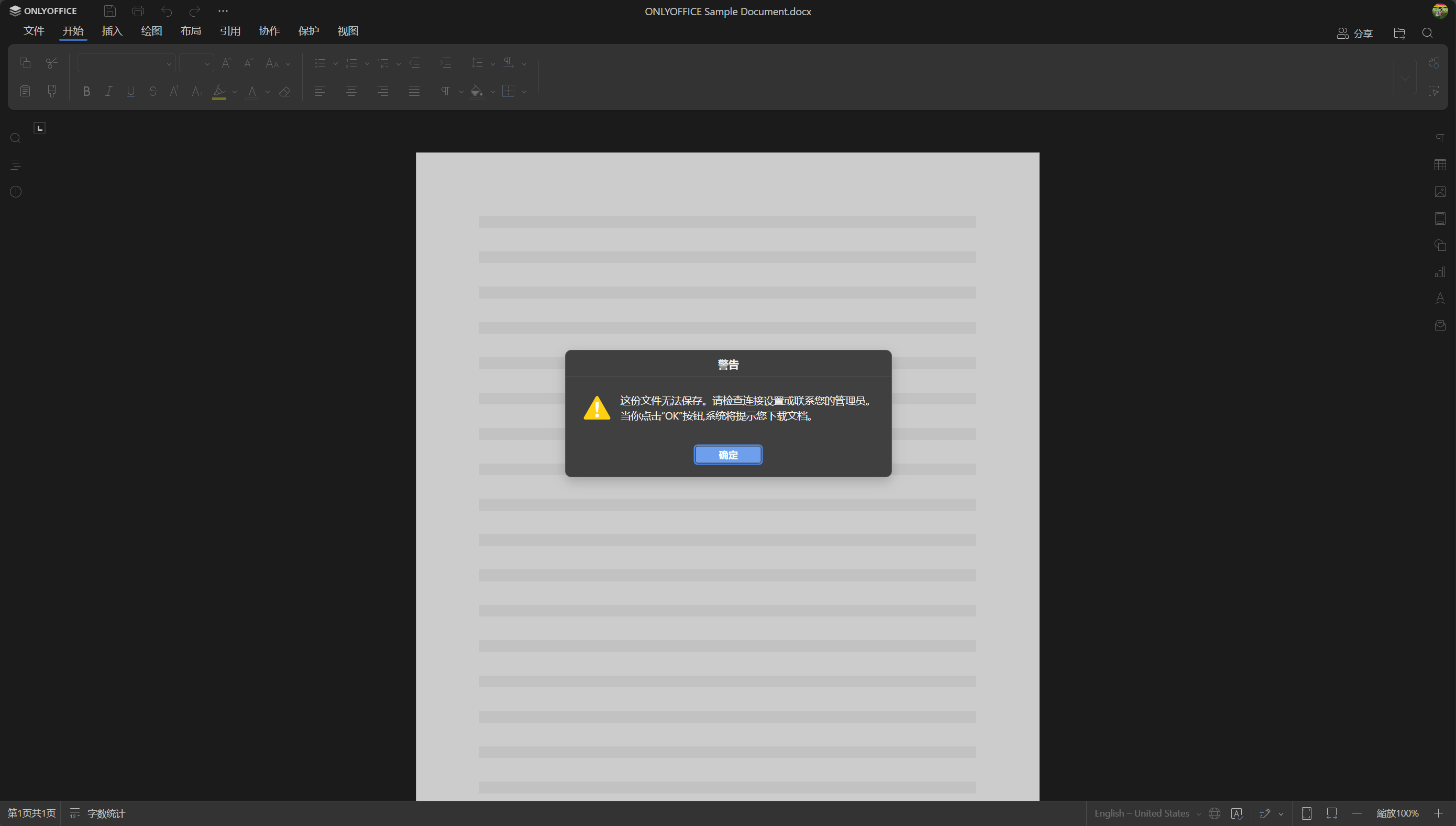
Hi, when I open a file, it first warns me that the file cannot be saved please check the connection or contact the administrator.
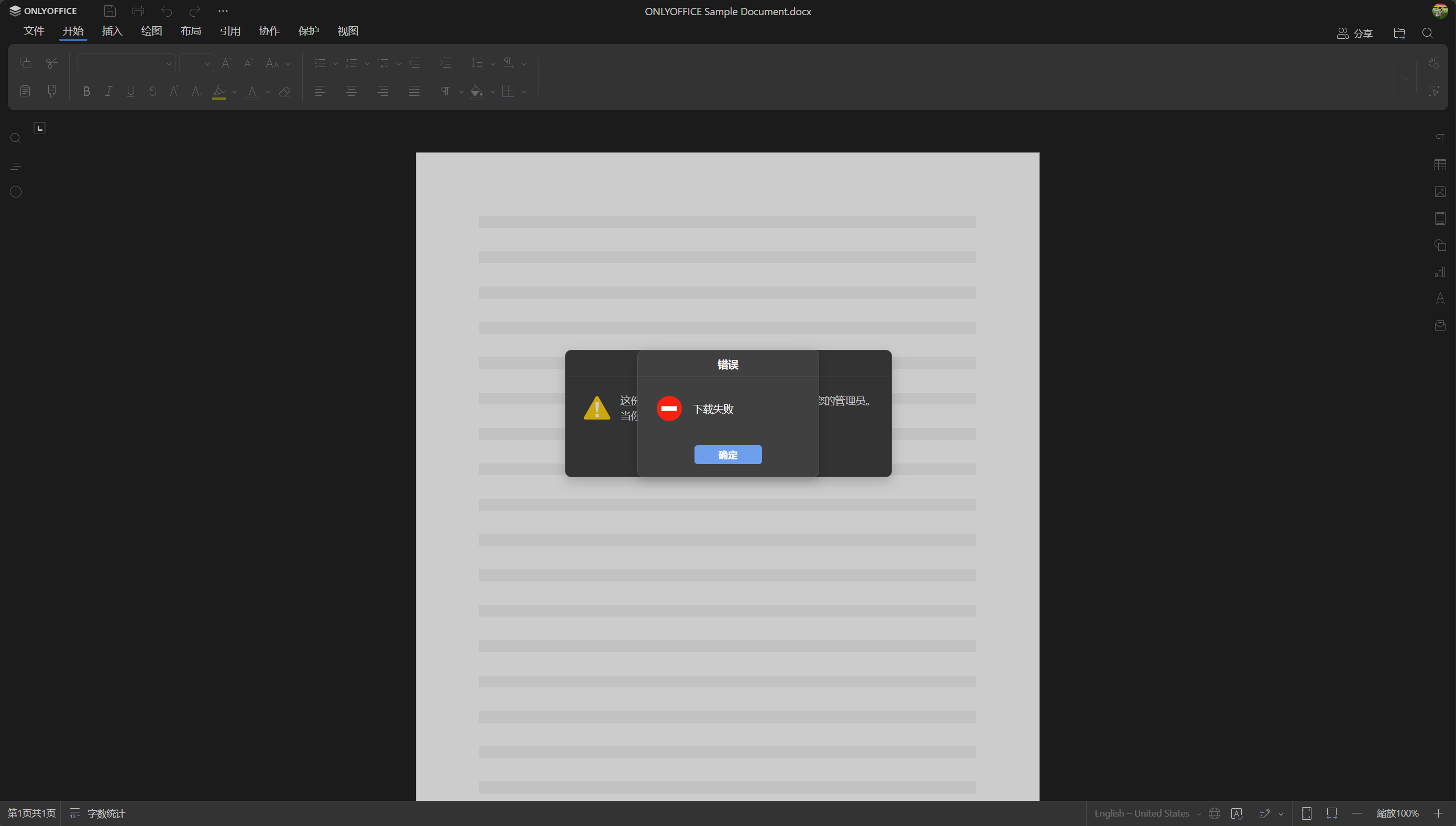
Then it pops up: Download Failed.
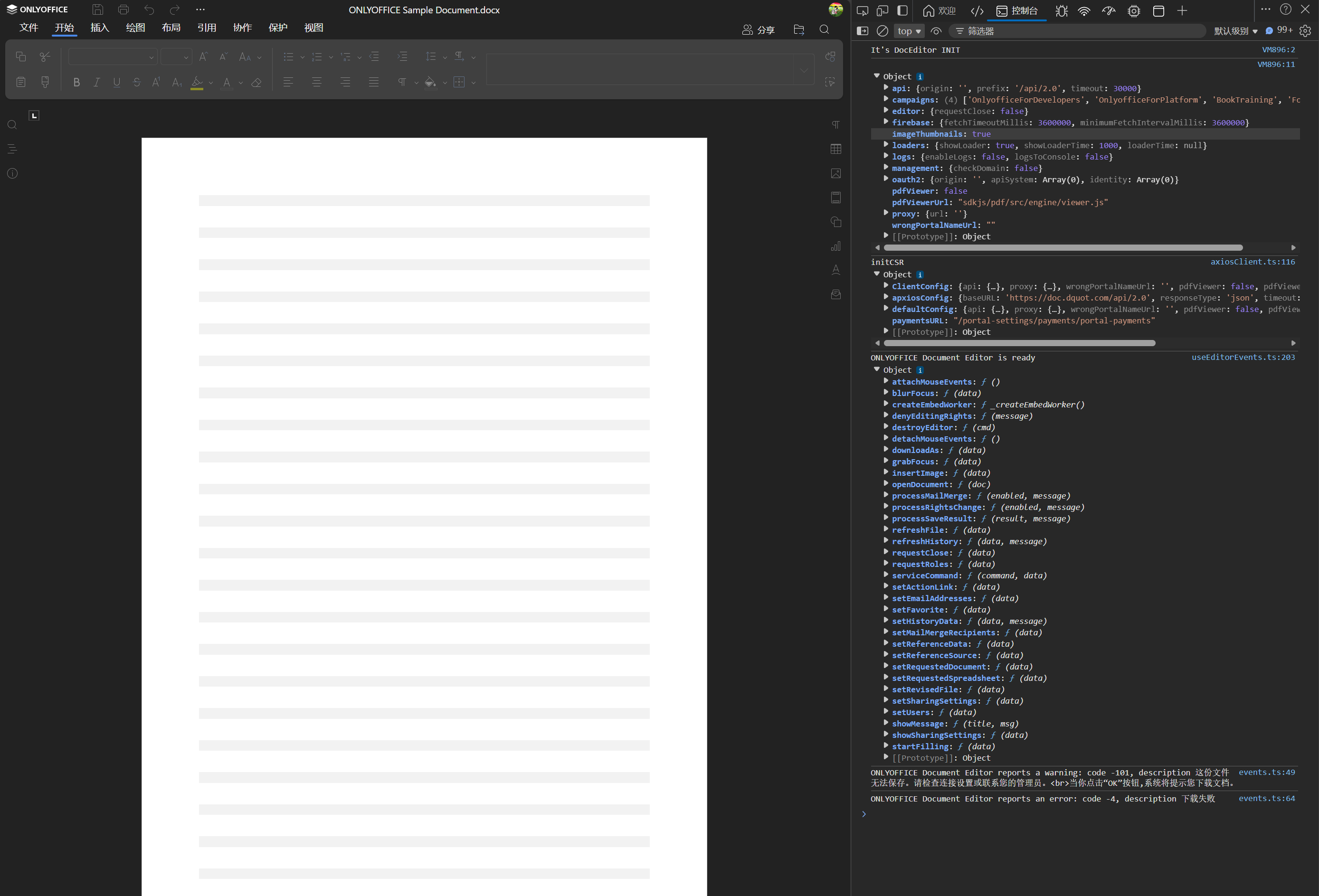
It’s the same no matter what type of file I open. And this is a screenshot of the browser console.
I hope someone can offer help, and I would be very grateful.